ulagai.com

Shopify

Shopify lead generation
Shopify

Turn Your Shopify Store into a Lead-Generating Machine

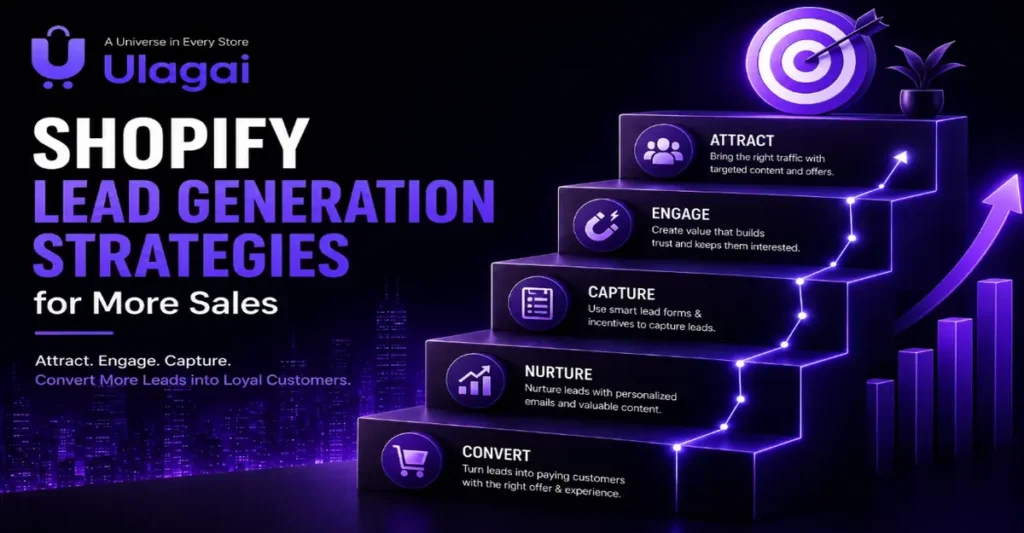
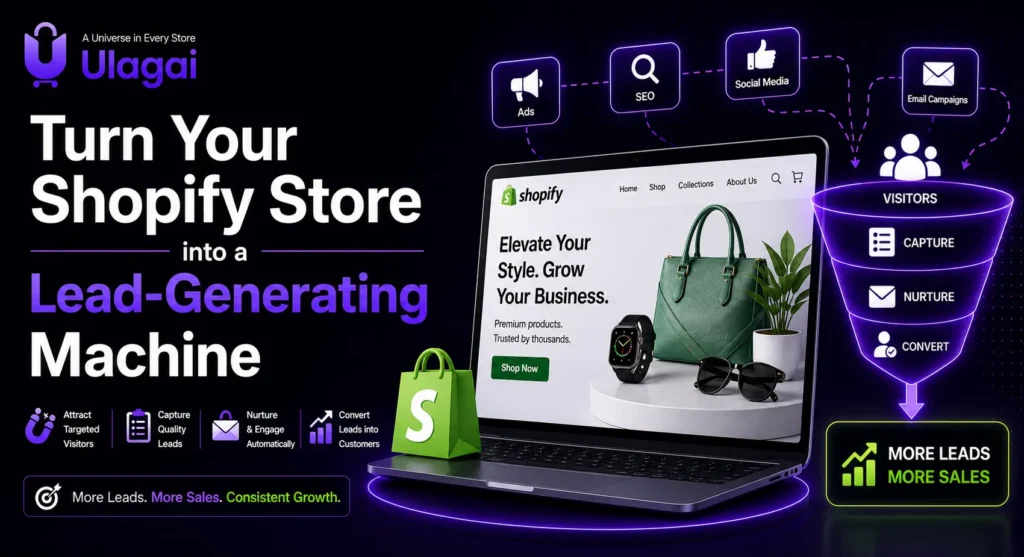
Turn Your Shopify Store into a Lead-Generating Machine Introduction Getting visitors to your Shopify store is only the beginning. The bigger challenge is convincing those visitors to take action whether that means buying a product, requesting a quote, joining your email list or contacting your business. This is where Shopify lead generation becomes important. A well-designed Shopify store should not simply display products; it should guide visitors toward the next step. For businesses investing inlist,ommerce, Ulagai helps combine Shopify website development, conversion optimization, SEO, and digital marketing to create websites designed around business goals rather than appearance alone. In this guide, you will learn practical Shopify lead generation strategies that can help turn more visitors into qualified prospects and customers. What Is Shopify Lead Generation? Product pages are often where purchase decisions happen. A strong product page should include: Clear product name High-quality product images Benefits-focused description Price Availability Product specifications Reviews Delivery information Return policy FAQs Strong CTA Related products For a direct-to-consumer e-commerce brand, the ultimate goal may be sales. For a B2B business selling through Shopify, generating qualified inquiries may be more important. The right strategy depends on the customer journey, product price, industry, and buying process. Why Is Shopify Lead Generation Important for Ecommerce? A Shopify store can have attractive products and still struggle to generate business if the website does not guide visitors toward action. Effective Shopify conversion optimization connects traffic with business outcomes. 1. It Makes Website Traffic More Valuable Getting thousands of visitors does not automatically mean getting thousands of customers. Lead generation focuses on attracting the right visitors and giving them a clear path toward conversion. 2. It Improves the Customer Journey Visitors should quickly understand: What you sell Who the product is for Why they should consider it How much it costs What makes your business trustworthy What they should do next 3. It Supports Long-Term E-commerce Growth A strong store can generate value from multiple channels, including: Organic search Google Ads Meta Ads Social media Email marketing Direct traffic Referral traffic Google notes that ecommerce content can appear across multiple Google surfaces, including Search, Images, Shopping, and Lens, making strong product data and useful e-commerce content important parts of online visibility. Key Shopify Lead Generation Strategies 1. Create a Clear Value Proposition When someone lands on your homepage, they should understand your offer quickly. Instead of using generic messaging such as: “Welcome to our online store.” Use specific information that communicates your value. For example: “Premium Office Furniture Delivered Across Chennai” This immediately tells visitors: What you sell Who it is for Where you operate A clear value proposition can reduce confusion and help visitors decide whether your store is relevant to them. 2. Optimize Your Shopify Product Pages Product pages are often where purchase decisions happen. A strong product page should include: Clear product name High-quality product images Benefits-focused description Price Availability Product specifications Reviews Delivery information Return policy FAQs Strong CTA Related products Avoid writing product descriptions only for search engines. Write them for people first. Explain what the product does, who it is suitable for, and why it is worth considering. Google’s e-commerce guidance recommends informative product and category content that matches the terms shoppers use when searching. 3. Use Strong Calls-to-Action A visitor should never have to guess what to do next. Depending on your business, useful CTAs include: Buy Now Add to Cart Get a Quote Request Pricing Talk to an Expert Contact Us Shop Now Book a Consultation WhatsApp Us Get Product Details The CTA should be visually noticeable and placed at logical points throughout the customer journey. For high-value products, “Request a Quote” may work better than immediately asking visitors to purchase. 4. Build Landing Pages Around Customer Intent Sending every advertising visitor to your homepage is not always the best approach. Create dedicated landing pages for different campaigns and audiences. For example: Google Ad: “Office Chairs for Businesses” Landing Page: “Ergonomic Office Chairs for Chennai Businesses” The landing page can then focus specifically on: Product benefits Pricing Features Reviews Delivery FAQs CTA This creates a stronger connection between the advertisement and the visitor’s intent. 5. Make Your Shopify Store Mobile-Friendly Many e-commerce visitors browse using smartphones. A mobile visitor should be able to: Open the page quickly Understand the product View images Read important information Select variants Add to cart Complete checkout Avoid unnecessary pop-ups, oversized images, difficult navigation, and small clickable elements. Google’s PageSpeed Insights evaluates both lab and real-world performance, including Core Web Vitals such as LCP, CLS, and INP. 6. Add Trust Signals People are more likely to inquire or purchase when they feel confident about the business. Useful trust signals include: Customer reviews Ratings Testimonials Secure payment information Return policy Shipping information Contact details Business address Warranty information Frequently asked questions Google also highlights clear return, shipping, and customer-service information as useful e-commerce content for shoppers. 7. Use Shopify SEO to Attract Relevant Traffic Shopify lead generation does not start only on the website. It also starts before the visitor reaches your store. Your SEO strategy should cover: Product pages Collection pages Category content Blog content Internal linking Meta titles Meta descriptions Image optimization Search intent Technical SEO Structured data Google recommends making ecommerce pages discoverable through logical navigation and internal links. For example: Blog → Collection → Product → Checkout This creates a more useful customer and search-engine journey. How to Build a Shopify Lead Generation Funnel A Shopify sales funnel can be simplified into five stages: Traffic → Landing Page → Engagement → Lead/Cart → Purchase Stage 1: Attract Bring relevant visitors through: SEO Google Ads Meta Ads Social media Content marketing Influencer marketing Stage 2: Engage Give visitors a reason to stay. Use: Strong headlines Product benefits Videos Images Reviews Helpful content Stage 3: Capture Create opportunities for visitors who are not ready to buy. For example: Newsletter signup Discount registration Product enquiry WhatsApp contact Quote request Stage 4: Convert Make the buying or
Shopify loyalty program to build customer rewards and retention
Shopify

Shopify Loyalty Program: Build Rewards That Retain

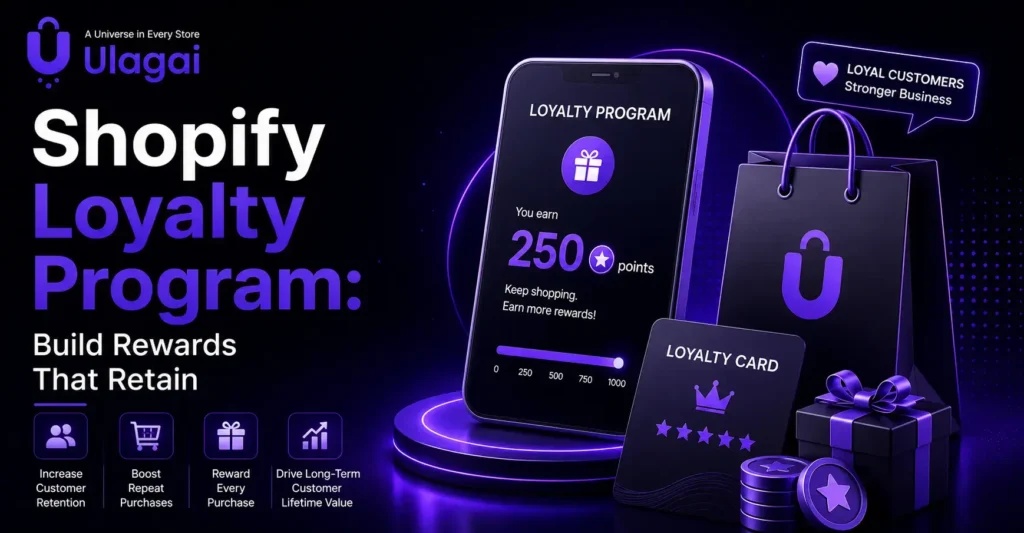
How to Build a Customer Loyalty Program on Shopify Introduction Winning a new customer takes time, effort, and marketing investment. However, encouraging an existing customer to buy again can be more cost-effective. A well-planned Shopify loyalty program rewards customers for their continued support and gives them a reason to return to your store. A loyalty program can include points, discounts, referral rewards, free shipping, birthday offers, and exclusive member benefits. At Ulagai, we help ecommerce businesses develop Shopify stores that create better customer experiences and support repeat purchases. This guide explains how to create a customer loyalty program that works for your Shopify business. What Is a Shopify Loyalty Program? A Shopify loyalty program is a rewards system designed to encourage customers to shop with your brand repeatedly. Customers can earn loyalty points by purchasing products, creating an account, referring friends, celebrating a birthday, or completing other valuable actions. They can later redeem their rewards points for benefits such as: Discount codes Free shipping Free products Early access to new collections Member-only offers VIP rewards A Shopify customer loyalty program turns regular transactions into an ongoing relationship. Instead of communicating with customers only when you want to sell something, you give them meaningful benefits for staying connected with your brand. Why Is a Customer Loyalty Program Important? Online customers have many stores to choose from. If your brand does not provide a strong reason to return, they may purchase from a competitor next time. A customer loyalty program for ecommerce helps you strengthen customer relationships after the first sale. When customers know that each order takes them closer to a useful reward, they may be more willing to return. An effective loyalty program can help your business: Increase repeat purchases on Shopify Improve customer retention Increase purchase frequency Build stronger customer engagement Improve customer lifetime value Encourage customer referrals Collect useful customer information Create a better customer experience Loyalty programs can also support your post-purchase marketing. You can use email and SMS messages to share point balances, available rewards, birthday benefits, and personalised offers. Choose the Right Goal for Your Loyalty Program Before selecting rewards or installing an app, decide what you want your loyalty program to achieve. A clear goal will help you build the right reward structure and measure its performance. Your main goal may be to: Increase the repeat purchase rate Encourage customers to spend more Gain more customer referrals Increase account registrations Reward your most valuable customers Improve customer retention Reconnect with inactive customers For example, if your goal is to increase purchase frequency, offer rewards that customers can earn and redeem without waiting too long. If you want to increase average order value, you can provide more points when an order reaches a specific amount. Avoid trying to achieve every goal immediately. Start with one or two clear objectives and expand the program after understanding customer behaviour. How to Create a Loyalty Program on Shopify 1. Understand Your Customers Review your customer data before creating the program. Look at what customers buy, how frequently they return, their average order value, and how long they take to place another order. Customer segmentation can help you understand the difference between first-time buyers, repeat customers, VIP customers, and inactive customers. These insights allow you to create personalised rewards for each group. 2. Select a Loyalty Program Type Choose a program that matches your products, customers, and buying cycle. A points-based loyalty program gives customers points for purchases and other actions. It is simple to understand and works well for businesses that receive frequent orders. A tiered loyalty program moves customers through different levels based on their spending or activity. Higher loyalty tiers can provide stronger benefits, such as exclusive discounts, early access offers, and free shipping. A Shopify referral program rewards existing customers for introducing new shoppers to your brand. Both the referrer and the new customer may receive a benefit. You can also combine these models, but the overall program should remain easy to understand. 3. Choose Valuable Rewards Customers will not actively use the program if the rewards feel unhelpful or difficult to earn. Select benefits that match their interests and your profit margins. Possible Shopify loyalty rewards include: Purchase-based rewards Account creation rewards Birthday rewards Referral rewards Exclusive discounts Free shipping rewards Free products Early access to sales Member-only benefits The reward should feel valuable without affecting your profitability. Check product margins and expected redemption costs before finalising the offer. 4. Set Clear Earning and Redemption Rules Customers should immediately understand how to earn and use their points. Clearly explain: How many points customers earn per purchase Which actions provide additional points How points can be redeemed Whether rewards have a minimum order value Whether points expire Which products are excluded Whether rewards can be combined with other offers Keep your loyalty program terms and conditions visible. Unexpected restrictions can reduce customer trust and participation. 5. Choose a Shopify Loyalty Program App Shopify loyalty program apps can help you manage points, rewards, referrals, VIP levels, and customer activity. Popular options include Smile.io, LoyaltyLion, and Yotpo Loyalty & Referrals. Compare apps based on: Points and rewards features Referral program support Loyalty tier options Email and SMS integrations Shopify POS compatibility Analytics and reporting Design customisation Pricing and scalability Customer support Choose an app that meets your current needs while allowing the program to grow. Avoid paying for advanced features that your business is not ready to use. 6. Integrate the Program with Your Store Your Shopify rewards program should feel like a natural part of your website. Match the colours, buttons, language, and reward messages with your brand style. Make the program easy to find through the main menu, customer account area, product pages, cart, and post-purchase communication. Customers should be able to check their points, understand available rewards, and redeem them without confusion. If you operate physical and online stores, consider an omnichannel loyalty program connected to Shopify POS. This allows customers to earn

Shopify inventory management tips for multiple locations
Shopify

Shopify Inventory Management Tips for Multiple Locations

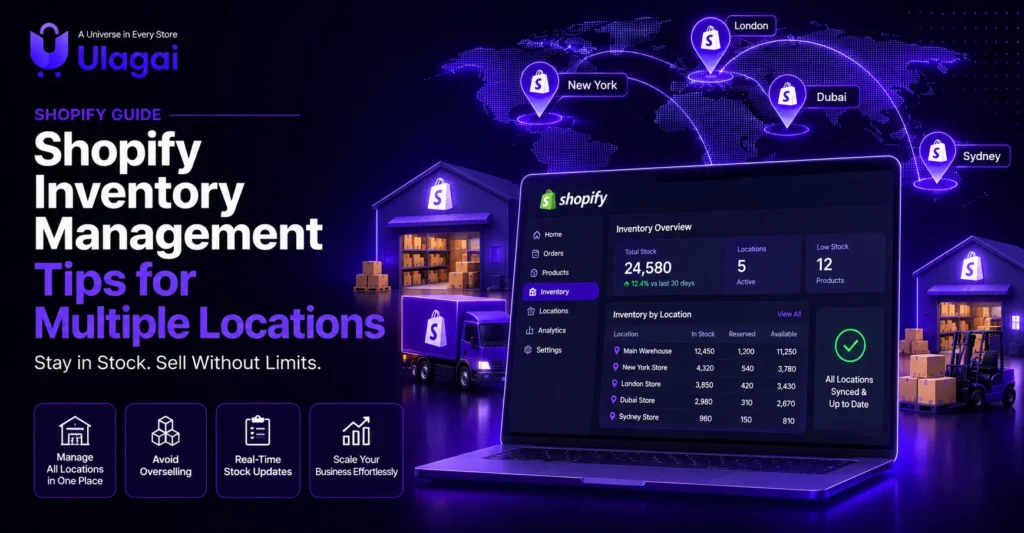
Shopify Inventory Management Tips for Multiple Locations Introduction Managing inventory becomes more difficult when a business operates from multiple warehouses, retail stores, or fulfilment centres. Without a clear system, businesses may face overselling, stockouts, delayed deliveries, inaccurate stock counts, and unnecessary inventory costs. Shopify inventory management helps businesses track products across different locations from one platform. However, simply adding locations is not enough. You need proper inventory allocation, order routing, stock transfers, regular audits, and accurate reporting to keep operations running smoothly. At Ulagai, we help ecommerce businesses build and improve Shopify stores that support scalable inventory operations. In this guide, we explain practical Shopify inventory management tips for multi-location businesses. What Is Shopify Multi-Location Inventory Management? Shopify multi-location inventory management allows businesses to store and track products at multiple physical or virtual locations. These locations can include: Retail stores Warehouses Offices Pop-up shops Dropshipping suppliers Third-party logistics providers Custom fulfilment centres Shopify tracks the stock quantity of each product separately at every assigned location. Orders are then assigned based on available inventory, shipping settings, and the order-routing rules configured by the business. This gives merchants better control over their inventory locations and fulfilment operations. Why Is Multi-Location Inventory Management Important? Customers expect products to be available and delivered quickly. If your inventory information is inaccurate, customers may place orders for products that are not actually available. This can lead to cancellations, delayed fulfilment, refunds, and poor customer experiences. An effective Shopify inventory management system can help you: Maintain accurate stock levels Prevent overselling and stockouts Improve order fulfilment speed Reduce unnecessary stock holding Balance inventory between locations Improve purchasing decisions Support online and offline sales Prepare the business for future growth The following practices can help you manage inventory across multiple locations more effectively. 1. Set Up Every Inventory Location Correctly Start by adding every place where your business stores or fulfils products. Give each location a clear and consistent name, such as “Chennai Retail Store” or “Bangalore Main Warehouse.” Avoid creating duplicate or inactive locations because they can make inventory tracking confusing. You should also decide whether each location can fulfil online orders, support local pickup, or only store products. Shopify allows businesses to track inventory separately at physical locations, fulfil online orders, process retail sales through Shopify POS, and connect third-party fulfilment services. Setting up each location correctly creates a strong foundation for centralized inventory management. 2. Assign Products to the Right Locations Not every product needs to be stocked at every warehouse or retail store. Assign products only to the locations where they are actually stored. For example, fast-selling products may be available at all locations, while large or premium products may be stored only at the main warehouse. Location-based inventory allocation reduces confusion and helps employees understand where each product is available. Review these assignments regularly when you introduce new products, close a warehouse, open a retail store, or change your fulfilment process. 3. Configure Order-Routing Rules Order routing decides which location should fulfil an online order. Shopify can assign orders based on available stock and the rules configured by your business. You can use order-routing rules to: Reduce split fulfilments Prioritize selected warehouses Ship from the closest available location Hold stock at important retail stores Route orders through suitable fulfilment centres Shopify’s routing system can prioritize a location that has all the ordered products, helping reduce the number of packages required. Businesses can also configure a rule to ship from the location closest to the customer. Review the available order-routing options and choose rules that support your delivery goals and operating costs. 4. Maintain a Consistent SKU System Every product and variant should have a unique SKU. A clear SKU management system makes it easier to identify products across warehouses, purchase orders, inventory reports, and sales channels. Do not use the same SKU for different variants. Create a consistent format based on details such as product category, colour, size, or model. For example, a medium black T-shirt could use a SKU such as TS-BLK-M. A consistent SKU structure reduces manual errors and helps your warehouse team find and update products quickly. 5. Use Barcode Scanning Manual stock updates become risky when you manage hundreds or thousands of products. Barcode scanning can make receiving, counting, and adjusting inventory faster and more accurate. The inventory scanner in the Shopify mobile app can assign barcodes and adjust product quantities. Shopify also supports barcode-based workflows for selected inventory tasks, depending on your setup and tools. Use barcode scanning when: Receiving new inventory Completing stock counts Processing stock transfers Picking products for orders Confirming product variants This reduces data-entry errors and improves warehouse inventory accuracy. 6. Create a Clear Stock Transfer Process Stock transfers help businesses move products between warehouses and retail stores. For example, if one location has excess stock and another is running low, products can be transferred instead of ordering additional units. Shopify inventory transfers let businesses record, ship, track, and receive stock moving between locations. Businesses can also receive partial transfers and monitor inventory that is still in transit. Use Shopify’s inventory transfer workflow rather than changing stock quantities manually at both locations.   Every transfer should include: Origin location Destination location Product quantities Shipment date Expected arrival date Tracking information Received quantities This provides better visibility and prevents stock from disappearing between locations. 7. Set Reorder Points and Safety Stock A reorder point tells your team when it is time to purchase more inventory. It can be calculated using sales demand, supplier lead time, and the amount of safety stock required. Safety stock is the additional inventory kept to manage unexpected demand or supplier delays. It can help with stockout prevention, but holding too much safety stock increases storage costs. Different locations may need different reorder points. A busy retail store may require more stock than a smaller branch. Use historical sales and demand forecasting to set suitable levels for each product and location. 8. Conduct Regular Cycle Counts Do not wait until

How to manage a large Shopify product catalogue
Shopify

How to Manage a Large Shopify Product Catalogue

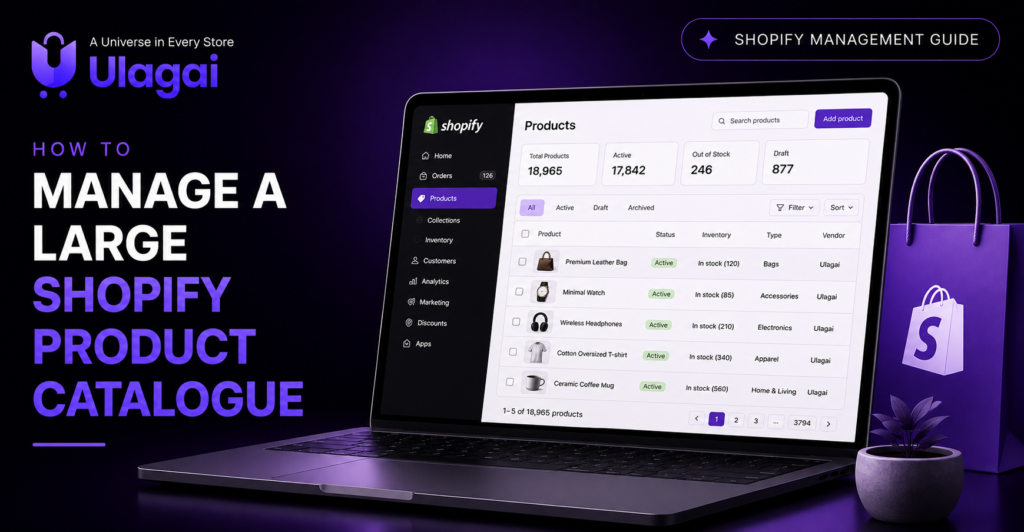
How to Manage a Large Shopify Product Catalogue Introduction Managing a few products on Shopify is simple. But when your store has hundreds or thousands of products, keeping everything accurate and organized becomes more difficult. Product titles, images, prices, stock levels, variants, SKUs, and collections must be updated regularly. Effective Shopify product catalogue management helps customers find the right products and gives your team accurate information. It can also improve store performance, search visibility, inventory control, and the overall shopping experience. This guide explains how to manage a large Shopify product catalogue using the right structure, tools, and automation. Why Is Shopify Product Catalogue Management Important? A poorly managed catalogue can create several problems. Products may appear in the wrong collections, duplicate information can confuse customers, and incorrect stock levels can lead to cancelled orders. Good catalogue management helps you: Keep product information accurate Organize products in Shopify Update multiple products quickly Track inventory across locations Improve product filtering and search Avoid duplicate product data Maintain consistent titles and descriptions Make catalogue maintenance easier A clean catalogue also makes it easier for search engines to understand your product pages and collections. Create a Clear Product Structure Before adding more products, create a standard structure for your catalogue. Decide how product titles, descriptions, SKUs, tags, product types, and variants should be entered. For example, all product titles should follow the same format. Product descriptions should contain the same important details, such as size, material, colour, features, care instructions, and delivery information. A consistent product structure reduces errors and makes Shopify product management easier as the business grows. You should create clear guidelines for: Product naming Product categories SKU creation Tags and product types Variant names Image sizes Product descriptions Pricing information Metafields These guidelines help every team member follow the same process. Use Collections to Organize Products Shopify collections help group related products together. Customers can use these collections to browse products based on type, category, season, price, or purpose. For a small catalogue, manual collections may be enough. For a large product catalogue, automated collections are more useful. They automatically include products based on conditions such as tags, price, vendor, product type, or stock availability. For example, you can create an automated “Men’s Shirts” collection using the product type and gender tag. When a matching product is added, Shopify automatically places it in that collection. Automated collections save time and reduce manual catalogue work. Use Product Tags, Types and Metafields Properly Product tags and product types can help with internal organization and automated collections. However, using too many inconsistent tags can make the catalogue difficult to manage. Create a fixed list of approved tags. Avoid using different tags for the same meaning, such as “Blue,” “blue-colour,” and “colour-blue.” Shopify metafields allow you to store additional product information that is not available in the standard product fields. You can use metafields for information such as: Material Dimensions Care instructions Warranty Ingredients Technical specifications Shipping details Metafields make product information more structured and can improve product filtering and product page presentation. Manage Products with Bulk Editing Editing products individually takes too much time when you have a large catalogue. Shopify’s bulk editor allows you to update multiple products from the admin dashboard. You can use Shopify bulk product management to change: Prices Inventory quantities Product status SKUs Barcodes Vendors Tags Product types Metafields Before making a bulk update, filter the products carefully. Check the selected products and confirm the new information before saving the changes. A small mistake in a bulk edit can affect hundreds of products. Use Shopify CSV Import and Export Shopify CSV files are useful for adding or updating a large number of products. You can export product data, make changes in a spreadsheet, and import the file back into Shopify. A Shopify bulk product upload can help when launching a new store, migrating from another platform, or adding a large product range. Before importing a CSV file: Create a backup by exporting the current catalogue Keep Shopify’s required column headings unchanged Check product handles and variant details Confirm image URLs Review prices, SKUs, and inventory data Test the import with a few products first Testing a small file helps you identify formatting errors before updating the full catalogue. Improve Inventory and SKU Management Every product and variant should have a unique SKU. A clear SKU system helps teams identify products, manage stock, process orders, and create reports. Avoid random or duplicate SKUs. Build a standard format based on useful details such as product category, brand, colour, size, or model. Shopify inventory management allows you to track stock levels and prevent the sale of unavailable items. Businesses with warehouses, retail stores, or fulfilment centres can use multi-location inventory to manage stock across different locations. Low-stock alerts and inventory tracking tools can also help you reorder products before they become unavailable. Connect Shopify with a PIM or ERP System Managing all product information directly inside Shopify may become difficult for stores with thousands of products or multiple sales channels. A Product Information Management system, commonly called a PIM, stores product titles, descriptions, specifications, images, and other product information in one central place. It can then send accurate product data to Shopify, marketplaces, mobile apps, and other sales channels. An ERP integration can connect Shopify with inventory, orders, purchasing, accounting, warehouse, and supplier data. This helps reduce manual updates and improves inventory synchronization. PIM or ERP integration is useful for: High-volume Shopify stores B2B ecommerce businesses Multi-location retailers Businesses selling through multiple channels Stores with complex product variants Companies that update prices and stock frequently Use Shopify Product Management Apps Shopify product management apps can help with bulk editing, catalogue automation, image optimization, inventory tracking, product feeds, and data imports. Choose apps based on a clear business need. Installing too many apps can increase costs, create data conflicts, and affect Shopify store performance. Before selecting an app, check whether it supports your catalogue size, required integrations, update frequency, and existing

How to increase repeat purchases in your Shopify store
Shopify

How to Increase Repeat Purchases in Your Shopify Store

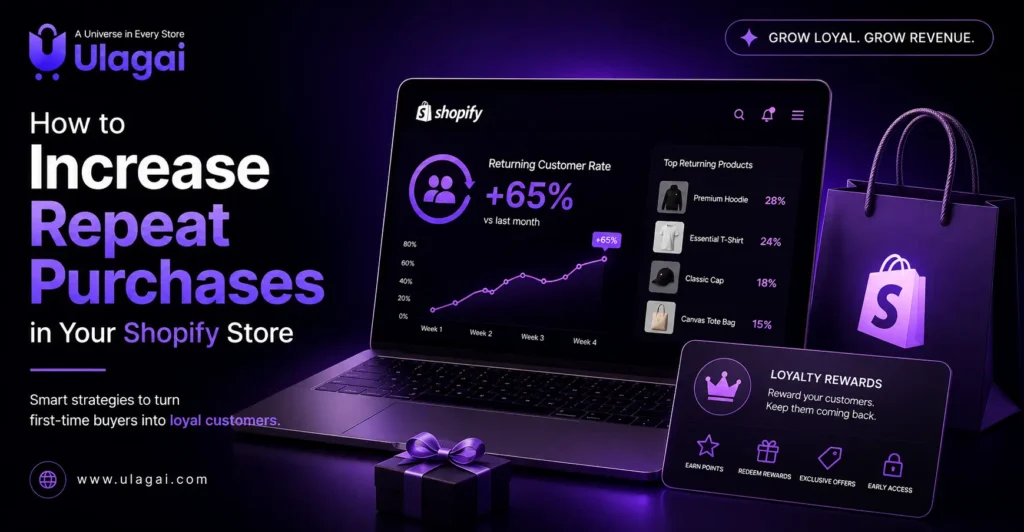
How to Increase Repeat Purchases in Your Shopify Store Introduction Getting a customer to place their first order is a major achievement. But long-term ecommerce growth depends on convincing that customer to return and buy again. At Ulagai, we believe repeat customers are the foundation of sustainable ecommerce success. They already know your products and trust your brand, so they often require less marketing effort than new customers. A strong Shopify repeat purchase strategy can help you improve customer loyalty, increase revenue, and build a stable customer base. The right combination of customer experience, personalization, loyalty rewards, and post-purchase marketing can turn one-time buyers into returning customers. Here are practical ways to increase repeat purchases on Shopify with Ulagai. 1. Create a Smooth Post-Purchase Experience The customer journey does not end after checkout. What happens after an order is placed can strongly influence whether the customer buys from you again. Send an immediate order confirmation, provide accurate tracking details, and keep customers informed about delivery. Fast order fulfilment and clear communication build trust. If a delay occurs, inform the customer before they need to contact you. You should also make returns and refunds simple. A clear return policy reduces purchase concerns and improves the overall customer experience. When customers feel supported after buying, they are more likely to return. 2. Use Post-Purchase Email Campaigns Shopify post-purchase marketing helps you stay connected with customers after their first order. Instead of sending only promotional messages, create an email sequence that provides value at every stage. Your post-purchase email campaigns can include: Order confirmation and tracking information Product usage or care instructions Review request emails Related product recommendations Replenishment reminders Exclusive offers for the next purchase Avoid sending another sales message immediately after the order. First, help the customer enjoy the product they purchased. Once the product has been delivered and used, introduce a relevant reason to return. Email marketing automation allows these messages to be sent at the right time without requiring manual work for every order. 3. Start a Shopify Customer Loyalty Program A Shopify customer loyalty program gives customers a clear benefit for continuing to shop with your brand. Customers can earn points for purchases and use them for discounts, gifts, free delivery, or other rewards. You can also reward actions such as: Creating a Shopify customer account Referring a friend Writing a product review Following your brand on social media Making multiple purchases Keep your points and rewards program simple. Customers should easily understand how they can earn points and what the rewards are worth. Complicated rules may reduce participation. You can also offer different loyalty levels based on customer spending. Higher levels can include early access to products, special discounts, or free gifts. This makes frequent customers feel recognised and valued. 4. Personalize Product Recommendations Customers are more likely to buy when the products shown to them match their interests. Personalized product recommendations can be based on previous purchases, browsing activity, product categories, or customer preferences. For example, if someone purchases skincare products, you can recommend products that support the same routine. If a customer buys clothing, you can suggest matching accessories. Relevant recommendations improve the shopping experience and create opportunities for upselling and cross-selling. However, avoid recommending products that have no connection to the customer’s earlier purchase. Personalization makes communication more helpful and can improve purchase frequency and average order value. 5. Segment Your Shopify Customers Not every customer should receive the same marketing message. Customer segmentation helps you group buyers according to their behaviour and send more relevant campaigns. You can create segments for: First-time customers Returning customers High-value customers Customers who have not purchased recently Customers who buy specific product categories Customers who frequently use discounts A first-time buyer may need information about your brand, while a loyal customer may respond better to early access or an exclusive offer. Customers who have not purchased recently can receive win-back email campaigns with personalized discount codes. Segmentation is an important part of successful Shopify customer retention strategies because it reduces irrelevant communication. 6. Send Product Replenishment Reminders Replenishment reminders are useful for products that customers need to purchase regularly. This may include skincare, food items, health products, pet supplies, personal care products, or household essentials. Estimate how long the product normally lasts and send a reminder before the customer runs out. Include a direct link to reorder the same product. You can also provide repeat order incentives, such as free delivery or a small discount. A timely reminder makes reordering easier and helps your brand become part of the customer’s routine. 7. Offer Subscription Products Subscriptions are an effective way to increase repeat sales on Shopify for products purchased regularly. Customers can choose to receive a product every week, month, or at another preferred interval. Shopify subscription apps can help you manage recurring orders, payment schedules, customer notifications, and subscription changes. Give customers the flexibility to pause, skip, modify, or cancel their subscriptions. Flexible options build confidence and reduce the feeling of being locked into a long commitment. Subscriptions can improve customer lifetime value while giving your business more predictable revenue. 8. Collect Customer Feedback and Reviews Customer feedback helps you understand why people return or why they stop buying. Send a short feedback request after delivery and make it easy for customers to share their experience. Ask about product quality, delivery, packaging, website experience, and customer service. Use the feedback to identify and correct common problems. Review request emails also generate useful social proof. Positive reviews help new shoppers make purchase decisions, while negative feedback provides an opportunity to resolve the issue. When customers see that their feedback leads to real improvements, their trust in your brand increases. 9. Create Exclusive Offers for Returning Customers Returning customers should receive benefits that are different from general website discounts. You can provide early access to new products, birthday rewards, limited-time bundles, free gifts, or special customer-only pricing. Exclusive customer offers make buyers feel appreciated. However, avoid relying

AI-powered Shopify website development for smarter ecommerce growth
Shopify

AI-Powered Shopify Website Development for Smarter Ecommerce Growth

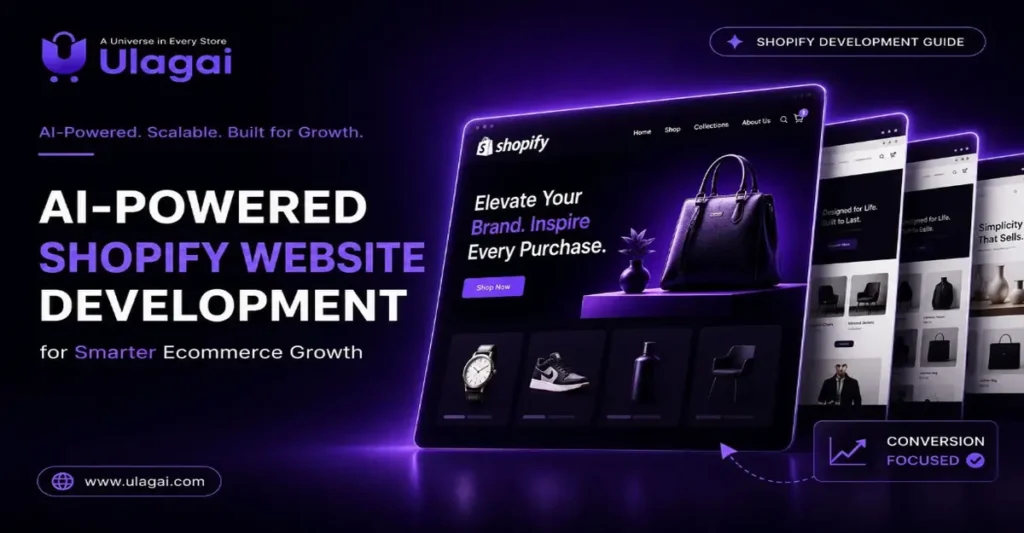
AI-Powered Ecommerce Website Development for Shopify Brands Introduction The ecommerce industry is evolving rapidly, and customer expectations are higher than ever. Shoppers want personalized product recommendations, instant support, fast-loading websites, and seamless checkout experiences. Businesses that rely on traditional online stores often struggle to meet these expectations while managing daily operations efficiently. This is where AI-Powered Shopify Website Development is changing the future of ecommerce. By combining Shopify’s powerful ecommerce platform with artificial intelligence, businesses can automate repetitive tasks, deliver personalized shopping experiences, and make smarter decisions using customer data. Whether you are launching a new online store or upgrading an existing one, AI can help improve customer satisfaction, increase conversions, and support long-term business growth. What Is AI-Powered Shopify Website Development? AI-Powered Shopify Website Development is the process of building a Shopify store that uses artificial intelligence to improve the shopping experience and automate key business operations. Instead of relying only on manual management, AI helps analyze customer behavior, predict buying patterns, recommend products, and automate routine tasks. Modern AI-powered Shopify stores can suggest relevant products based on browsing history, answer customer questions through AI chatbots, automate marketing campaigns, and provide valuable insights into customer preferences. This enables businesses to deliver a smarter and more engaging shopping experience while reducing operational workload. Why Is AI Important for Shopify Ecommerce? Artificial intelligence has become an essential part of modern ecommerce because it helps businesses understand their customers better and respond to their needs more effectively. One of the biggest advantages of AI is personalization. Customers are more likely to make a purchase when they see products that match their interests. AI analyzes browsing behavior, previous purchases, and customer preferences to recommend products that are most relevant to each visitor. AI also improves customer support through intelligent chatbots that provide instant answers to common questions, reducing response times and improving customer satisfaction. In addition, AI automates repetitive tasks such as inventory updates, email marketing, customer segmentation, and abandoned cart recovery, allowing business owners to focus on strategic growth. Key Benefits of AI-Powered Shopify Website Development Businesses investing in AI-powered Shopify development gain several long-term advantages. Personalized shopping experiences for every customer AI-powered product recommendations that increase average order value Faster customer support through AI chatbots Smart product search for improved product discovery Marketing automation for email campaigns and promotions Customer behavior analysis for better business decisions Improved conversion rates through personalized experiences Better inventory management using predictive analytics Enhanced website performance and scalability Reduced manual work through workflow automation These benefits not only improve operational efficiency but also create a competitive advantage in today’s ecommerce market. Essential Features of an AI-Powered Shopify Store A successful AI-powered Shopify website combines intelligent automation with an excellent user experience. Some of the most important features include AI-powered product recommendations, personalized shopping experiences, intelligent product search, AI chatbot integration, Shopify Flow automation, responsive mobile-friendly design, secure payment gateway integration, website speed optimization, SEO-friendly architecture, customer analytics dashboards, marketing automation, inventory forecasting, and Shopify app integrations. Together, these features create a faster, more efficient, and customer-focused ecommerce website that is ready to scale as the business grows. How to Build an AI-Powered Shopify Website Building an AI-powered ecommerce website requires careful planning and a structured approach. The first step is understanding your business goals. Whether your objective is increasing sales, improving customer service, or automating operations, defining clear goals helps determine the right AI solutions. Next, develop a custom Shopify website with a clean design, intuitive navigation, and responsive layouts. Since a large percentage of online shoppers use mobile devices, mobile optimization should be a priority from the beginning. Once the website is ready, integrate AI-powered tools such as chatbots, product recommendation engines, marketing automation platforms, predictive analytics, and intelligent search functionality. These tools work together to improve customer engagement and operational efficiency. Technical optimization is equally important. Improve page loading speed, optimize product images, implement structured data, create SEO-friendly URLs, and ensure every page follows technical SEO best practices. Regular monitoring through analytics platforms helps identify opportunities for continuous improvement. Best Practices for Success Businesses should focus on creating value for customers rather than simply adding AI features. Choose AI solutions that solve real business challenges and improve the shopping experience. Keep your Shopify store fast, simple, and easy to navigate. Avoid installing unnecessary apps that may slow down website performance. Regularly review analytics reports to understand customer behavior and make informed improvements. Personalization should be used thoughtfully. Product recommendations, promotional offers, and email campaigns should feel relevant to customers rather than overwhelming them. Maintaining strong website security and protecting customer data are also essential for building trust. Common Mistakes to Avoid Many businesses adopt AI without a clear strategy. One common mistake is installing too many third-party apps, which can negatively affect website speed and create compatibility issues. Ignoring SEO is another mistake. AI can improve user experiences, but a website still needs optimized content, metadata, internal linking, and technical SEO to achieve strong search visibility. Some businesses also fail to monitor performance after implementation. AI systems continuously generate valuable customer insights, but these insights only become useful when businesses regularly analyze the data and make improvements based on real customer behavior. Real-World Applications AI-powered Shopify websites are benefiting businesses across multiple industries. Retail brands use AI to recommend products based on customer interests, increasing both conversions and average order values. Healthcare ecommerce stores use AI chatbots to provide instant responses to customer enquiries about products and services. Manufacturing companies use predictive analytics to forecast inventory demand and reduce operational costs. Educational businesses personalize course recommendations based on learning preferences, while construction suppliers use intelligent search to help customers quickly find products and technical specifications. These examples demonstrate that AI is not limited to large enterprises. Businesses of all sizes can use AI to improve customer experiences and streamline operations. Conclusion The future of ecommerce belongs to businesses that combine technology with exceptional customer experiences. AI-Powered Shopify Website Development enables brands to automate

Shopify Plus development to scale ecommerce business faster
Shopify

Shopify Plus Development: Scale Your Ecommerce Business Faster

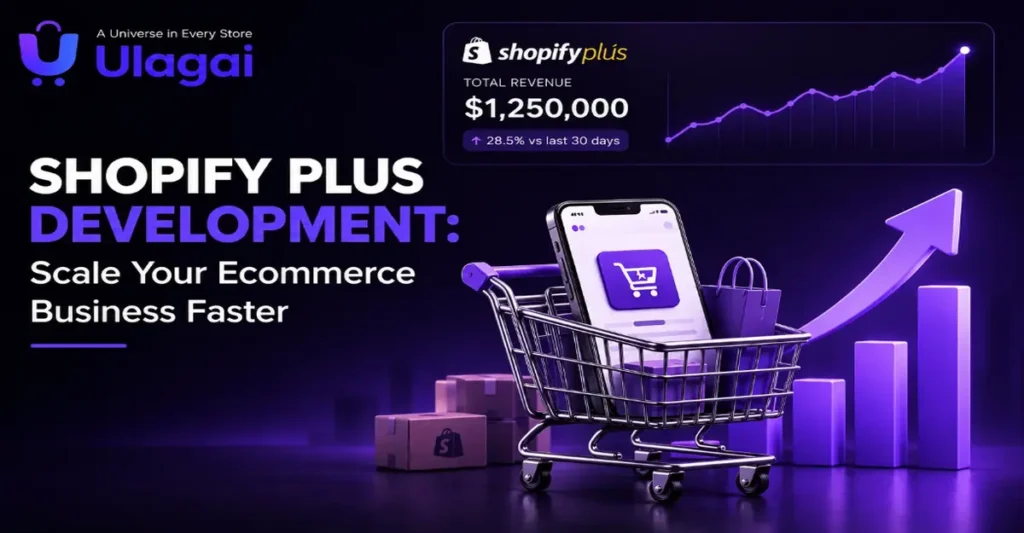
Shopify Plus Development: Scale Your Ecommerce Business Faster Introduction As ecommerce businesses grow, they often outgrow the capabilities of standard online store platforms. Managing high traffic, expanding into new markets, handling multiple storefronts, and automating repetitive tasks become essential for continued success. This is where Shopify Plus Development plays a crucial role. Shopify Plus is the enterprise version of Shopify, designed for fast-growing brands that need better performance, flexibility, and scalability. Whether you’re selling to customers across India or globally, Shopify Plus provides advanced features that help streamline operations, improve customer experience, and support long-term business growth. At Ulagai, we help businesses build scalable Shopify Plus stores that are optimized for performance, SEO, automation, and conversions. In this guide, you’ll learn how Shopify Plus helps ambitious brands scale online and why it has become the preferred ecommerce platform for enterprise businesses. What Is Shopify Plus Development? Shopify Plus Development is the process of designing, customizing, integrating, and optimizing a Shopify Plus store to meet the needs of growing businesses. Unlike standard Shopify plans, Shopify Plus offers enterprise-level features, greater customization, advanced automation, and higher scalability. Businesses using Shopify Plus can create unique shopping experiences, automate complex workflows, manage multiple stores from a single dashboard, and integrate with ERP, CRM, and third-party business systems. This makes Shopify Plus an ideal solution for businesses that experience rapid growth or operate in multiple regions. Why Growing Brands Choose Shopify Plus Fast-growing businesses require an ecommerce platform that can keep up with increasing customer demand and operational complexity. Shopify Plus is built to handle these challenges without compromising speed or reliability. Some of the biggest reasons businesses upgrade include: High-performance infrastructure that handles large traffic spikes. Faster website loading speeds for better user experience. Enterprise-grade security and reliability. Easy management of multiple online stores. Advanced automation that saves time and reduces manual work. Flexible customization for unique business requirements. Built-in tools for international selling and multiple currencies. These capabilities allow business owners to focus on growth instead of managing technical limitations. Key Benefits of Shopify Plus Development Scalability for Business Growth One of the biggest advantages of Shopify Plus is its ability to scale as your business grows. Whether you’re launching new products, expanding internationally, or handling seasonal sales events, Shopify Plus can manage increased traffic and order volumes efficiently. Businesses don’t need to worry about server management or website downtime during high-demand periods. Powerful Automation Automation helps businesses eliminate repetitive tasks and improve efficiency. Shopify Plus includes Shopify Flow, which automates inventory updates, customer segmentation, order management, marketing workflows, and internal notifications. This reduces manual effort while improving operational accuracy. Better Customer Experience Modern customers expect a fast, smooth, and personalized shopping experience. Shopify Plus allows businesses to create customized product pages, optimize checkout experiences, and deliver personalized recommendations. A better shopping experience often leads to higher customer satisfaction, improved retention, and increased conversion rates. Advanced Checkout Customization Unlike standard Shopify plans, Shopify Plus provides greater flexibility for customizing the checkout process. Businesses can simplify checkout, add custom functionality, and reduce friction for customers. An optimized checkout experience helps reduce cart abandonment and improves overall sales performance. Multi-Store Management Many businesses operate different stores for different countries, brands, or customer groups. Shopify Plus makes it easier to manage multiple storefronts while maintaining consistent branding and centralized operations. This is especially useful for businesses expanding into international markets. Essential Features of Shopify Plus Shopify Flow Automation Shopify Flow enables businesses to automate repetitive business processes without writing complex code. Tasks like tagging customers, updating inventory, managing orders, and sending notifications can all run automatically. Shopify Functions Shopify Functions provide developers with more flexibility to customize discounts, shipping options, payment methods, and checkout logic while maintaining platform stability. API Integrations Growing businesses often rely on multiple software systems. Shopify Plus supports seamless integration with ERP software, CRM platforms, accounting tools, payment gateways, shipping providers, and marketing platforms. These integrations ensure data flows smoothly across the entire business, improving efficiency and reducing manual data entry. Performance Optimization Website performance directly affects user experience and sales. Shopify Plus stores are designed to deliver fast page loading speeds, stable performance during traffic spikes, and reliable uptime. Optimizing images, reducing unnecessary scripts, implementing lazy loading, and following SEO best practices further improve website performance and search visibility. Best Practices for Shopify Plus Development To maximize the value of Shopify Plus, businesses should follow proven ecommerce best practices that improve performance, customer experience, and long-term growth. Focus on User Experience Create a clean, easy-to-navigate website with intuitive menus, clear product categories, and a simple checkout process. A seamless shopping experience encourages customers to stay longer and complete their purchases. Optimize for SEO Build your Shopify Plus store with SEO in mind. Use descriptive URLs, optimized meta titles and descriptions, structured data, internal linking, and compressed images to improve visibility in search engines and AI-powered search platforms. Automate Business Processes Use Shopify Flow and other automation tools to streamline repetitive tasks such as order processing, inventory updates, customer segmentation, and email notifications. Automation saves time and reduces human error. Integrate Essential Business Tools Connect your Shopify Plus store with ERP systems, CRM platforms, payment gateways, shipping providers, and analytics tools. These integrations improve operational efficiency and provide a unified view of your business. Monitor Performance Regularly Track important metrics such as website speed, conversion rate, customer behavior, and sales performance. Regular monitoring helps identify areas for improvement and supports data-driven decision-making. Common Mistakes to Avoid Essential Features of Shopify Plus Many businesses invest in Shopify Plus but fail to unlock its full potential because of avoidable mistakes. One common mistake is migrating without a clear strategy. Poor planning can lead to data loss, broken links, or unnecessary downtime. Another mistake is overlooking technical SEO during development, which can affect search rankings and organic traffic. Installing too many third-party apps can slow down the website and create compatibility issues. Businesses should also avoid ignoring mobile optimization, as a significant percentage of

Shopify landing page design tips to increase conversions
Shopify

Shopify Landing Page Design Tips to Increase Conversions

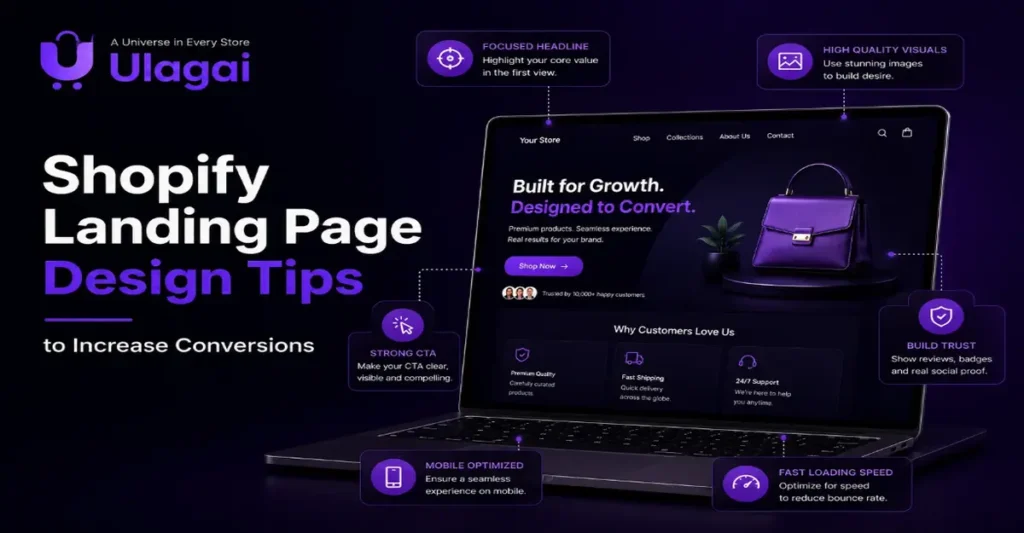
Shopify Landing Page Design Tips to Increase Conversions Introduction Driving traffic to your Shopify store is only the first step toward online success. The real challenge is converting those visitors into customers. This is where Shopify Landing Page Design becomes essential. A well-designed landing page is focused on a single goal, whether it’s selling a product, collecting leads, promoting a special offer, or encouraging visitors to contact your business. Unlike a homepage that presents multiple products and categories, a landing page removes distractions and guides users toward one specific action. An optimized landing page improves user experience, increases trust, and boosts conversion rates. At Ulagai, we help businesses create high-performing Shopify websites and landing pages that combine attractive design, fast performance, SEO best practices, and conversion-focused strategies. In this article, you’ll discover practical Shopify landing page design tips that can help your ecommerce business generate more leads and sales. What Is Shopify Landing Page Design? Shopify Landing Page Design is the process of creating dedicated pages within a Shopify store that encourage visitors to complete a specific action. These actions may include purchasing a product, signing up for a newsletter, downloading a guide, or requesting a consultation. A successful landing page combines persuasive content, intuitive navigation, responsive design, and clear call-to-action (CTA) buttons. It eliminates unnecessary distractions and focuses entirely on guiding visitors through the customer journey. Businesses often use Shopify landing pages for product launches, seasonal promotions, paid advertising campaigns, email marketing, and lead generation activities. Because each page is built with a single objective, it typically performs better than directing users to a general homepage. Why Is Shopify Landing Page Design Important? Every visitor who arrives at your Shopify store represents a potential customer. Without an optimized landing page, visitors may become confused, lose interest, or leave without taking any action. A professionally designed landing page keeps users engaged and makes it easier for them to find exactly what they are looking for. From a business perspective, effective Shopify landing pages improve advertising performance by increasing conversion rates and reducing the cost per acquisition. Whether you’re running Google Ads, Meta Ads, or email marketing campaigns, directing users to a dedicated landing page delivers a more personalized experience. Landing pages also contribute to better search engine optimization. Fast loading speed, mobile responsiveness, structured content, and a positive user experience support higher search visibility while helping businesses build trust with both search engines and customers. Key Benefits of Shopify Landing Page Design An optimized Shopify landing page offers several advantages for ecommerce businesses: Improves conversion rates by focusing on one specific goal. Generates more qualified leads through targeted campaigns. Creates a better user experience with clear navigation. Reduces bounce rates by delivering relevant information. Builds trust using customer reviews, testimonials, and security badges. Supports SEO by improving engagement and page performance. Increases return on investment from paid advertising campaigns. Helps businesses collect valuable customer information through lead forms. Encourages repeat purchases with personalized offers. Strengthens brand credibility through professional design and consistent messaging. A well-planned Shopify landing page is not just about aesthetics. It is a powerful marketing tool that connects customer needs with business goals, making it an essential part of every successful ecommerce strategy. Essential Features of a High-Converting Shopify Landing Page A successful Shopify landing page combines attractive design with functionality to encourage visitors to take action. Every element should support the page’s primary goal. Clear and Compelling Headline Your headline is the first thing visitors notice. It should clearly communicate your offer and explain the value customers will receive Strong Call-to-Action (CTA)   Every landing page should include a clear CTA such as Buy Now, Start Your Free Trial, Request a Quote, or Contact Us. Make CTA buttons easy to find and repeat them naturally throughout the page Mobile-Friendly Design Most ecommerce shoppers browse and purchase using mobile devices. A responsive landing page ensures your content looks great and functions smoothly on smartphones, tablets, and desktops Fast Loading Speed Website speed directly affects user experience and conversions. Compress images, optimize code, and remove unnecessary scripts to improve loading performance. Trust Signals Display customer reviews, ratings, secure payment badges, money-back guarantees, and business certifications to increase customer confidence. High-Quality Visuals Professional product images and short videos help visitors understand your products and encourage purchase decisions How to Design an Effective Shopify Landing Page 1. Define Your Goal Decide what you want visitors to do. Whether it’s purchasing a product, booking a consultation, or signing up for a newsletter, your landing page should focus on one objective. 2. Understand Your Audience Identify your customers’ needs, challenges, and buying behavior. Write content that answers their questions and explains how your solution benefits them 3. Create Persuasive Content Keep your copy simple and benefit-focused. Highlight how your products or services solve customer problems instead of listing technical features. 4. Design for User Experience Use clean layouts, readable typography, enough white space, and consistent branding. Visitors should easily find important information without feeling overwhelmed. 5. Optimize for Performance Ensure your landing page loads quickly, works well on all devices, and follows SEO best practices to improve visibility and user engagement. 6. Test and Improve Use Google Analytics, heatmap tools, and A/B testing to understand visitor behavior and continuously improve your landing page performance. Best Practices for Shopify Landing Page Design Creating a successful Shopify landing page requires more than an attractive design. Follow these proven best practices: Focus on one clear goal for each landing page. Write compelling headlines that explain customer benefits. Use one primary CTA throughout the page. Keep forms short and simple. Optimize images without sacrificing quality. Make the page fully responsive. Include testimonials and customer reviews. Display trust badges and secure payment icons. Improve page speed for better user experience. Track visitor behavior using analytics tools. Test different headlines, CTA buttons, and layouts regularly. Keep the design clean with plenty of white space. Common Mistakes to Avoid Many businesses reduce their conversion rates by making avoidable

Lead generation strategies for Shopify ecommerce websites
Shopify

Shopify Lead Generation Strategies for More Sales

Lead Generation Strategies for Shopify Ecommerce Websites Introduction Running a Shopify store is easier than ever, but attracting qualified customers and converting them into buyers remains one of the biggest challenges for ecommerce businesses. Many online stores receive traffic yet struggle to generate enquiries, build customer relationships, and increase sales because they lack an effective lead generation strategy. Shopify Lead Generation is more than simply collecting email addresses. It involves creating a seamless customer journey that encourages visitors to engage with your brand, trust your business, and eventually become paying customers. Whether you are a startup, growing ecommerce brand, or established business, implementing the right lead generation strategies can significantly improve your sales and long-term growth. At Ulagai, we help businesses build high-performing Shopify websites designed not only to look professional but also to generate quality leads and maximize conversions. This guide explores practical Shopify lead generation strategies that every business owner can implement. What Is Shopify Lead Generation? Shopify lead generation is the process of attracting potential customers to your Shopify store and encouraging them to take valuable actions such as: Subscribing to your newsletter Downloading a product guide Requesting a quotation Adding products to their wishlist Starting a live chat Contacting your business Making their first purchase A successful strategy combines website optimization, content marketing, SEO, paid advertising, email campaigns, and customer engagement to move visitors through the sales funnel. Why Is Shopify Lead Generation Important? Without a steady flow of new leads, even the best ecommerce website may struggle to grow. Effective lead generation helps businesses attract interested buyers instead of relying solely on repeat customers. Benefits include: Increased website enquiries Higher conversion rates Better return on marketing investment Stronger customer relationships Improved brand awareness Higher sales and revenue Long-term business growth Lead generation also allows businesses to collect valuable customer data that can be used for personalized marketing and future campaigns. Key Shopify Lead Generation Strategies 1. Build a Conversion-Focused Shopify Website Your website is often the first impression customers have of your business. A clean design, intuitive navigation, fast loading speed, and mobile-friendly layout encourage visitors to stay longer and explore more products. Important elements include: Clear call-to-action buttons Easy navigation High-quality product images Fast checkout process Secure payment options Mobile responsiveness 2. Optimize Your Store for SEO Search engine optimization helps your Shopify store attract organic traffic from people actively searching for your products. Focus on: Keyword-rich product pages SEO-friendly URLs Optimized meta titles and descriptions Internal linking Image optimization Structured data Blog content targeting customer questions Organic traffic often generates highly qualified leads because users are already interested in your products. 3. Create High-Converting Landing Pages Landing pages designed for specific campaigns perform better than sending visitors to your homepage. An effective landing page includes: Clear headline Strong value proposition Customer testimonials Product benefits Trust badges Simple enquiry form Clear call-to-action The fewer distractions, the higher the conversion rate. 4. Use Lead Capture Forms Lead capture forms should be simple and easy to complete. Collect only essential information such as: Name Email address Phone number (optional) Business name (if relevant) Avoid lengthy forms that discourage users from completing them. 5. Offer Valuable Lead Magnets Visitors are more likely to share their contact details when they receive something valuable in return. Popular lead magnets include: Discount coupons Free shipping offers Buying guides Product catalogs Exclusive product launches Membership rewards These incentives help build your email list while increasing customer engagement. 6. Implement AI Chatbots AI-powered chatbots provide instant support, answer common questions, recommend products, and capture leads even outside business hours. Benefits include: Faster customer support Personalized recommendations Higher engagement Reduced cart abandonment Improved customer satisfaction Modern AI chatbots also integrate with CRM systems, making follow-ups more efficient. 7. Build an Effective Email Marketing Strategy Email marketing remains one of the highest-performing ecommerce channels. Create automated email sequences for: Welcome emails Product recommendations Cart abandonment reminders Order confirmations Customer feedback requests Seasonal promotions Personalized emails based on customer behavior generally achieve higher engagement than generic campaigns. 8. Reduce Cart Abandonment Many customers leave without completing their purchase. Recover lost sales by: Sending reminder emails Offering limited-time discounts Simplifying checkout Displaying shipping costs upfront Providing multiple payment options Even small improvements in checkout experience can significantly increase conversions. 9. Use Social Media for Lead Generation Platforms like Instagram, Facebook, LinkedIn, and YouTube can drive qualified visitors to your Shopify store. Share: Product demonstrations Customer testimonials Educational content Behind-the-scenes videos Limited-time offers User-generated content Consistent social engagement builds trust and encourages repeat visits. 10. Track Performance with Analytics Data helps businesses understand what is working and where improvements are needed. Monitor metrics such as: Website traffic Conversion rate Bounce rate Average order value Customer acquisition cost Cart abandonment rate Email sign-ups Regular analysis enables smarter marketing decisions and continuous optimization. Best Practices for Shopify Lead Generation To maximize results: Keep your website fast and mobile-friendly. Write clear product descriptions. Use high-quality images and videos. Make contact information easy to find. Display customer reviews and ratings. Optimize every page for search engines. Test different call-to-action buttons. Personalize the shopping experience. Continuously monitor performance and improve your strategy. Common Mistakes to Avoid Many Shopify stores fail to generate leads because they: Ignore SEO Have slow-loading websites Use complicated navigation Ask for too much information in forms Lack trust signals Forget mobile optimization Fail to follow up with potential customers Ignore analytics and customer behavior Avoiding these mistakes can greatly improve lead quality and overall conversions. Conclusion Successful Shopify lead generation requires more than attracting website visitors. Businesses need a well-optimized Shopify store, valuable content, effective SEO, personalized customer experiences, AI-powered tools, and continuous optimization to convert visitors into loyal customers. By implementing these proven strategies, ecommerce businesses can increase enquiries, improve conversion rates, strengthen customer relationships, and achieve sustainable revenue growth. Whether you are launching a new Shopify store or improving an existing one, investing in professional Shopify Development, Ecommerce Website Development, SEO Services, and AI Shopify

AI tools for Shopify store owners to sell smarter in 2026
Shopify

AI Tools for Shopify Store Owners to Sell Smarter in 2026

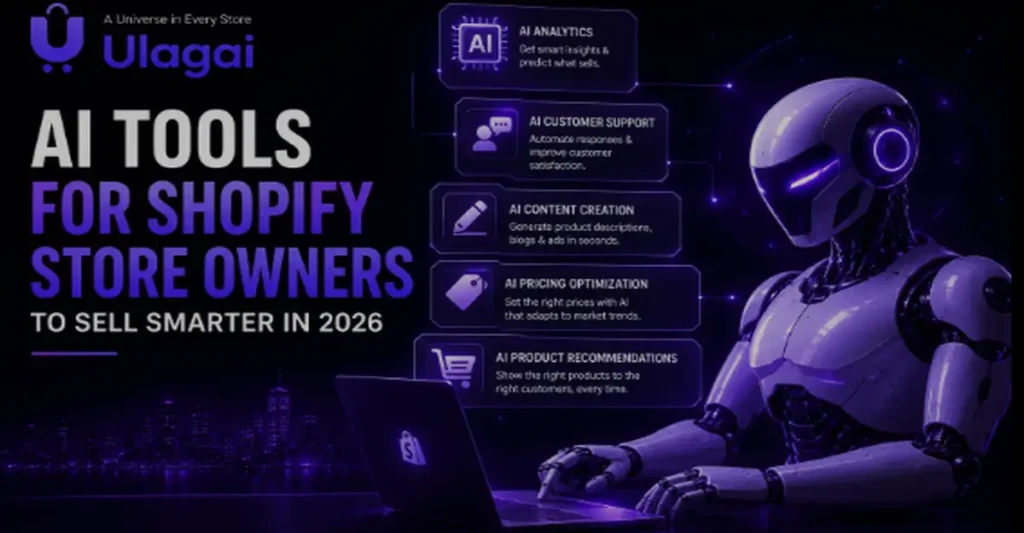
AI Tools for Shopify Store Owners to Sell Smarter in 2026 Introduction Ecommerce success today requires more than just listing products online. Shopify store owners need to understand customer behavior, improve shopping experiences, automate daily operations, and make faster business decisions to stay competitive. AI Tools for Shopify Store Owners are transforming ecommerce by helping businesses personalize customer journeys, automate marketing activities, improve customer support, and optimize sales performance. AI-powered solutions allow Shopify businesses to analyze data, predict customer needs, and create smarter buying experiences. At Ulagai, we help businesses build scalable ecommerce solutions through Shopify development, AI Shopify solutions, ecommerce website development, and SEO services. In this article, we will explore how AI tools help Shopify store owners sell smarter and grow their online businesses What Are AI Tools for Shopify Store Owners? AI tools for Shopify store owners are advanced software solutions that use artificial intelligence to automate tasks, analyze customer data, and improve ecommerce performance. These tools help online businesses understand what customers want and provide personalized experiences throughout the buying journey. Some common AI applications in Shopify include: AI-powered Shopify features include: AI product recommendations AI chatbot for Shopify Automated email marketing AI content generation Customer behavior analysis Smart inventory management Sales forecasting AI SEO optimization Instead of depending only on manual decisions, Shopify businesses can use AI-powered insights to improve efficiency and increase revenue opportunities. Why Are AI Tools Important for Shopify Businesses? The ecommerce market is becoming increasingly competitive. Customers expect fast responses, personalized product suggestions, and smooth shopping experiences. AI helps Shopify store owners improve different areas of their business. Better Customer Experience Customers prefer brands that understand their needs. AI-powered ecommerce solutions analyze browsing patterns, previous purchases, and customer interests to provide personalized recommendations. For example, an online fashion store can recommend matching accessories based on a customer’s selected product. This improves shopping convenience and increases the possibility of additional purchases. Increased Sales and Conversion Rates AI-driven sales optimization helps Shopify stores identify customer preferences and improve product discovery. AI tools can recommend relevant products, personalize offers, and optimize customer journeys. This helps businesses improve Shopify conversion rates and increase average order value. Reduced Manual Work Many ecommerce tasks require repetitive effort, including customer support, email campaigns, inventory updates, and product content creation. Shopify automation tools help businesses save time by handling these activities automatically. Key Benefits of AI Tools for Shopify Store Owners 1. Personalized Shopping Experience Personalization is one of the biggest advantages of AI in ecommerce. AI analyzes customer data such as: Browsing history Purchase behavior Search patterns Product preferences Based on this information, Shopify stores can display personalized product recommendations and offers. A personalized shopping experience improves customer satisfaction and encourages repeat purchases. 2. AI Customer Support Automation Customer support plays an important role in ecommerce success. An AI chatbot for Shopify can provide instant assistance by answering common questions about: Product details Order status Delivery information Returns and refunds This allows businesses to provide faster support without increasing operational costs. 3. Smart Product Recommendations AI product recommendations help customers discover products they are more likely to purchase. For example, a customer buying a smartphone may receive recommendations for: Phone cases Chargers Screen protectors These recommendations improve customer experience and increase sales opportunities. 4. AI Marketing Automation Marketing automation helps Shopify businesses communicate with customers at the right time. AI can support: Automated email campaigns Customer segmentation Personalized promotions Retargeting campaigns By understanding customer behavior, AI marketing automation helps businesses create more effective campaigns. 5. Better Inventory Management Managing inventory can be challenging for growing ecommerce businesses. AI-powered inventory management helps predict demand and identify popular products. Benefits include: Reducing overstock issues Avoiding product shortages Improving stock planning Managing seasonal demand Important AI Features for a Future-Ready Shopify Store AI Shopping Assistant An AI shopping assistant guides customers during their purchase journey. It can help visitors: Find suitable products Compare options Answer questions Complete purchases faster This creates a more interactive shopping experience. Predictive Analytics for Ecommerce Predictive analytics helps businesses understand future customer behavior. Shopify store owners can use AI insights for: Sales forecasting Customer retention planning Product demand prediction Business growth strategies Data-driven decisions help businesses reduce uncertainty and plan better. AI Content Generation for Shopify Creating content for ecommerce websites requires continuous effort. AI tools can help generate: Product descriptions Blog content ideas Social media captions Email marketing content However, businesses should review and optimize AI-generated content to maintain brand quality and authenticity. AI SEO Optimization for Shopify SEO plays a major role in ecommerce visibility. AI-powered SEO tools can help identify opportunities for: Keyword optimization Product page improvements Content planning Technical SEO analysis Combining AI tools with professional Shopify SEO strategies can improve organic growth. How to Implement AI Solutions in Your Shopify Store Step 1: Identify Your Business Needs Start by understanding your current challenges. Ask: Are customers leaving without purchasing? Is customer support taking too much time? Are products difficult to discover? Is inventory management becoming difficult? Choose AI solutions based on actual business requirements. Step 2: Select Suitable AI Tools Every Shopify store has different needs. A small business may start with: AI chatbot Email automation Product recommendation tools Growing ecommerce brands may require: Advanced analytics AI personalization Automated workflows CRM integrations Step 3: Integrate AI With Shopify Proper integration is important for smooth performance. AI solutions should work with: Shopify store Payment systems CRM platforms Marketing tools Analytics platforms Professional Shopify development services ensure better functionality and scalability. Step 4: Analyze Performance After implementation, monitor results regularly. Track: Conversion rates Customer engagement Sales growth Repeat purchases Website performance Continuous optimization helps businesses get better results from AI investments. Best Practices for Using AI in Shopify Ecommerce Follow these best practices to get the most value from AI: Focus on improving customer experience Use accurate business data Choose AI tools that match your goals Combine AI automation with human creativity Monitor customer feedback Optimize your Shopify store regularly AI should

Scroll to Top