ulagai.com

Shopify

Migrate to Shopify without losing ecommerce data, customers, or sales
Shopify

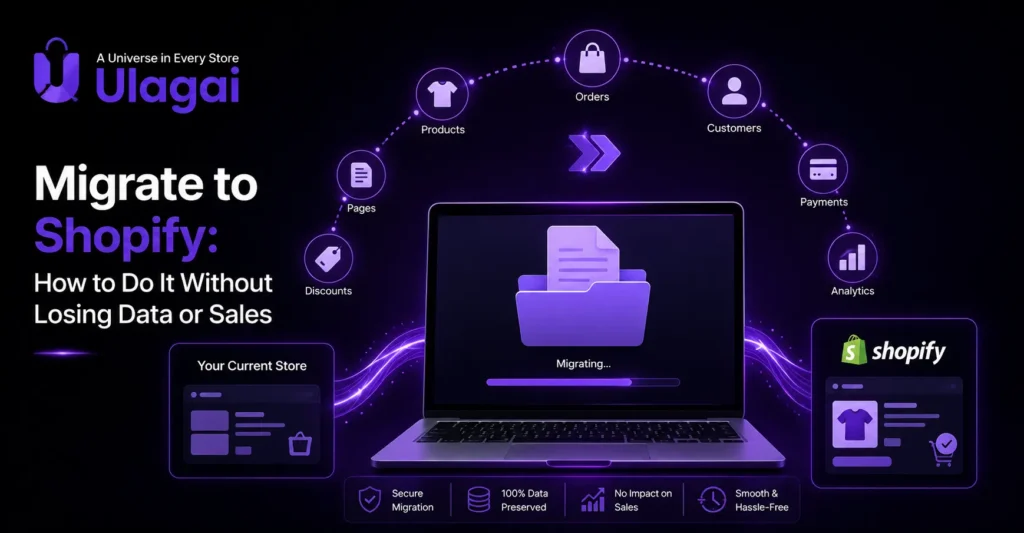
Migrate to Shopify: How to Do It Without Losing Data or Sales

Migrate to Shopify: How to Do It Without Losing Data or Sales Introduction Moving an established ecommerce website to a new platform is more than copying products from one system to another. Your store may contain years of product data, customer records, order history, indexed URLs, backlinks, analytics data, and integrations that support daily operations. If you want to migrate to Shopify, the safest approach is to treat the project as both a technology migration and a business continuity exercise. Ulagai helps businesses approach ecommerce migration by considering data, user experience, SEO, integrations, performance, and the operational requirements of the new store. A successful migration should make the new Shopify store easier to manage without unnecessarily disrupting customers or existing search visibility. What Does It Mean to Migrate to Shopify? Migrating to Shopify means moving an existing ecommerce website, its relevant business data, content, URLs, and functionality to a Shopify store. The exact migration work depends on the platform you are moving from and the information that needs to be retained. A typical Shopify migration can involve products, variants, collections, customers, historical orders, images, pages, blogs, domains, navigation, applications, payment systems, shipping settings, analytics, and third-party integrations. The goal is not simply to reproduce the old website. It is to create a Shopify store that retains important business information while improving usability, maintainability, and ecommerce operations. Why Should You Plan a Shopify Migration Carefully? A Shopify migration can affect both the technical operation of your store and the way customers discover and use it. Poor planning can result in missing products, incorrect customer information, broken links, tracking problems, or lost organic traffic. SEO deserves particular attention because your existing website may already have valuable indexed URLs and backlinks. Google recommends preparing the new site, mapping old URLs to their new destinations, implementing redirects, testing the migration, and monitoring both versions during a site move. The migration should therefore be planned before the old website is switched off. What Data Should You Migrate to Shopify? The data required for migration depends on your business model and existing platform. Product information is usually a priority because incomplete product records can directly affect browsing and purchasing. Customer and order information may also be important for businesses that need historical records, customer service continuity, reporting, or repeat-purchase workflows. Content such as pages, blogs, images, navigation, and important landing pages should also be reviewed rather than automatically copied without checking. Before starting, create a complete inventory of the existing store. This provides a reference for checking whether important information has successfully reached the new Shopify website. Key Shopify Migration Benefits A carefully planned migration can help a business: Move to a Shopify-based ecommerce platform with a structured administration system. Improve the customer shopping experience through a redesigned storefront. Simplify product and inventory management. Connect ecommerce operations with relevant apps and business systems. Create a stronger foundation for future website improvements. The benefits depend on the business and how well the new Shopify store is configured. Migration itself is not a substitute for good ecommerce strategy. How Can You Migrate Products, Customers and Orders to Shopify? The migration process should begin with data preparation, followed by controlled importing and validation. Before importing anything, review the structure of your existing product catalog and identify differences between the old platform and Shopify. Products may contain titles, descriptions, SKUs, prices, variants, images, inventory information, categories, and other attributes. These fields should be mapped carefully so that information is placed into the correct Shopify fields. Customer records require similar attention. Email addresses, names, addresses, and other available customer information should be checked for formatting and duplication. Order history can require additional planning because historical order structures may differ between ecommerce platforms. Do not assume that a successful import means the migration is complete. After importing data, compare sample records against the original store and check products, variants, images, customers, and orders before launch. How Can You Migrate to Shopify Without Losing SEO? Protecting SEO during Shopify migration requires accurate URL mapping and redirects from important old URLs to their relevant new URLs. Changing a platform often changes URL structures, so every important indexed page should have a planned destination. For example, if an old product URL has a different Shopify URL, create a permanent redirect from the old URL to the corresponding Shopify product page. Avoid sending unrelated old URLs to the homepage because Google notes that irrelevant redirects can create poor user experiences and may be treated like soft 404s. The new Shopify store should also be checked for canonical URLs, indexability, internal links, sitemap configuration, metadata, and content. Google recommends submitting the new sitemap and monitoring indexing through Search Console after a site move. What Is the Shopify Migration Process? A reliable Shopify migration process should follow a controlled sequence rather than treating launch day as the first time the new store is tested. Audit the existing website. Document products, customers, orders, important pages, URLs, traffic sources, integrations, and SEO-critical content. Back up important data. Keep a reliable copy of the information that may be needed for verification or recovery. Plan the Shopify structure. Define products, collections, navigation, templates, content, apps, payment methods, shipping, and other required functionality. Map and migrate data. Move products, customers, orders, images, and relevant content while matching the old data structure to Shopify. Prepare SEO migration. Create an old-to-new URL map and configure appropriate permanent redirects. Test the new store. Check product pages, search, filters, variants, cart, checkout, forms, mobile usability, tracking, links, and important integrations. Launch and monitor. Review traffic, indexing, redirects, analytics, sales activity, and customer issues after launch. This process makes it easier to identify problems before they affect customers. What Are the Common Shopify Migration Mistakes? One common mistake is migrating products without reviewing the data structure. Product variants, images, descriptions, collections, and inventory relationships can require more attention than a simple copy-and-paste process. Another problem is treating SEO as a task that can be handled after launch.
Ecommerce technology modernization practical guide for updating digital commerce systems
Shopify

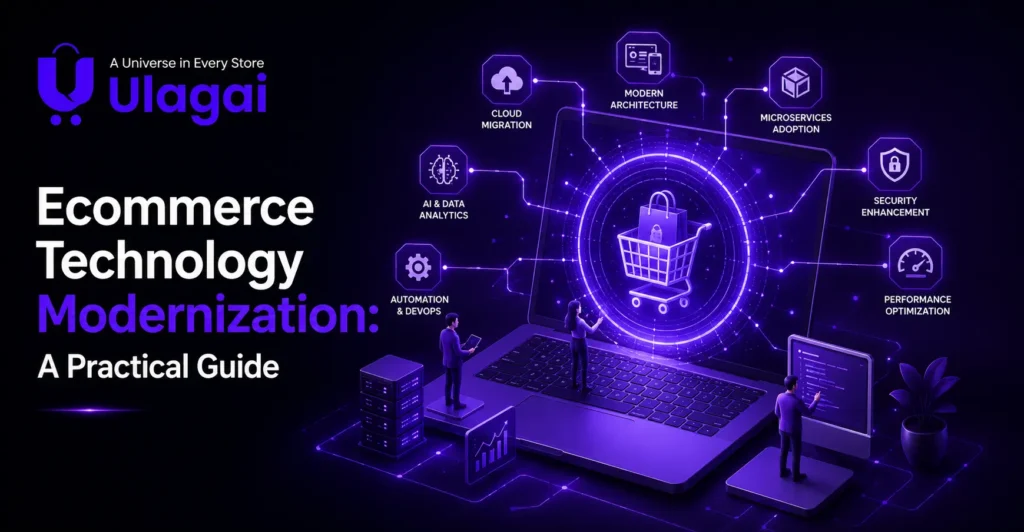
Ecommerce Technology Modernization: A Practical Guide

Ecommerce Technology Modernization: A Practical Guide Introduction Ecommerce businesses often add new tools as they grow. An online store may start with a simple platform and later connect payment systems, inventory software, ERP, CRM, analytics, marketplaces, marketing tools, and third-party applications. Over time, these connections can become difficult to maintain and expensive to change. This is where ecommerce technology modernization becomes important. Modernization focuses on improving the technology foundation behind an ecommerce business rather than simply adding another tool. Ulagai helps businesses evaluate their digital systems and identify practical opportunities across ecommerce development, integrations, automation, SEO, and business technology. What Is Ecommerce Technology Modernization? Ecommerce technology modernization is the process of upgrading outdated ecommerce systems, infrastructure, integrations, and workflows to create a more reliable and scalable digital commerce environment. Modernization can involve replacing a legacy ecommerce platform, improving website architecture, moving infrastructure to modern hosting, connecting ERP and CRM systems through APIs, improving data flow, or automating manual processes. The goal is not necessarily to replace every existing system. A better approach is to identify the technologies creating the greatest operational problems and modernize them in phases. Shopify’s recent guidance on ecommerce modernization similarly emphasizes reducing complexity, improving integrations, and modernizing systems without unnecessarily rebuilding everything from scratch. Why Does Ecommerce Modernization Matter? Ecommerce modernization matters because outdated technology can limit how quickly a business improves its website, launches new features, manages orders, and responds to customers. A fragmented ecommerce technology stack can also create duplicated data and manual work. For example, if inventory information is maintained separately in an ecommerce platform and ERP system, employees may spend time checking and correcting information instead of focusing on customers and growth. A modern architecture makes it easier to connect business systems and create consistent workflows. It can also give development teams a stronger foundation for future platform upgrades, automation, integrations, and customer experiences. What Are the Key Benefits? Modernization should produce practical business improvements rather than simply introduce newer technology. The most useful benefits typically include: Better system integration and data consistency Reduced dependence on outdated technology Easier maintenance and future upgrades Improved ecommerce performance and reliability More efficient business workflows Better support for multiple sales channels Greater flexibility when adding new capabilities The exact benefits depend on the business’s existing architecture, technology stack, and modernization priorities. What Systems Should an Ecommerce Business Modernize? The right modernization priorities depend on where technology currently creates friction. A business with a slow storefront may need to focus on its ecommerce platform and website architecture, while another business may have a stronger storefront but poor ERP, inventory, or order integrations. The ecommerce platform is often an important starting point because it connects customer-facing experiences with products, orders, payments, and other commerce functions. Businesses may also need to review their ERP, CRM, inventory management, payment systems, analytics, hosting, APIs, and third-party applications. Modernization should therefore be treated as a connected technology strategy rather than a single website redesign project. How Does Ecommerce Technology Integration Support Modernization? Ecommerce technology integration connects platforms and applications so information can move between systems without unnecessary manual intervention. For example, an ecommerce website can connect with an ERP to synchronize products, inventory, orders, and customer information. A CRM can receive customer data, while payment gateways and shipping systems can connect to the order workflow. APIs are commonly used to create these connections. A well-designed integration strategy should consider data accuracy, authentication, error handling, synchronization frequency, scalability, and what happens when one connected system becomes unavailable. How Can Businesses Build an Ecommerce Technology Strategy? An effective ecommerce technology strategy starts with business requirements rather than technology trends. Before selecting a new platform or tool, businesses should understand their current systems, operational problems, customer expectations, and future requirements. A useful strategy should answer questions such as: Which systems are difficult to maintain? Where is data duplicated? Which processes are still manual? Which integrations frequently fail? Does the current platform support the business’s expected product range, traffic, markets, and sales channels? This assessment helps businesses prioritize modernization investments instead of replacing technology simply because newer alternatives exist. What Is a Practical Ecommerce Modernization Roadmap? A phased roadmap reduces unnecessary disruption and makes modernization easier to manage. Businesses should prioritize the systems that create the greatest operational or customer-facing problems. Audit the existing technology stack. Document the ecommerce platform, hosting, ERP, CRM, payment systems, inventory tools, APIs, analytics, and third-party applications. Identify dependencies and technical limitations. Define business priorities. Decide whether the immediate goal is better performance, easier maintenance, improved integrations, automation, international expansion, or a better customer experience. Prioritize high-impact systems. Focus first on technology that creates significant operational friction or prevents important business improvements. Plan migration and integrations. Map products, customers, orders, inventory, URLs, integrations, and other important data before changing core systems. Implement in controlled phases. Test integrations, data migration, website functionality, payments, tracking, and customer journeys before full deployment. Monitor after launch. Review website performance, errors, search visibility, order workflows, integrations, and user experience after modernization. A phased approach allows businesses to improve their technology foundation while reducing unnecessary disruption. What Are Common Ecommerce Modernization Mistakes? One common mistake is trying to replace every system simultaneously. Large technology changes can introduce unnecessary complexity when teams have not clearly defined which problems they are trying to solve. Another mistake is focusing only on the storefront. An attractive ecommerce website cannot solve problems caused by inaccurate inventory, disconnected ERP systems, broken APIs, or inefficient order workflows. Businesses also sometimes underestimate data migration. Product information, customer records, orders, redirects, tracking, and integration dependencies need careful planning before a platform migration. Finally, choosing technology based only on current requirements can create another modernization problem later. The selected architecture should provide enough flexibility for realistic business growth without introducing unnecessary complexity. What Are the Best Ecommerce Technology Modernization Practices? Modernization works best when technology decisions remain connected to measurable business requirements. Businesses should prioritize maintainability, integration quality, performance, security, scalability, and user experience rather

Shopify Liquid vs Shopify Hydrogen comparison to choose the best ecommerce development approach in 2026
Shopify

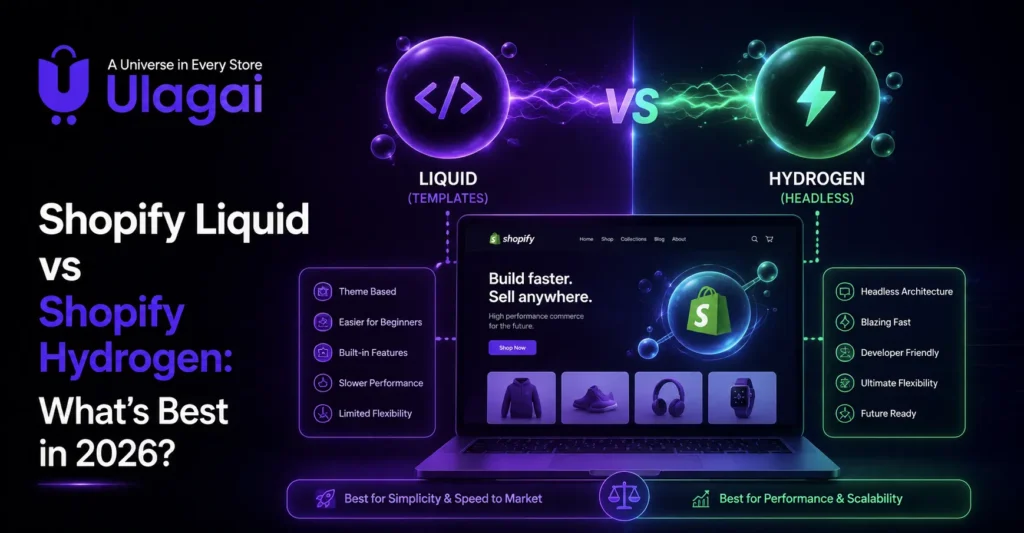
Shopify Liquid vs Shopify Hydrogen: What’s Best in 2026?

Shopify Liquid vs Shopify Hydrogen: What’s Best in 2026? Introduction Choosing the right Shopify storefront architecture can become difficult when a standard theme starts to feel limiting. Businesses often compare Shopify Liquid vs Hydrogen because both can power Shopify ecommerce experiences, but they solve different problems. Liquid works within Shopify’s theme architecture and is generally suitable for businesses that want native Shopify functionality with theme-level customization. Hydrogen takes a headless approach, giving development teams more control over the storefront experience through Shopify’s commerce APIs. Ulagai can help businesses evaluate these options based on their products, customer journey, technical requirements, and growth plans. What Is Shopify Liquid? Headless commerce is an ecommerce architecture that separates the frontend storefront from the backend systems responsible for products, inventory, pricing, orders, and other commerce functions. The two layers communicate through APIs, allowing developers to change the customer-facing experience without necessarily changing the underlying commerce infrastructure. In a traditional ecommerce setup, the frontend and backend are often closely connected. A headless architecture introduces greater separation, allowing businesses to select different technologies for their ecommerce frontend while continuing to use established backend commerce capabilities. For example, a business could use Shopify as its ecommerce backend while creating a custom storefront using Shopify’s Storefront API. Shopify currently supports frameworks and approaches including Hydrogen, React-based development, and other frameworks through its Storefront API. What Is Shopify Hydrogen? Shopify Hydrogen is Shopify’s framework for building custom headless commerce storefronts using React Router and Shopify’s commerce APIs. Hydrogen projects are React Router applications with Shopify-optimized components and utilities, giving developers greater control over the frontend architecture. With a Hydrogen storefront, Shopify can continue handling commerce functionality while the frontend is developed separately. The Shopify Storefront API provides access to commerce capabilities such as products, collections, carts, and contextual pricing for custom storefront experiences. This approach is useful when a business wants a highly customized ecommerce frontend that goes beyond what a conventional Shopify theme can comfortably provide. Shopify Liquid vs Hydrogen: What Is the Main Difference? The main difference is where and how the storefront is built. Liquid is theme-based and operates inside Shopify’s Online Store architecture, while Hydrogen supports a headless storefront where the frontend is separated from Shopify’s commerce backend. Liquid generally reduces architectural complexity because the storefront, theme, Shopify admin, and commerce functionality work closely together. Hydrogen introduces additional frontend development and API considerations, but it also provides much greater control over how the customer-facing experience is built. Shopify Liquid vs Hydrogen: Which Offers More Customization? Hydrogen generally offers more frontend freedom, while Liquid provides substantial customization within Shopify’s theme architecture. Liquid is often enough for businesses that need branded layouts, custom sections, product templates, navigation changes, and interactive storefront components. Hydrogen becomes more attractive when the business needs an unusual customer journey, custom application-like interfaces, multiple frontend experiences, or integrations that require greater control over the frontend. However, more flexibility also means more development responsibility. Which Is Better for Performance? Neither option is automatically faster in every situation. Performance depends heavily on implementation, code quality, assets, caching, data loading, hosting, and the complexity of the storefront. Hydrogen can provide strong control over rendering and data loading. Shopify’s Hydrogen documentation describes React Router loaders that can support server-side data loading and reduce the amount of JavaScript sent to the client. Liquid can also deliver a fast ecommerce experience when the theme is well built and unnecessary applications, scripts, large images, and excessive frontend code are avoided. For many businesses, optimizing an existing Liquid theme may be more practical than rebuilding the entire storefront. Which Is Better for SEO? Both Liquid and Hydrogen can support SEO, but SEO quality depends on implementation rather than the technology name alone. A Liquid storefront can be optimized through page titles, descriptions, structured data, internal linking, image optimization, clean navigation, mobile usability, and strong content architecture. Hydrogen can also support SEO, but the development team must deliberately implement metadata, canonical URLs, structured data, rendering, routing, redirects, and other technical SEO requirements. For businesses without a strong frontend development team, Liquid can reduce the technical overhead involved in maintaining these fundamentals. Which Is More Cost-Effective? Liquid is usually the more straightforward option when development and maintenance simplicity are important. A business can customize an existing Shopify theme or build a custom theme without maintaining a separate headless frontend stack. Hydrogen can require more specialized development because the storefront involves React-based development, API integration, deployment, testing, and ongoing maintenance. That additional investment can make sense for larger or technically mature ecommerce businesses where frontend flexibility has clear business value. The right comparison is therefore not simply “cheap versus expensive.” Businesses should compare the total cost of development, maintenance, integrations, performance optimization, and future changes. When Should You Choose Shopify Liquid? Liquid is generally a strong fit when your business wants Shopify’s standard ecommerce workflow with meaningful customization. It works particularly well when the existing theme architecture can support the customer experience you want to create. It can be a practical choice for startups, growing ecommerce brands, retailers, and businesses that want their marketing or ecommerce team to manage content through Shopify’s theme editor. Shopify’s section and block architecture also supports reusable, customizable page components. When Should You Choose Shopify Hydrogen? Hydrogen is worth considering when the storefront itself is a strategic technology product. Businesses with highly customized shopping journeys, advanced frontend requirements, multiple customer touchpoints, or experienced development teams may benefit from a headless architecture. Hydrogen also works with Shopify’s Storefront API, which is designed to expose Shopify commerce capabilities to custom storefronts across web, apps, games, and other customer touchpoints. What Are the Pros and Cons? The key advantage of Liquid is simplicity. Businesses can stay close to Shopify’s native storefront environment while still creating custom layouts and functionality. Its main limitation is that teams eventually encounter architectural boundaries when they want a completely different frontend experience. Hydrogen’s biggest advantage is frontend freedom. Its trade-off is complexity: businesses need appropriate development expertise

Top 6 benefits of headless commerce for ecommerce businesses in 2026
Shopify

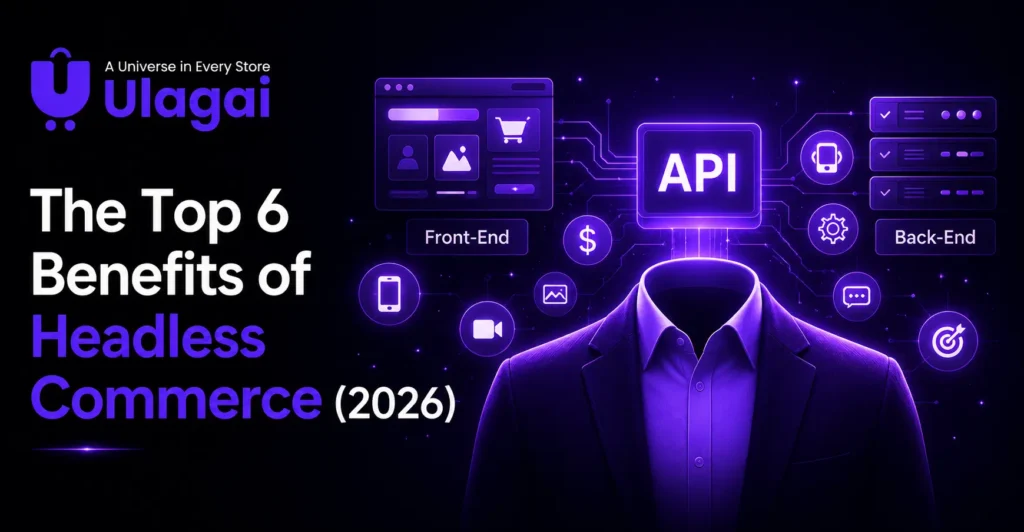
The Top 6 Benefits of Headless Commerce (2026)

The Top 6 Benefits of Headless Commerce (2026) Introduction Ecommerce businesses increasingly need more than a standard online store. Customers may interact with a brand through websites, mobile apps, social platforms, marketplaces, connected devices, and other digital touchpoints. When a tightly connected ecommerce system makes every frontend change dependent on backend changes, development can become slower and more restrictive. Headless commerce addresses this challenge by separating the frontend presentation layer from the backend commerce infrastructure. Shopify describes headless commerce as an architecture where the storefront and commerce backend are decoupled and communicate through APIs. For businesses considering ecommerce modernization, this architecture can provide more flexibility without requiring the entire commerce operation to be rebuilt. Ulagai helps businesses evaluate ecommerce architecture, development requirements, integrations, and digital experiences based on their actual business needs. What Is Headless Commerce? Headless commerce is an ecommerce architecture that separates the frontend storefront from the backend systems responsible for products, inventory, pricing, orders, and other commerce functions. The two layers communicate through APIs, allowing developers to change the customer-facing experience without necessarily changing the underlying commerce infrastructure. In a traditional ecommerce setup, the frontend and backend are often closely connected. A headless architecture introduces greater separation, allowing businesses to select different technologies for their ecommerce frontend while continuing to use established backend commerce capabilities. For example, a business could use Shopify as its ecommerce backend while creating a custom storefront using Shopify’s Storefront API. Shopify currently supports frameworks and approaches including Hydrogen, React-based development, and other frameworks through its Storefront API. What Are the Benefits of Headless Commerce? The benefits of headless commerce are mainly related to flexibility, customer experience, development speed, integrations, and scalability. Shopify identifies six major advantages: omnichannel experiences, personalization, flexibility, agility and speed to market, best-of-breed integrations, and scalability and performance. 1. More Flexible Ecommerce Experiences One of the biggest benefits of headless commerce is frontend flexibility. Developers can create a storefront around the brand’s specific requirements rather than being restricted to the templates and frontend structure of a traditional ecommerce platform. This is particularly valuable for brands that need immersive product experiences, custom navigation, interactive content, or unusual purchasing journeys. The backend can continue managing core commerce functions while the frontend evolves independently. 2. Stronger Personalization Headless architecture can make it easier to build personalized shopping experiences when customer and product data are available through connected systems. A business can create different frontend experiences based on factors such as customer segments, location, previous interactions, or campaign context. For example, an ecommerce brand could create personalized product recommendations or region-specific storefront content without rebuilding its entire backend. The architecture provides flexibility for developers to connect customer data, content systems, analytics platforms, and commerce functionality. Personalization should still be based on useful customer experiences rather than adding complexity simply because the technology allows it. 3. Faster Development and Greater Agility When the frontend and backend are separated, development teams can work on different parts of the ecommerce system more independently. A frontend team can introduce a new design or customer journey without necessarily changing the backend commerce logic. This can make ecommerce implementation more adaptable as business requirements change. Shopify also notes that headless architecture can allow teams to develop frontend experiences and new channels independently from the commerce backend. For growing brands, this can be useful when launching new markets, testing new customer experiences, or introducing new digital touchpoints. 4. Easier Integration With Other Technologies A headless commerce solution is well suited to businesses that need several systems to work together. APIs can connect the ecommerce backend with content management systems, customer platforms, search tools, personalization systems, analytics, mobile applications, and other services. Shopify’s Storefront API, for example, is a GraphQL API that can be used to build custom storefront experiences across platforms. Shopify’s documentation also describes the API as framework-agnostic, meaning businesses can choose different development frameworks for their storefront. This API-first approach can reduce the need to force every business function into a single technology stack. 5. Better Support for Omnichannel Commerce Headless architecture can support businesses that sell or interact with customers through multiple channels. Instead of rebuilding the entire commerce operation for each new touchpoint, businesses can use their backend commerce capabilities while developing different frontend experiences. A website, mobile application, in-store experience, or other digital interface can communicate with commerce systems through APIs. Shopify specifically identifies omnichannel retail as a major use case for headless commerce. This approach can help create a more consistent customer journey while allowing each channel to have an interface appropriate to its users. 6. Scalability and Performance Another important headless commerce benefit is the ability to develop and scale frontend experiences independently from backend commerce operations. This separation can make it easier to introduce new frontend capabilities without disrupting core product, order, and inventory processes. Performance also depends heavily on implementation. Headless architecture itself does not automatically make a website fast. However, modern frameworks, caching, rendering strategies, optimized assets, and appropriate infrastructure can be used to build highly responsive storefronts. For Shopify Hydrogen, for example, Shopify provides built-in caching capabilities and tools designed to support performant storefront development. Headless Commerce vs Traditional Ecommerce: What’s the Difference? The main difference is the relationship between the frontend and backend. Traditional ecommerce commonly uses a more tightly integrated architecture, while headless commerce separates the presentation layer from commerce infrastructure. A traditional platform can be the better choice when a business values simplicity, quick setup, and standard ecommerce functionality. Headless ecommerce becomes more attractive when a business needs extensive customization, complex integrations, multiple channels, or greater control over the frontend. The right choice therefore depends on business requirements rather than whether one architecture is universally better. Is Headless Commerce Right for Every Business? No. Headless commerce is not necessary for every ecommerce business. A standard ecommerce platform may be more practical for a small business with straightforward products, limited integrations, and a simple customer journey. Headless implementation introduces additional development and maintenance considerations because businesses

Omnichannel ecommerce strategy, benefits, and examples for connected customer experiences
Shopify

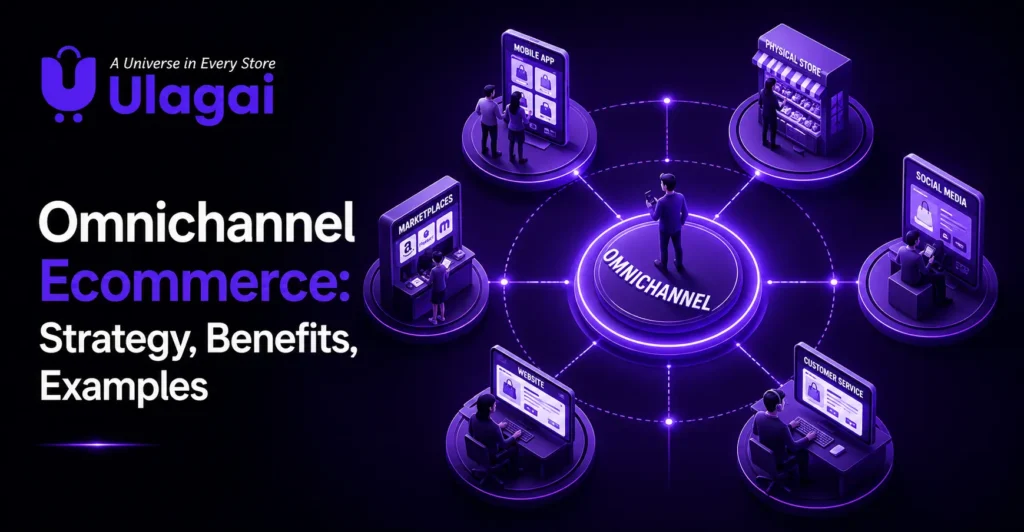
Omnichannel Ecommerce: Strategy, Benefits, Examples

Omnichannel Ecommerce: Strategy, Benefits, Examples Introduction Customers rarely follow a single path when shopping today. A person might discover a product on social media, compare it on an ecommerce website, visit a physical store, and complete the purchase through another channel. When these interactions operate separately, businesses can create inconsistent pricing, inventory information, customer data, and service experiences. Omnichannel ecommerce connects these touchpoints into a more unified customer journey. Instead of simply selling through several channels, businesses integrate those channels so customers can move between them more easily. Ulagai helps businesses evaluate their ecommerce technology, integrations, websites, and digital systems to build more connected customer experiences. What Is Omnichannel Ecommerce? Omnichannel ecommerce is a fully integrated approach to ecommerce and retail that connects multiple customer-facing and operational channels into one consistent experience. These channels can include ecommerce websites, physical stores, marketplaces, mobile applications, social media, messaging, email, POS systems, and inventory systems. The important difference is integration. A business can sell through a website, Instagram, marketplace, and physical store without being truly omnichannel. In an omnichannel model, customer information, product information, inventory, orders, and other important data can work together across those touchpoints. For example, a customer could discover a product on social media, visit the website to compare options, check store availability, purchase online, and return the product at a physical location. The experience remains connected instead of treating every interaction as a separate transaction. What Is the Difference Between Multichannel and Omnichannel Ecommerce? Multichannel ecommerce means selling through multiple channels, while omnichannel ecommerce focuses on integrating those channels into a unified customer experience. Multichannel channels can operate independently, whereas an omnichannel approach aims to connect the customer journey across platforms. Consider a retailer with an ecommerce website and physical stores. If website inventory and store inventory are managed separately, customers may see different availability depending on where they shop. An integrated system can provide a more consistent view of products, orders, and customer interactions. This distinction is important because adding more sales channels alone does not automatically create a successful omnichannel strategy. Why Is an Omnichannel Ecommerce Strategy Important? An omnichannel ecommerce strategy helps businesses reduce friction between different shopping touchpoints. Customers can interact with a brand through the channels they prefer while receiving a more consistent experience. Integration can also help businesses understand customer interactions across channels. Instead of treating an online purchase, store visit, customer enquiry, and marketing interaction as unrelated events, businesses can connect relevant information to create a clearer view of the customer journey. For growing ecommerce brands, this becomes particularly useful when sales expand across websites, marketplaces, social platforms, stores, and mobile experiences What Are the Benefits of Omnichannel Commerce? Omnichannel commerce can improve both customer experience and internal business operations when the underlying systems are properly integrated. The exact benefits depend on the business model, technology stack, product range, and quality of implementation. Key benefits include: Consistent customer experience: Customers can move between channels with less disruption. Better customer loyalty: Convenient and connected shopping experiences can make it easier for customers to continue purchasing from a brand. Improved personalization: Connected customer data can support more relevant communications and offers. Better inventory visibility: Integrated inventory systems can help businesses understand stock across locations and channels. More flexible selling: Customers can browse, purchase, collect, or return products through different connected touchpoints. How Does Omnichannel Ecommerce Work? Omnichannel ecommerce works by connecting the data and systems behind customer interactions. Ecommerce platforms, POS systems, inventory management, customer databases, order management, marketing channels, and other business applications can exchange relevant information. For instance, when a customer purchases from a physical store, the transaction can update inventory and customer records. If the same customer later visits the ecommerce website, the business may be able to provide a more relevant experience based on permitted and properly managed customer information. The objective is not simply to connect software. The objective is to create a continuous customer journey while giving employees accurate operational information. What Channels Can an Omnichannel Ecommerce Strategy Connect? A modern omnichannel strategy can connect several customer and business touchpoints. Shopify’s overview identifies ecommerce marketplaces, mobile websites and apps, social selling, messaging and SMS, personalized email, physical stores, POS integration, and inventory management among the components that can form an integrated commerce experience. Businesses do not necessarily need every possible channel. The right approach depends on where customers actually discover, evaluate, purchase, and seek support for products. A smaller business may begin with its ecommerce website, physical store, inventory system, and social channels before expanding into additional touchpoints. How Can Businesses Build a Successful Omnichannel Strategy? A successful omnichannel strategy begins with understanding the existing customer journey rather than immediately purchasing new software. Businesses should identify where customers interact with the brand, where information becomes disconnected, and which operational problems create friction. A practical implementation process is: Map the customer journey: Identify discovery, product research, purchase, delivery, support, returns, and repeat-purchase touchpoints. Audit existing systems: Review the ecommerce platform, POS, ERP, CRM, inventory, payment, marketing, and customer-service systems. Connect important data: Determine which customer, product, inventory, and order information needs to move between systems. Improve channel consistency: Align product information, pricing, branding, policies, and customer communication where appropriate. Test real customer journeys: Test scenarios such as online purchase and store return or checking store inventory before visiting. Monitor and improve: Review operational issues, customer feedback, analytics, and channel performance continuously. What Are Examples of Omnichannel Ecommerce? Real-world implementations show that omnichannel strategies can take different forms. Allbirds, for example, used POS technology in physical stores to support an “endless aisle,” allowing customers to access products beyond what was physically stocked in a particular store. Crate & Barrel Singapore introduced virtual consultations to make large furniture purchases easier for customers who preferred online shopping but still wanted a more store-like experience. This demonstrates that omnichannel shopping is not limited to checkout and inventory—it can also connect customer assistance and buying experiences What Should Businesses Look for in an

How to successfully replatform an ecommerce store to Shopify
Shopify

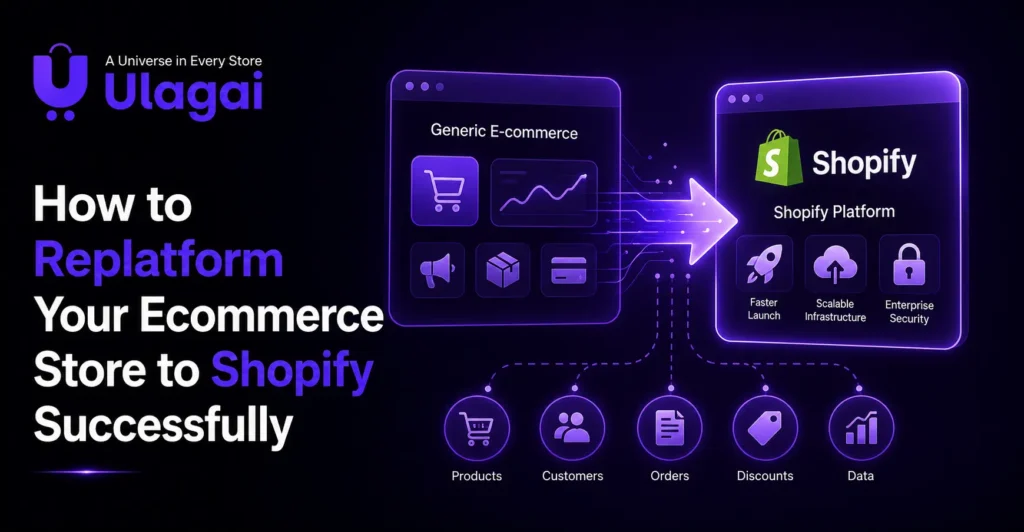
How to Replatform Your Ecommerce Store to Shopify Successfully

How to Replatform Your Ecommerce Store to Shopify Successfully Introduction As an ecommerce business grows, its existing platform may struggle to support more products, customers, orders and integrations. Slow performance, limited features, difficult maintenance and poor scalability can affect both customer experience and business growth. Shopify replatforming allows you to move your ecommerce store from its current platform to Shopify while preserving important business data, website functionality and SEO performance. However, a successful migration requires careful planning. Moving products alone is not enough. You must also manage customer information, order history, URLs, integrations, design and tracking systems. Ulagai helps ecommerce businesses plan and complete their Shopify migration with data transfer, custom development, SEO protection, integrations, testing and launch support. This guide explains how to replatform to Shopify successfully and avoid common migration problems. What Is Shopify Replatforming? Shopify replatforming is the process of moving an ecommerce website from another platform to Shopify or Shopify Plus. It may involve migrating from WooCommerce, Magento, BigCommerce, OpenCart, a custom-built platform or another ecommerce system. The Shopify migration process commonly includes transferring: Product information and images Product categories and collections Customer data Order history Inventory details Website content Metadata and URLs Discounts and gift cards Third-party integrations Replatforming also provides an opportunity to improve the store’s design, speed, mobile experience and conversion process. Why Should You Replatform Your Ecommerce Store? Businesses usually consider ecommerce replatforming when their current website becomes difficult or expensive to manage. The platform may no longer meet the company’s operational or customer experience requirements. Common reasons to move a website to Shopify include: Slow website performance High development and maintenance costs Limited ecommerce features Complicated content management Poor mobile responsiveness Security and payment concerns Difficulty managing large product catalogues Limited support for international selling Problems integrating business applications Shopify offers a user-friendly management system, secure hosting, flexible themes and a large app ecosystem. Shopify Plus also supports larger brands that require advanced automation, high-volume selling and complex integrations. 1. Define Your Replatforming Goals Before starting the migration, identify what you want the new Shopify store to achieve. Clear goals will guide your replatforming strategy and help your development team make better decisions. Your goals may include improving website speed, increasing mobile conversions, simplifying store management or supporting international customers. You may also need better ERP integration, CRM integration, inventory control or marketing tools. Document the features your current website uses and separate them into three groups: Features that must remain Features that need improvement Features that are no longer required This prevents unnecessary functionality from being carried into the new store. 2. Audit Your Existing Ecommerce Store A complete website audit is an important part of platform migration planning. It helps you understand what must be migrated and highlights existing problems that should not be repeated. Review your products, variants, customers, orders, website pages, blog posts, discount codes and integrations. Identify duplicate products, outdated content, inactive customer records and broken URLs. You should also create a list of all existing website URLs. This list will be required when planning URL migration and 301 redirects. The audit should cover: Product and category structure Customer and order information Current search rankings Website traffic Metadata Structured data Apps and integrations Payment and shipping settings A detailed audit reduces the risk of missing important information during Shopify data migration. 3. Create a Shopify Migration Checklist A Shopify migration checklist helps your internal team, developers and SEO specialists work together. It should include every activity required before, during and after launch. The checklist may cover data migration, Shopify theme development, app integration, payment gateway setup, shipping configuration, tax rules and analytics tracking. Assign responsibility for each task and set a realistic timeline. Avoid rushing the launch simply to meet an unnecessary date. A poorly tested migration can lead to lost sales, incorrect data and reduced search visibility. 4. Plan Your Data Migration The next step is deciding how your ecommerce store migration will be completed. Depending on the store’s size and complexity, the data may be transferred using a migration application, CSV files, APIs or a custom migration solution. Important data can include: Product titles and descriptions Product images and variants Prices and SKUs Inventory information Customer profiles Order history Collections and categories Discount information Website content Product data migration requires special attention when a store has a large or complex catalogue. Confirm that variants, product options, images and inventory quantities appear correctly in Shopify. Sensitive customer data must be handled carefully. Customer passwords usually cannot be moved directly because of security restrictions. Customers may need to activate their accounts or create new passwords after migration. 5. Design and Develop the Shopify Store Replatforming is a good opportunity to improve the store instead of recreating every part of the old website. Choose between a ready-made Shopify theme and custom Shopify design based on your business needs. The new design should be mobile-responsive, simple to navigate and consistent with your brand. Focus on important customer journeys such as: Finding a product Using website search Selecting product options Adding products to the cart Completing checkout Contacting customer support Avoid adding too many applications without a clear purpose. Unnecessary apps can increase costs, create conflicts and affect website performance. 6. Configure Integrations and Store Settings Your new store must connect properly with the systems used to manage your business. These may include an ERP, CRM, accounting platform, warehouse system, shipping provider or payment gateway. You must also configure: Payment methods Shipping zones and rates Tax settings Shopify checkout Customer notifications Inventory locations Domain and DNS settings Businesses selling internationally may require Shopify Markets, multi-currency support and multilingual store features. These requirements should be planned early because they can affect the store structure and customer experience. 7. Migrate to Shopify Without Losing SEO SEO migration is one of the most important parts of Shopify replatforming. If URLs are changed without proper redirects, search engines may not find the new pages. This can lead to broken links, traffic loss

Predictive analytics in ecommerce to forecast customer behavior and improve sales
Shopify

How Predictive Analytics in Ecommerce Can Improve Sales

How Predictive Analytics in Ecommerce Can Improve Sales Introduction Ecommerce businesses generate large amounts of data through product views, searches, purchases, abandoned carts, customer profiles, marketing campaigns, and inventory activity. The challenge is turning that information into decisions before an opportunity is missed. Predictive analytics in ecommerce helps businesses move beyond understanding what happened and begin estimating what may happen next. It can help teams anticipate demand, identify customer behavior patterns, improve personalization, and make more informed commercial decisions. Shopify similarly describes predictive analytics as a way to forecast future opportunities and potential business problems using historical and real-time data. For businesses evaluating their ecommerce technology stack, Ulagai can help connect ecommerce systems, analytics, automation, and business data into a more practical digital workflow. What Is Predictive Analytics in Ecommerce? Traditional ecommerce reporting primarily tells a business what already happened. Predictive analytics adds another layer by helping teams estimate what could happen next and prepare accordingly. This distinction matters when decisions involve inventory, marketing budgets, customer retention, staffing, and product pricing. Instead of waiting for demand to increase or customers to stop purchasing, businesses can use available data to identify signals earlier. The quality of the prediction depends heavily on the quality and relevance of the underlying data. Poorly tracked transactions, incomplete customer records, inconsistent product information, or missing ecommerce events can weaken the usefulness of predictive models. How Can Predictive Analytics Improve Ecommerce Sales? Predictive analytics can support sales by identifying customer and product patterns that businesses can act on. Shopify identifies applications including inventory optimization, personalization, marketing improvement, churn prevention, financial planning, and price optimization. 1. Predict Future Product Demand Ecommerce demand forecasting helps businesses estimate which products may experience increased or decreased demand. This can support purchasing and inventory decisions before demand changes significantly. For example, a fashion retailer can compare historical sales, seasonal patterns, product categories, and customer behavior to determine which products may require additional stock. This can help reduce the risk of both stockouts and unnecessary inventory. 2. Improve Ecommerce Personalization Predictive customer analytics can help businesses understand which products or offers are more relevant to different customer groups. A customer who regularly purchases skincare products, for example, may be more interested in related products or replenishment reminders than unrelated offers. Using behavioral data to create more relevant experiences can make ecommerce personalization more useful and less dependent on broad promotional campaigns. 3. Identify Customers at Risk of Churning Customer churn prediction helps businesses identify customers whose purchasing behavior may indicate a reduced likelihood of returning. A business could examine purchase frequency, order value, time since the last purchase, product category, and engagement patterns. Customers showing signs of disengagement can then be considered for appropriate retention campaigns. 4. Improve Marketing Decisions Predictive marketing analytics can help ecommerce teams determine which customers, products, or campaigns may deserve additional attention. Instead of treating every customer identically, marketers can use predictive customer segmentation to prioritize audiences according to factors such as purchasing behavior, predicted value, or likelihood of conversion. 5. Support Pricing Decisions Predictive pricing analytics can help businesses understand how demand may respond to different pricing conditions. Pricing decisions should not depend solely on historical sales. Businesses also need to consider competition, margins, inventory levels, seasonality, promotions, and customer expectations. Predictive models can provide additional evidence for these decisions rather than replacing business judgment. What Are the Main Predictive Analytics Use Cases in Ecommerce? The strongest predictive analytics ecommerce use cases usually connect directly to a measurable business decision. Common applications include: Demand and sales forecasting Inventory prediction and replenishment planning Customer churn prediction Product recommendations Customer segmentation Marketing campaign optimization Price optimization Revenue forecasting Customer lifetime value prediction These use cases can operate together. For instance, demand forecasting can influence inventory planning, while customer behavior prediction can influence personalized marketing. What Data Does Predictive Analytics Need? Predictive analytics depends on accurate and sufficiently detailed ecommerce data. Common inputs include order history, product information, customer behavior, website interactions, marketing activity, inventory records, and transaction data. Ecommerce tracking is particularly important because analytics systems need reliable events to understand actions such as product views, cart additions, checkout activity, purchases, and refunds. Google Analytics documentation recommends implementing ecommerce events and relevant parameters to measure shopping behavior and product performance. For businesses using multiple platforms, integrating ecommerce, CRM, ERP, inventory, and marketing data can create a more complete view of business performance. Which Ecommerce Analytics Metrics Should Businesses Monitor? Predictive analytics becomes more useful when businesses connect predictions to meaningful ecommerce analytics metrics. Important measures can include conversion rate, average order value, customer acquisition cost, repeat purchase rate, customer lifetime value, cart abandonment, product demand, inventory turnover, and customer churn. The objective is not to monitor every available number. A better approach is to connect each metric to a specific business question, such as “Which customers are likely to purchase again?” or “Which products may require additional inventory next month?” What Are the Challenges of Predictive Analytics in Ecommerce? The biggest challenge is usually not the predictive model itself but the data and business process surrounding it. Inconsistent tracking, incomplete datasets, disconnected systems, and poor data quality can produce unreliable predictions. Businesses should also avoid treating predictions as guaranteed outcomes. Market changes, competitor actions, economic conditions, unexpected events, and changes in customer preferences can affect actual results. Shopify also highlights data quality, implementation costs, technical expertise, and over-reliance on algorithms as challenges for ecommerce businesses. A practical approach is to start with one measurable business problem, validate the data, test the prediction, and then expand the system when it demonstrates practical value. How Can Businesses Implement Predictive Analytics? A successful implementation should begin with a clear business objective rather than simply purchasing an analytics platform. A retailer might start with demand forecasting, while a subscription business might prioritize churn prediction. A practical implementation process is: Define the business problem: Identify the decision that predictive analytics needs to improve. Audit available data: Check ecommerce, CRM, ERP, inventory, and marketing

Ecommerce data analytics guide for enterprise teams to improve business decisions and performance
Shopify

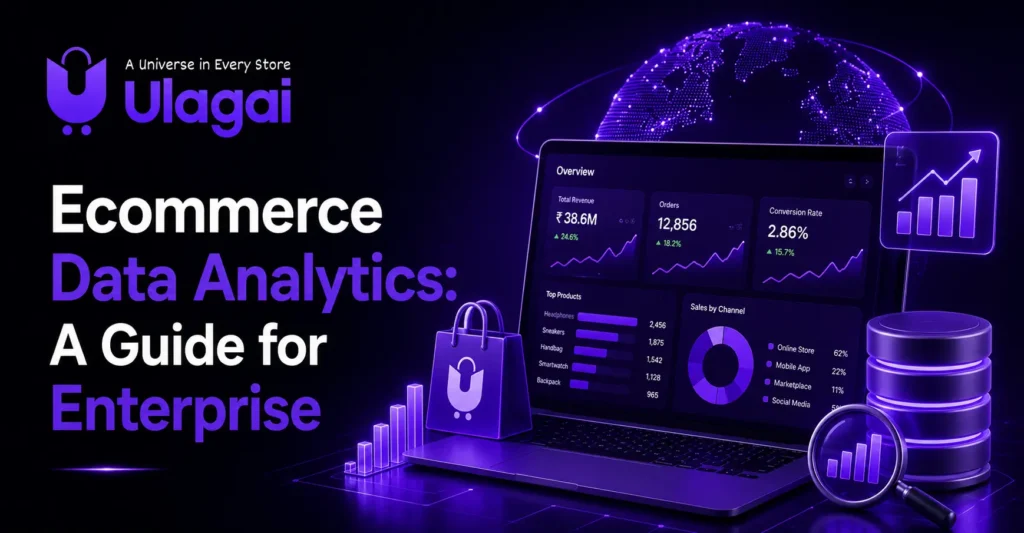
Ecommerce Data Analytics: A Guide for Enterprise Teams

Ecommerce Data Analytics: A Guide for Enterprise Teams Introduction Running an ecommerce business at enterprise scale creates a huge amount of data. Every product view, search, cart action, checkout, purchase, refund, campaign visit, and customer interaction can provide useful information. The challenge is turning that information into decisions instead of allowing it to remain scattered across different dashboards. Ecommerce analytics provides a structured way to understand what is happening across an online business. For enterprise teams, the goal is not simply to collect more data. It is to connect customer behavior, product performance, marketing activity, and sales outcomes so that teams can identify what needs attention. For businesses working with complex ecommerce operations, Ulagai can help connect website development, ecommerce platforms, integrations, automation, and digital optimization into a more practical technology environment. What Is Ecommerce Analytics? Ecommerce analytics is the process of collecting, measuring, and interpreting online store data to understand business performance and customer behavior. It combines information from websites, ecommerce platforms, analytics tools, advertising channels, CRM systems, and other business systems. For example, a retailer may discover that a product receives thousands of views but very few purchases. That information becomes useful when the team investigates whether the issue is pricing, product information, delivery costs, reviews, page experience, or checkout friction. At enterprise level, ecommerce data analytics becomes more complex because businesses may operate multiple websites, countries, currencies, marketplaces, product categories, and sales channels. Why Is Ecommerce Analytics Important for Enterprise Teams? Ecommerce analytics helps teams move from assumptions to measurable business decisions. Instead of asking whether a campaign, product, or landing page is performing well, teams can examine the underlying data. A marketing manager might compare traffic sources with revenue. A merchandising team might analyze which products are frequently purchased together. A product team might investigate where customers abandon the purchase journey. This makes analytics useful across departments rather than limiting it to the marketing team. Key Benefits A well-structured analytics system can help businesses: Understand customer journeys and purchasing behavior. Identify high-performing and underperforming products. Measure conversion and checkout performance. Compare marketing channels and campaigns. Monitor customer retention and repeat purchases. Support forecasting and inventory decisions. The value comes from connecting these insights to actual business actions. Which Ecommerce Analytics Metrics Matter Most? The most useful ecommerce analytics metrics are the ones connected to specific business decisions, such as conversion rate, average order value, customer lifetime value, product performance, cart abandonment, and customer retention. Conversion rate shows how effectively website visitors become customers. Average order value helps teams understand the value of each transaction, while customer lifetime value provides a broader view of customer relationships. Enterprise teams should also examine product-level metrics. Product views, add-to-cart activity, purchases, refunds, and revenue can reveal where customer interest is strong and where the purchasing journey breaks down. The right metrics depend on the business model. A subscription business, marketplace, fashion retailer, and B2B ecommerce company should not necessarily use the same dashboard. How Does Ecommerce Customer Analytics Help Businesses? Ecommerce customer analytics helps businesses understand who their customers are, how they behave, what they purchase, and how their behavior changes over time. Customer data can reveal differences between new and returning customers, high-value and low-value segments, or customers acquired through different marketing channels. For example, an ecommerce brand may find that customers acquired through organic search have different purchasing patterns from customers acquired through paid advertising. That insight can influence content strategy, campaign planning, customer retention, and merchandising decisions. Customer segmentation becomes especially valuable when an enterprise has a large customer base. Instead of treating every visitor identically, teams can build experiences and campaigns around meaningful behavioral groups. How Do Ecommerce Analytics Tools Support Decision-Making? Ecommerce analytics tools collect and organize business information so teams can monitor performance, investigate changes, and make informed decisions. Google Analytics can track ecommerce interactions such as product views, cart actions, checkout activity, purchases, refunds, and promotions when the appropriate ecommerce events are implemented. Shopify also provides analytics dashboards and reports covering areas such as sales, sessions, customers, and fulfillment. Its reporting environment allows businesses to customize metrics, dimensions, filters, and comparisons. For enterprise businesses, the important consideration is not simply selecting the tool with the largest feature list. The analytics stack should connect reliably with the systems the business already uses. What Should an Ecommerce Analytics Dashboard Include? An ecommerce analytics dashboard should show the metrics that help a team make decisions rather than simply displaying every available number. A management dashboard might focus on revenue, orders, conversion rate, average order value, customer acquisition, and retention. A merchandising dashboard could emphasize product views, add-to-cart rates, product revenue, refunds, and inventory-related information. Marketing teams may need channel performance, campaign revenue, landing-page behavior, and customer acquisition information. Shopify’s current analytics dashboard, for example, supports customizable metric cards and comparisons across time periods. The dashboard should therefore be designed around business questions first and available data second. How Does Google Analytics Ecommerce Tracking Work? Google Analytics ecommerce tracking works by sending structured ecommerce events that describe customer interactions with products and transactions. Common events include viewing products, selecting items, adding products to the cart, beginning checkout, completing purchases, processing refunds, and interacting with promotions. Google recommends supplying relevant ecommerce parameters such as product information, currency, value, and quantity. Correct implementation matters because incomplete tracking can produce misleading reports. Enterprise teams should establish consistent product IDs, transaction IDs, currencies, event naming, and ecommerce parameters across their digital properties. What Are the Most Useful Ecommerce Analytics Use Cases? Ecommerce analytics use cases include product optimization, customer segmentation, conversion analysis, marketing measurement, pricing analysis, forecasting, and operational planning. A fashion retailer could analyze product-level performance to identify which categories generate strong sales but weak conversion. A marketplace could compare seller performance and customer behavior across different product groups. Predictive analytics in ecommerce can also support forecasting and planning when businesses have sufficient historical data and appropriate analytical models. However, predictions should support human decision-making rather than replace business

2026 ecommerce trends and strategies brands need to know for online growth
Shopify

2026 Ecommerce Trends: What Brands Need to Know

2026 Ecommerce Trends: What Brands Need to Know Introduction Ecommerce is becoming more competitive, and the biggest shift is not simply the growing number of people shopping online. Customers are becoming more selective about how they discover products, compare options, interact with brands, and complete purchases. Ulagai helps businesses adapt to these changing expectations by creating more personalized, connected, and customer-focused digital experiences. The latest ecommerce trends point toward stronger use of AI, video, influencer creativity, community, authentic content, and personalized experiences. For businesses in India, these trends also create opportunities to improve mobile shopping, digital payments, local discovery, logistics, and customer retention. What Are the Biggest Ecommerce Trends in 2026? The biggest ecommerce trends in 2026 are focused on personalization, AI-assisted discovery, social commerce, authentic content, mobile experiences and connected commerce systems. Instead of treating an online store as a simple product catalogue, successful brands are increasingly treating it as a complete customer experience. The important trends businesses should watch include: Personalized customer experiences and rewards AI-assisted product discovery and shopping Social and video-led commerce Mobile-first ecommerce experiences Omnichannel and unified commerce Authentic content and community-driven marketing Faster, simpler and more flexible payment experiences These trends are not equally important for every business. A small fashion brand may benefit more from social commerce and personalization, while a B2B company may gain more from better ecommerce automation, account management and connected systems. Why Is Personalization Becoming an Important Ecommerce Business Trend? Personalization means using relevant customer information and behaviour to make product discovery, recommendations, offers or communication more useful to individual shoppers. In 2026, personalization is moving beyond simply adding a customer’s name to an email. Brands can use first-party data such as browsing behaviour, purchase history and product preferences to create more relevant experiences. Shopify’s 2026 trend research specifically highlights personalized rewards and the use of customer data to understand behaviour. For example, an online beauty store could recommend products based on previous purchases, while a fashion brand could highlight products related to categories a customer frequently views. The important point is that personalization should provide value rather than make customers feel monitored. How Is AI Changing the Future of Ecommerce? AI is becoming part of product discovery, customer support, recommendations, marketing and ecommerce operations. Customers can increasingly discover products through conversational search and recommendation experiences rather than navigating through category pages alone. This makes product information more important. Product titles, descriptions, specifications, pricing, availability and supporting content should be clear enough for both customers and digital discovery systems to understand. Shopify’s consumer research also reports that AI search is becoming more relevant to shopping behaviour, with traffic from AI search to Shopify stores increasing significantly. For ecommerce businesses, this means website content should answer customer questions clearly instead of focusing only on short promotional copy. What Are the Latest Ecommerce Website Trends? The latest ecommerce website trends are moving toward simpler navigation, stronger visual storytelling, faster experiences and more intentional user journeys. Customers should be able to understand what a business sells, why a product matters and how to purchase it without unnecessary friction. Mobile usability is especially important because many ecommerce interactions begin on smartphones. Product images, filters, menus, checkout elements and payment options should work smoothly on smaller screens. Ecommerce design trends are also moving toward more purposeful experiences rather than adding visual elements simply because they look impressive. Shopify’s 2026 UX research highlights more intentional and personal ecommerce experiences. Why Are Video and Social Commerce Growing? Social ecommerce combines product discovery with social platforms, creators, communities and interactive content. Video can demonstrate how a product works, answer common questions and help customers understand products that are difficult to evaluate from static images. This is particularly useful for fashion, beauty, fitness, food, electronics and lifestyle products where demonstration can influence purchase confidence. Social media ecommerce trends also show why brands should think beyond posting promotional content. Tutorials, customer experiences, product demonstrations and creator-led content can help shoppers understand a product before they visit the ecommerce website How Are Mobile Ecommerce Trends Affecting Online Stores? Mobile ecommerce trends are changing how businesses design their websites because customers increasingly expect fast and simple experiences on smartphones. A mobile visitor should not have to zoom, repeatedly scroll or complete complicated forms to purchase a product. Businesses should review mobile navigation, product presentation, search, filters, checkout, payment options and page speed as part of their ecommerce strategy. A technically strong desktop website is not enough if the mobile experience creates unnecessary friction. Why Are Omnichannel Ecommerce Trends Important? Ecommerce omnichannel trends are moving businesses toward connected customer journeys across websites, marketplaces, social platforms, physical stores and customer service channels. The goal is not simply to sell on multiple channels but to keep important customer and operational information connected. For example, inventory availability should ideally remain consistent between online and offline sales channels. Customer service teams should also have enough information to understand orders and previous interactions. This is where ecommerce platforms, ERP systems, CRM tools and API integrations can become valuable for growing businesses. What Changes Are Happening in Ecommerce Payments and Logistics? Ecommerce payment trends are increasingly focused on convenience, security and giving customers suitable ways to complete purchases. Businesses should evaluate whether their payment experience supports the devices, locations and customer preferences of their target audience. Logistics is equally important because the purchase experience does not end at checkout. Delivery visibility, accurate stock information, shipping communication and returns can influence whether customers trust a brand enough to purchase again. For Indian ecommerce businesses, logistics and payment decisions should also reflect local customer expectations, delivery locations and operational capabilities. How Can Businesses Prepare for the Future of Ecommerce in India? Businesses preparing for the future of ecommerce in India should focus on customer experience, mobile performance, digital payments, reliable fulfilment, useful personalization and strong online visibility. India is a diverse market, so a strategy that works for one customer group may not work equally well for another. Start

Social media integration for ecommerce websites to connect social platforms and increase customer engagement
Shopify

Social Media Integration: What It Is and How to Do It

How to Write a Product Description That Sells Introduction Customers rarely interact with a business through only one digital channel. They may discover a brand on Instagram, visit its website from a social post, check customer reviews, and finally make a purchase through an ecommerce store. When these channels work separately, the customer journey can feel disconnected. Social media integration helps businesses connect these experiences. It allows websites, ecommerce stores, marketing platforms, and social accounts to work together more effectively. Ulagai helps businesses build and improve digital experiences through website development, ecommerce solutions, API integrations, SEO, and business automation. In this guide, we will explain what social media integration means, why it matters, common examples, useful tools, and practical ways to integrate social media into a website and broader marketing strategy. What Is Social Media Integration? Social media integration is the process of connecting social media platforms with a business website, ecommerce store, marketing system, or other digital channels. The purpose is to make content, customer interactions, product information, and other digital experiences more connected. For example, a business may add Instagram content to its website, allow visitors to share blog posts on social networks, connect its product catalogue to social commerce channels, or let customers sign in using supported social accounts. The integration can be simple or highly customized. A small business may only need social profile links and sharing buttons, while an ecommerce company may require product synchronization, social feeds, analytics, APIs, and customer support integration. Shopify similarly describes social media integration as connecting social platforms with websites, stores, and business tools so that content, data, and customer actions can work together. Why Is Social Media Integration Important? Social media integration helps remove the gap between where customers discover a business and where they interact with or purchase from it. A consistent experience can also strengthen brand presentation. When the visual style, messaging, product information, and social content are aligned across channels, customers do not have to repeatedly figure out whether they are dealing with the same business. Integration can also make existing content more useful. A product video published on social media could appear on a relevant product page, while a useful blog article can include social sharing options to make distribution easier. It can also support SEO indirectly. Google explains that people can discover content from platforms such as Instagram, TikTok, X, and YouTube through Google Search, and Search Console now provides tools for analysing social and video content performance. What Are the Benefits of Social Media Integration? A well-planned integration can improve several parts of the digital customer journey. Better customer experience: Customers can move more easily between social profiles, websites, products, and support channels. Stronger social proof: Reviews, customer posts, and user-generated content can be displayed in relevant places. More content value: Businesses can reuse suitable social content across websites, email campaigns, and product pages. Improved ecommerce discovery: Product catalogues and shopping features can connect social discovery with product pages. Better communication: Social messages and customer enquiries can be connected with support workflows. More consistent branding: Customers receive a more unified experience across digital channels. The specific benefits depend on the type of integration and the business objective. What Are Some Social Media Integration Examples? There are many practical social media integration examples, and the right option depends on the business model. A common example is social media feed integration, where Instagram, Facebook, YouTube, or another platform’s content is displayed on a website. A fashion business, for example, could show selected customer posts on its homepage to demonstrate how products look in real-world use. Another example is social sharing. A blog can include sharing options that allow visitors to distribute useful content through their preferred platforms. For ecommerce businesses, ecommerce social media integration can connect products with social commerce channels. Product information, images, and links can be used to create a smoother path from social discovery to the ecommerce website. Social login is another form of social media account integration. Instead of creating another username and password, customers may be able to use an available third-party account to access a website. How to Integrate Social Media Into a Website The best approach to how to integrate social media into a website starts with the business objective rather than simply adding every available feature. First, identify where customers already interact with the business. If Instagram is a major discovery channel, a social feed or selected customer-content section may be useful. If blog content is important, social sharing may provide more value. Next, select the appropriate integration method. Basic links and sharing buttons may require minimal development, while dynamic feeds, social login, product synchronization, and social media API integration can require more technical implementation. Finally, test the integration across desktop and mobile devices. Social feeds should not make pages unnecessarily slow, broken links should be corrected, and embedded content should remain usable on smaller screens. What Are Social Media Integration Tools? Social media integration tools help businesses connect social platforms with websites, ecommerce stores, marketing systems, analytics platforms, and customer support workflows. The appropriate tool depends on the required function. Social feed tools can display posts on websites, scheduling platforms can help manage publishing, analytics tools can measure traffic and engagement, while ecommerce integrations can connect product catalogues with supported social channels. Businesses should evaluate factors such as platform compatibility, API access, security, maintenance requirements, mobile performance, analytics, and scalability before selecting social media integration software. For larger businesses, a custom API integration may be more suitable when standard plugins or third-party tools cannot meet specific workflow requirements. How Does an Integrated Social Media Strategy Work? An integrated social media strategy connects social activity with broader business and marketing objectives rather than treating social media as a separate channel. For example, an ecommerce brand could publish educational content on Instagram, direct interested users to relevant website content, introduce products through social commerce, and then measure website behaviour using analytics. An integrated social media campaign can

Scroll to Top