ulagai.com

Shopify

How to write product descriptions that attract customers and increase sales
Shopify

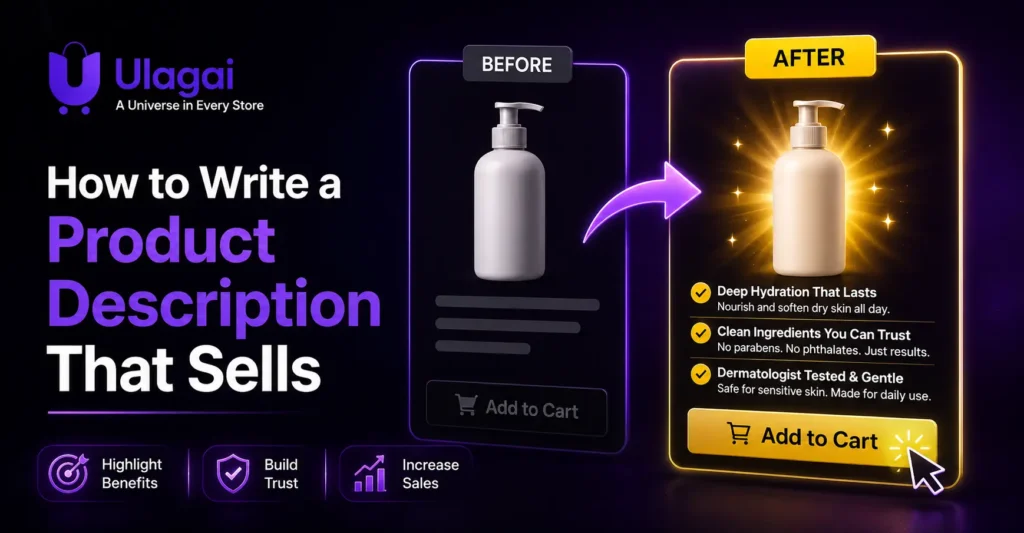
How to Write a Product Description That Sells

How to Write a Product Description That Sells Introduction A product description is more than text placed underneath a product image. It helps shoppers understand what they are buying, decide whether the product fits their needs, and feel confident enough to take the next step. At UlagAI, we focus on creating Shopify experiences that make product information clear, engaging, and conversion-focused. Many ecommerce stores describe what a product has but fail to explain what the customer gets from it. A stronger approach connects features with benefits and answers the questions a potential buyer is likely to have. Shopify’s current guide similarly emphasizes speaking to the ideal customer, highlighting benefits rather than only features, using specific language, adding social proof, making descriptions scannable, and optimizing product descriptions for search. What Is a Product Description? A product description is marketing copy that explains what a product is, what it does, who it is designed for, and why it may be worth purchasing. It can appear on ecommerce product pages, category pages, marketplaces, and other places where products are presented to customers. An effective description should answer practical questions while also communicating the product’s value. Instead of saying only “100% cotton fabric,” for example, an ecommerce brand could explain that the fabric provides a lightweight and comfortable feel for everyday wear. The goal is not to make every description extremely long. The goal is to provide the information customers need in a clear, persuasive format. Why Do Product Descriptions Matter? Product descriptions help bridge the gap between seeing a product and understanding its value. When shoppers cannot physically examine an item, the product page needs to provide enough information to help them evaluate it. A strong description can explain important details, reduce uncertainty, communicate benefits, and reinforce the brand’s positioning. It can also help search engines understand the subject of the product page when relevant product information is presented naturally. For ecommerce businesses, this makes product content an important part of the overall customer journey rather than an afterthought. How Do You Write a Product Description That Sells? The best approach is to write for the customer’s needs first and the product’s features second. Start by identifying who the product is for, what problem or need it addresses, and what makes it useful or different. Then translate important features into practical benefits. If a backpack has multiple compartments, the benefit might be easier organization for work or travel. If a skincare product contains a particular ingredient, explain its intended purpose rather than simply naming the ingredient. Your description should also match the language your customers naturally use. Avoid generic phrases such as “high quality,” “best product,” or “premium solution” unless you can explain what makes the claim meaningful. Focus on Benefits, Not Just Features Features describe what a product contains or includes. Benefits explain why those characteristics matter to the customer. For example, “noise-cancelling headphones with 40-hour battery life” describes features. Explaining that the long battery life helps users stay focused during extended travel or work sessions gives the feature a practical context. This approach makes compelling product descriptions more useful because customers can quickly understand how the product fits into their lives. Write for the Ideal Customer A product description becomes stronger when it is written for a specific audience instead of everyone. Consider the customer’s experience, knowledge level, concerns, expectations, and reasons for buying. A professional camera, for example, can be described differently for an experienced photographer than for someone purchasing their first camera. The specifications may remain the same, but the explanation and emphasis can change. What Should a Good Product Description Include? A good description should provide enough information for the customer to understand the product without making them search through several other pages. The exact structure depends on the product, price, industry, and buying journey. Important information can include: What the product is and who it is for Key features and practical benefits Materials, dimensions, specifications, or ingredients How the product is used Important compatibility or sizing information Differentiating qualities Relevant customer concerns Shipping, returns, or warranty information where appropriate The most important details should be easy to scan. Headings, short paragraphs, meaningful subheadings, and carefully used formatting can make product page content easier to understand, especially on mobile devices. How Can You Optimize Product Descriptions for SEO? SEO product descriptions should help both customers and search engines understand the product naturally. Start with the language customers use when searching for the product, then incorporate relevant terms where they genuinely fit. Use the primary product term in appropriate locations such as the product title, description, page heading, and other relevant page elements. Avoid repeating the same keyword unnaturally because search engines evaluate overall relevance and page quality rather than rewarding excessive repetition. Product descriptions should also provide useful original information rather than simply copying manufacturer text used across multiple websites. For ecommerce businesses, Google recommends providing clear product information and using appropriate product structured data to help Google understand product pages. What Is a Good Product Description Structure? A practical product description template can start with a short value-focused introduction, followed by the most important benefits and supporting product details. For example, an ecommerce clothing page could begin by explaining who the garment is designed for and its main comfort or styling benefit. The page can then provide fabric information, sizing details, care instructions, and other information that helps the shopper make a decision. The structure should change according to the product. A technical product may need specifications and compatibility information, while a lifestyle product may benefit more from use cases, sensory language, and storytelling. How Does Product Copywriting Improve Ecommerce Pages? Product copywriting turns basic product information into customer-focused communication. Instead of asking customers to interpret a list of specifications themselves, good copy explains why those specifications matter. Storytelling can also help when the product has a meaningful origin, design philosophy, manufacturing process, or use case. However, the story should support the buying decision rather than

Shopify customer segmentation tools for targeting customers and improving marketing
Shopify

Shopify Customer Segmentation Tools Explained

Shopify Customer Segmentation Tools Explained Introduction Sending the same marketing message to every customer can make an ecommerce store feel disconnected from what individual shoppers actually need. A first-time buyer, loyal customer, high-value customer, and inactive shopper may all require very different messages. Shopify customer segmentation helps businesses organize customers into meaningful groups based on their data and behavior. Shopify’s segmentation capabilities can use customer attributes and conditions to create dynamic segments, while Shopify’s broader analytics tools can help merchants understand customer activity and purchasing patterns. For businesses using Shopify, Ulagai can help connect customer data, ecommerce functionality, analytics, automation, and website development into a more structured digital commerce strategy. This guide explains how Shopify segmentation works, which tools matter, and how businesses can use customer groups more effectively. What Is Shopify Customer Segmentation? Shopify customer segmentation is the process of dividing customers into groups based on shared characteristics, behaviors, or purchase patterns. Instead of treating every customer as the same audience, merchants can create groups that represent different stages and types of customers. For example, a Shopify store could identify customers who purchased within the last 30 days, customers who have never purchased, customers who have spent above a certain amount, or customers who have not ordered recently. Shopify’s segment query system supports filtering customers according to attributes and conditions, allowing merchants to create more specific customer groups. This makes segmentation useful for both customer analytics and marketing. A segment can help a business understand who its customers are while also providing an audience for a relevant campaign or customer experience. Why Is Customer Segmentation Important for Shopify Stores? Customer segmentation matters because different customers have different needs, buying patterns, and levels of engagement. A new customer may need education about the brand, while a repeat customer may respond better to product recommendations or loyalty-focused communication. Segmentation can also reduce unnecessary marketing. Instead of sending every promotion to the entire database, a business can create a customer group that matches the purpose of a campaign. Shopify identifies customer segmentation as a way to create more relevant marketing and personalized experiences. For example, an apparel store could create a group of customers who purchased winter products previously. That segment could then be considered for relevant seasonal communication rather than sending the same message to customers who have never shown interest in those products. What Shopify Customer Segments Can You Create? Shopify customer segments can be based on different types of customer information and behavior. The exact segment should depend on the business objective rather than simply creating large numbers of customer groups. Useful segments can include: New customers: Customers who recently made their first purchase. Repeat customers: Buyers who have ordered multiple times. High-value customers: Customers with significant lifetime spending. Inactive customers: Customers who have not purchased within a selected period. Location-based customers: Customers grouped by location. Product-based customers: Customers associated with particular purchase patterns. Marketing subscribers: Customers who meet specific subscription criteria. Shopify’s current segmentation documentation supports conditions involving attributes such as order dates, amount spent, marketing subscription status, and other customer information. How Does the Shopify Customer Segmentation Editor Work? The Shopify customer segmentation editor allows merchants to define customer groups using conditions rather than manually sorting customers one by one. Shopify’s segment query language is based on conditions that determine which customers belong to a segment. For businesses that need more advanced reporting, ShopifyQL can also be used to analyze commerce data. Shopify provides customer-related schemas that can help businesses examine measures such as recent purchasing activity, order frequency, and customer spending. The important point is that segmentation should start with a business question. Instead of asking, “What groups can I create?”, ask, “Which customers do I need to understand or reach differently?” What Is RFM Customer Segmentation in Shopify? RFM customer segmentation groups customers using Recency, Frequency, and Monetary value. Recency measures how recently someone purchased, Frequency considers how often they purchase, and Monetary value considers how much they spend. RFM segmentation can help an ecommerce business identify valuable customers, frequent buyers, and customers who may be becoming inactive. Shopify’s published segmentation guide specifically describes RFM as a way to isolate groups such as high spenders or customers who may need win-back campaigns. For example, a fashion store could identify customers who purchased recently, purchase frequently, and have high lifetime spending. That group may be suitable for VIP communication, early product access, or loyalty-focused campaigns. How Can Shopify Customer Segmentation Support Marketing? Segmentation becomes more valuable when customer groups are connected to appropriate marketing actions. Shopify’s customer engagement content explains how segmentation can work alongside marketing automation to make campaigns more timely and relevant. A new customer might receive a welcome sequence explaining products and brand benefits. A repeat customer could receive recommendations based on previous purchases, while an inactive customer could receive a carefully designed re-engagement campaign. The goal is not to send more messages. The goal is to make each message more relevant to the customer’s current relationship with the business. What Are the Key Benefits of Shopify Customer Segmentation? A well-planned customer segmentation strategy can improve how an ecommerce business understands and communicates with its audience. The main benefits include: More relevant customer targeting Better understanding of purchase behavior More focused marketing campaigns Improved customer lifecycle management Easier identification of high-value customers Better opportunities for retention campaigns More useful customer analytics These benefits depend on accurate customer data and sensible segment definitions. Creating hundreds of segments without a clear marketing or business purpose can make campaigns harder to manage rather than easier. What Are Some Shopify Customer Segmentation Examples? Consider an online skincare store with thousands of customers. Instead of sending one promotional email to everyone, the store could separate first-time buyers, repeat buyers, customers who purchased a particular product category, and customers who have not purchased for several months. A furniture ecommerce store could take a different approach. It might segment customers according to product category, spending level, purchase recency, or

Personalized shopping experience ideas and best practices to improve customer engagement and sales
Shopify

Personalized Shopping Experience: Ideas and Best Practices

Personalized Shopping Experience: Ideas and Best Practices Introduction Online shoppers are surrounded by products, promotions, and competing brands. When every visitor sees the same products and messages, finding something relevant can take more effort than necessary. A personalized shopping experience helps ecommerce businesses make the journey more useful by presenting products, content, and offers based on customer interests and behavior. For a growing ecommerce brand, personalization does not necessarily mean rebuilding the entire store. Ulagai helps businesses approach ecommerce website development and optimization strategically, starting with customer data, website behavior, product discovery, and the parts of the buying journey where personalization can provide the most value What Is a Personalized Shopping Experience? A personalized shopping experience is an ecommerce journey that adapts products, content, recommendations, offers, or communication to a shopper’s known preferences and behavior. Instead of treating every visitor identically, the website uses relevant customer information to make the experience more useful. For example, a customer who frequently views running shoes could see related footwear, sports accessories, or products based on previous interactions. Similarly, a returning customer could receive recommendations related to products they have purchased before. Modern ecommerce personalization can use information such as browsing activity, previous purchases, customer accounts, loyalty activity, preferences, and voluntarily provided information. Shopify’s guidance similarly highlights first-party data, personalized recommendations, dynamic website content, targeted promotions, and behavior-based triggers as important personalization approaches. Why Is Ecommerce Personalization Important? Ecommerce personalization helps businesses make product discovery and communication more relevant. When customers can quickly find products that match their interests, the shopping journey can feel less generic and easier to navigate. Personalization can also support the broader ecommerce customer experience. Instead of sending the same email or displaying the same promotional banner to everyone, a business can tailor communication to different customer groups. The important point is relevance rather than simply adding a customer’s name to an email. Effective customer personalization connects useful information with an appropriate experience at the right stage of the buying journey. 7 Personalized Shopping Ideas to Try Personalization works best when it solves a real customer problem. Start with simple experiences that use reliable customer information, measure how shoppers respond, and expand the strategy gradually. Personalized product recommendations: Display products based on previous purchases, recently viewed products, related categories, or frequently purchased combinations. Behavior-based experiences: Use actions such as product views, cart activity, or category visits to determine which content or products should be shown next. Personalized offers: Create relevant promotions for customer segments instead of sending the same discount to every shopper. Dynamic website content: Adjust banners, recommendation sections, or promotional messages based on customer behavior or preferences. Location-based personalization: Where appropriate, show relevant currency, delivery information, store availability, or location-specific content. Personalized email and SMS: Send product suggestions, replenishment reminders, abandoned-cart messages, or follow-up content based on customer activity. Personalized post-purchase experiences: Recommend complementary products, provide useful product information, or create relevant reorder reminders after a purchase. These approaches are consistent with Shopify’s documented examples of geotargeted promotions, behavior-based triggers, dynamic website content, personalized video, and product recommendations. How Does First-Party Data Support Personalization? First-party data is information a business collects directly through customer interactions with its own website, store, accounts, marketing channels, surveys, or loyalty programs. It can provide useful context for creating more relevant shopping experiences while giving businesses greater control over their customer information. For example, an ecommerce brand may know which categories a customer browsed, which products they purchased, or which offers they interacted with. That information can help create meaningful customer segments and relevant product recommendations. Businesses should also be transparent about how customer information is collected and used. Personalization should make the shopping experience more useful rather than making customers feel that their activity is being monitored unnecessarily. How Can Personalized Product Recommendations Improve Product Discovery? Personalized product recommendations help customers discover products that may be relevant to their needs without requiring them to search through an entire catalogue. They can appear on homepages, collection pages, product pages, cart pages, or post-purchase communications. A fashion store, for example, could recommend accessories that complement a recently viewed product. A home goods store could show related products based on items a shopper has already considered. The quality of recommendations depends on the relevance of the underlying data and rules. Poor recommendations can create friction, so businesses should monitor product relationships and remove recommendations that do not make sense for the customer. What Role Does Personalized Website Content Play? Personalized website content changes selected parts of an ecommerce website according to customer characteristics, preferences, or previous interactions. It can include banners, recommendations, promotional messages, category suggestions, or content designed for specific customer segments. For example, a returning customer could see recently viewed products, while a first-time visitor could receive introductory information about the brand. A customer interested in a particular product category could also see relevant content rather than unrelated promotions. Dynamic website content should be used selectively. If every element changes constantly, the experience can become confusing. Personalization should support the website’s core navigation and content hierarchy rather than replace them. How Can Ecommerce Businesses Build a Personalization Strategy? A successful personalization strategy begins with the customer journey rather than technology. Businesses should identify where shoppers experience difficulty, such as discovering products, choosing between similar products, understanding offers, or completing repeat purchases. The next step is to identify what reliable data can support the experience. A business might begin with purchase history and customer segments before introducing more advanced behavior-based personalization. Testing is also important. Compare different recommendation placements, messages, offers, or customer segments and monitor meaningful business metrics. The objective is to understand which experiences are genuinely useful rather than personalizing every possible interaction. What Are Common Ecommerce Personalization Mistakes? One common mistake is personalizing without enough relevant data. Showing unrelated recommendations simply because a customer viewed one product can reduce trust rather than improve the experience. Another problem is excessive discounting. Personalized offers should have a clear purpose and should not

Ecommerce navigation best practices for improving user experience and website usability
Shopify

Ecommerce Navigation: 7 Best Practices for UX

Ecommerce Navigation: 7 Best Practices for UX Introduction A customer can land on a beautifully designed ecommerce website and still leave if they cannot quickly find what they need. Confusing menus, unclear product categories, excessive dropdowns, and poor mobile navigation can create unnecessary friction during the shopping journey. Ecommerce navigation connects visitors with products, collections, services, policies, and important information. A well-planned navigation structure makes the store easier to use while also helping search engines understand how important pages relate to one another. Ulagai helps businesses build and optimize ecommerce experiences where usability, performance, and business goals work together. In this guide, we will look at seven practical ecommerce navigation best practices that can improve product discovery and create a smoother user experience. What Is Ecommerce Navigation? Ecommerce navigation is the system that helps shoppers move through an online store and find products, categories, information, and important pages. It typically includes the main menu, category structure, dropdowns or mega menus, search, breadcrumbs, footer links, and contextual internal links. Navigation is more than a visual menu at the top of a website. It represents the store’s information architecture—the way products and content are organized into meaningful relationships. For example, a fashion store might structure its navigation as Women → Clothing → Dresses → Maxi Dresses. This hierarchy gives shoppers a predictable path while creating clear relationships between category and product pages. Google also uses relationships between pages and their internal links to understand ecommerce site structure. Google recommends making important products reachable through navigation and category links rather than relying only on a search box. Why Does Ecommerce Navigation Matter for UX? Ecommerce navigation matters because shoppers need to locate products with minimal confusion or unnecessary steps. When categories are predictable and menu labels are clear, visitors can spend more time evaluating products instead of trying to understand the website. Navigation also influences product discovery. A customer may arrive looking for one product but discover another relevant category through a well-organized menu. This makes navigation part of the shopping experience rather than simply a technical website component. Mobile usability is equally important. On smaller screens, desktop-style navigation needs to become a practical mobile menu that remains easy to open, scan, and operate. 7 Best Practices for UX 1. Build a Clear Ecommerce Navigation Structure The first ecommerce navigation best practice is to create a logical hierarchy based on how customers think about your products. Your main menu should prioritize the categories and shopping paths that matter most to customers rather than reflecting your company’s internal terminology. For example, an electronics store could organize its navigation around Mobiles, Laptops, Tablets, Accessories, Audio, and Deals. Under each category, related subcategories can help customers narrow their choices without creating an unnecessarily deep menu. Avoid creating too many top-level options. If every category receives equal prominence, the navigation becomes difficult to scan. Use customer research, product data, search behavior, and analytics to decide which categories deserve primary visibility. 2. Use Simple and Descriptive Menu Labels An ecommerce navigation menu should use labels that shoppers immediately understand. Terms such as “Men,” “Women,” “Shoes,” “Furniture,” or “New Arrivals” are generally easier to interpret than creative labels that require visitors to guess what they contain. Consistency also matters. If one part of the website calls something “Footwear” while another calls it “Shoes,” customers may wonder whether these represent different product groups. Clear labels benefit accessibility as well. W3C guidance recommends menus with meaningful structure, clear labels, predictable behavior, and appropriate interaction states. 3. Design Mega Menus Around Product Discovery An ecommerce mega menu can be useful when a store has many categories, but more links do not automatically create better navigation. The purpose of a mega menu should be to organize a large product range into easily understood groups. For example, a furniture store could use a “Shop” mega menu containing Living Room, Bedroom, Dining, Office, and Outdoor categories. Within those groups, carefully selected subcategories can help shoppers reach relevant collections quickly. Avoid filling a mega menu with every possible page. Too many links, promotional banners, icons, and competing visual elements can make the menu harder to scan. 4. Make Ecommerce Site Search Easy to Find Navigation should not force every customer to browse through categories. Shoppers who know exactly what they want may prefer to search directly for a product, brand, model, or category. A useful ecommerce site search should be easy to locate and should return relevant results. Search suggestions, spelling tolerance, filters, and useful product information can make the experience more efficient, especially for stores with large catalogs. Search should complement navigation rather than replace it. Google specifically notes that crawlers generally do not submit searches into a site’s search box, so important products should also be discoverable through crawlable links. 5. Optimize Navigation for Mobile Users Mobile ecommerce navigation needs to be designed around touch interaction rather than simply shrinking the desktop menu. Customers should be able to open the menu, understand the available categories, expand subcategories, and return to previous levels without confusion. Dropdown and fly-out menus should also provide clear interaction states. W3C recommends that navigation patterns work appropriately with keyboard and other input methods, while menu controls should communicate their state clearly. Keep important destinations easy to access and avoid forcing users through multiple layers before they can reach a useful category. Test the menu on actual mobile devices because a navigation pattern that looks good in a design mockup may behave differently on a touchscreen. 6. Connect Categories, Products, and Related Pages Good ecommerce navigation does not end with the main menu. Internal links between the homepage, category pages, subcategories, products, editorial content, and related collections create a connected shopping experience. For example, a skincare store can link from a “Face Care” category to specific concerns such as moisturizers, cleansers, and sunscreen. Product pages can then link to related products or relevant collections where appropriate. This structure can also support ecommerce SEO. Google explains that it analyzes links between

Shopify homepage CRO framework to improve conversions and increase sales
Shopify

Shopify Homepage CRO: The 5-Step Framework

Shopify Homepage CRO: The 5-Step Framework Introduction A Shopify homepage has only a short window to answer three important questions: What do you sell, why should I trust you, and what should I do next? If visitors cannot find those answers quickly, attractive visuals alone will not turn traffic into customers. This is where Shopify homepage CRO becomes important. Instead of redesigning a store simply because it looks outdated, conversion rate optimization focuses on removing friction and making the customer journey easier to understand. For Ulagai, a strong ecommerce homepage is not just a collection of banners and product sections. It should connect brand positioning, UX, navigation, product discovery, trust, performance, and conversion goals. This five-step framework explains how businesses can approach Shopify homepage optimization strategically. What Is Shopify Homepage CRO? Shopify homepage CRO is the process of improving a Shopify homepage to increase the percentage of visitors who take a valuable next action, such as viewing a product, exploring a collection, adding an item to the cart, or making a purchase. CRO is not limited to changing button colors or rearranging a banner. It involves understanding how visitors behave and improving the parts of the customer journey that create confusion, hesitation, or unnecessary effort. Shopify itself describes CRO as a data-driven and iterative process focused on increasing the percentage of visitors who complete a desired action. For an ecommerce homepage, this means looking at the complete experience. The headline, navigation, imagery, featured collections, product recommendations, trust signals, calls to action, mobile layout, and page performance should work together rather than compete for attention. Why Does Shopify Homepage CRO Matter? Your homepage often acts as the entry point for visitors coming from paid advertising, organic search, social media, referrals, and direct traffic. It therefore needs to help different types of visitors quickly understand where they are and where they should go next. Good Shopify homepage design reduces the effort required to discover products. Clear navigation helps shoppers reach relevant collections, while strong product presentation gives them reasons to continue exploring. CRO also helps businesses make better use of existing traffic. Instead of assuming that more visitors are always the answer, businesses can investigate whether current visitors are encountering problems with navigation, messaging, trust, mobile usability, or product discovery. Shopify recommends looking at areas such as clear CTAs, product presentation, behavioral analytics, and user experience when prioritizing CRO work. The 5-Step Shopify Homepage CRO Framework Step 1: Clarify Your Homepage Value Proposition The first step in Shopify homepage optimization is making the value proposition immediately understandable. Visitors should know what the store sells, who the products are for, and what makes the brand worth exploring. The hero section is usually the first major opportunity to communicate this message. Instead of using a generic headline such as “Welcome to Our Store,” use specific messaging that connects the product category with the customer’s needs. For example, a skincare store could communicate a clear benefit such as “Simple Skincare for Sensitive Skin” rather than relying entirely on a large lifestyle image. The primary CTA should also match the visitor’s likely next step. Depending on the business, options such as Shop Best Sellers, Explore Collections, or Shop New Arrivals can be more useful than a vague “Learn More.” Step 2: Build a Shopify Homepage Layout Around Product Discovery A good Shopify homepage layout should guide visitors from brand understanding to product discovery without overwhelming them. Navigation is especially important for ecommerce stores with multiple categories. Visitors should be able to find major collections, search for products, and understand the store’s structure without excessive clicking. Google also recommends making ecommerce pages reachable through clear navigation and internal links because the relationships between pages help Google understand a site’s structure. Your homepage can support this structure by linking prominently to important collections and products. Best-selling categories, seasonal collections, new arrivals, and strategically selected products can help visitors move deeper into the store. The goal is not to place every available product on the homepage. The goal is to provide useful paths that match different customer needs. Step 3: Use Homepage Sections That Support Conversion Shopify homepage sections should each have a clear purpose. A homepage becomes difficult to use when every section is added because the theme makes it available rather than because customers need it. A practical structure might begin with a value proposition and primary CTA, followed by featured collections or best sellers. Depending on the business, the page can then introduce benefits, social proof, promotional offers, educational content, and supporting information. The important question is not “How many sections should my Shopify homepage have?” but “What information does the customer need before deciding where to go next?” For example, a fashion store may benefit from new arrivals, best sellers, category navigation, customer reviews, and seasonal collections. A specialty food brand may need product categories, ingredient information, customer reviews, shipping information, and subscription options. Every section should move the visitor forward rather than simply making the homepage longer. Step 4: Strengthen Trust and Reduce Purchase Hesitation A visitor may like a product but still hesitate because the store does not provide enough evidence that the business is trustworthy. Trust signals can include genuine customer reviews, ratings, clear shipping information, return policies, contact details, secure payment information, guarantees where applicable, and recognizable product or business credentials. Shopify’s own site-quality guidance recommends clear branding, navigation, contact information, policies, FAQs, product organization, search functionality, social proof, and abandoned-cart recovery as important parts of an ecommerce experience. Trust should not be concentrated in one section at the bottom of the homepage. Important reassurance can appear naturally throughout the customer journey. For example, a short shipping message near a featured product section may answer an important question before the visitor clicks through to the product page. Step 5: Optimize Mobile Experience and Test the Journey A Shopify homepage must work well on mobile because ecommerce customers may encounter the store through phones, social media, advertisements, or search. A desktop

Tips to increase Shopify sales with email marketing
Shopify

Tips to Increase Shopify Sales With Email Marketing

Tips to Increase Shopify Sales With Email Marketing Introduction Getting visitors to your Shopify store is only part of the challenge. Many shoppers browse products, add items to their cart, or purchase once but never return, which means businesses can miss valuable opportunities to build long-term customer relationships. Shopify email marketing gives ecommerce businesses a practical way to reconnect with these customers through relevant and timely messages. From welcome emails and abandoned-cart reminders to product recommendations and repeat-purchase campaigns, email can support different stages of the customer journey. In this guide, Ulagai explains practical strategies that Shopify businesses can use to turn email subscribers into customers and existing customers into repeat buyers. What Is Shopify Email Marketing? Shopify email marketing is the use of email campaigns and automated messages to attract, engage, convert, and retain customers of a Shopify store. Instead of relying only on paid advertising or organic traffic, businesses can communicate directly with people who have already shown interest in their products. A Shopify email strategy can include welcome messages, promotional campaigns, abandoned-cart emails, order-related communication, product recommendations, and post-purchase follow-ups. The most effective approach is not to send the same message to everyone but to provide content based on where each customer is in the buying journey. Why Is Email Marketing Important for Shopify Stores? Email marketing is valuable because it gives Shopify businesses a direct communication channel with customers who have already interacted with the brand. A visitor who subscribes to your email list has demonstrated some level of interest, making that audience useful for future communication. Email also supports customer retention. A customer who has already purchased may need a reminder about a product refill, an introduction to a related product, or a reason to return to the store. This makes email useful beyond the first sale. Unlike constantly paying for new clicks, businesses can continue communicating with an existing subscriber base. However, effective email marketing still depends on relevance, timing, customer consent, and useful content What Are the Best Shopify Email Marketing Strategies? A successful strategy usually combines automated customer journeys with carefully planned campaigns. Instead of sending frequent sales messages to every subscriber, segment customers according to their behavior and purchase history. 1. Build a Welcome Email Series A welcome email is one of the first opportunities to establish a relationship with a new subscriber. Instead of immediately pushing a product, introduce the brand, explain what customers can expect, and highlight products or categories that are relevant to their interests. For example, a fashion Shopify store could welcome a new subscriber, introduce its bestselling collections, and then follow up with styling suggestions or category-specific products. 2. Recover Abandoned Carts Shopify abandoned cart emails remind shoppers about products they considered purchasing but did not complete the checkout process. These messages can be useful because the customer has already demonstrated purchase intent. A good cart recovery message should clearly identify the product, make returning to checkout easy, and avoid unnecessary distractions. Depending on the business, a later reminder can provide additional information about shipping, returns, product benefits, or customer support rather than immediately offering a discount. 3. Use Personalized Product Recommendations Personalization can make an email more relevant by connecting the message to a customer’s previous activity. A customer who purchased running shoes, for example, may be more interested in running accessories than unrelated products. Product recommendations can be based on previous purchases, browsing behavior, product categories, or customer preferences. The goal is to make the email feel useful rather than simply promotional. 4. Create Segmented Email Campaigns Customer segmentation means dividing subscribers into groups based on meaningful characteristics or behaviors. A new subscriber, first-time customer, repeat customer, and inactive customer may all require different messaging. For example, a repeat customer could receive early access to a new collection, while an inactive subscriber could receive a re-engagement campaign. Segmentation helps businesses avoid sending irrelevant promotions to their entire database. 5. Automate Repetitive Customer Journeys Shopify email marketing automation allows businesses to send certain messages based on customer actions or conditions. Automation can reduce manual work while helping customers receive relevant communication at appropriate stages. Useful automated journeys can include welcome emails, cart recovery, post-purchase communication, review requests, replenishment reminders, and re-engagement campaigns. Automation should still be reviewed regularly to ensure the messages remain accurate and useful. How Can Email Marketing Increase Shopify Sales? Email marketing can contribute to sales by addressing several stages of the customer journey instead of focusing only on immediate promotions. The key is to connect the right message with the customer’s current intent. For example, an abandoned-cart campaign addresses an incomplete purchase, while a post-purchase campaign focuses on retention. A product launch email can create awareness, while a personalized recommendation can encourage an existing customer to discover another relevant product. This approach makes email a broader ecommerce marketing channel rather than simply a method for sending discounts. What Should a Shopify Email Campaign Include? A strong email campaign should have one clear purpose. The subject line should accurately communicate the message, while the body should quickly explain the value to the customer. The email should also contain a clear call-to-action that tells the reader what to do next. Depending on the campaign, that could be viewing a product, completing a purchase, exploring a collection, or learning more about an offer. Mobile usability is equally important because customers may read emails on smartphones. Keep the layout easy to scan, use readable text, optimize images, and make buttons easy to tap. How Can Shopify Email Marketing Automation Improve Customer Retention? Retention-focused automation keeps communication active after a customer completes an order. A useful post-purchase journey can explain how to use a product, provide relevant support information, request feedback, and later introduce complementary products. For businesses selling products that customers purchase repeatedly, automated replenishment reminders can also be useful. The timing should reflect the product’s typical usage cycle rather than sending arbitrary reminders. What Are Common Shopify Email Marketing Mistakes? One common mistake

Shopify product page optimization to boost sales
Shopify

Boost Sales with Shopify Product Page Optimization

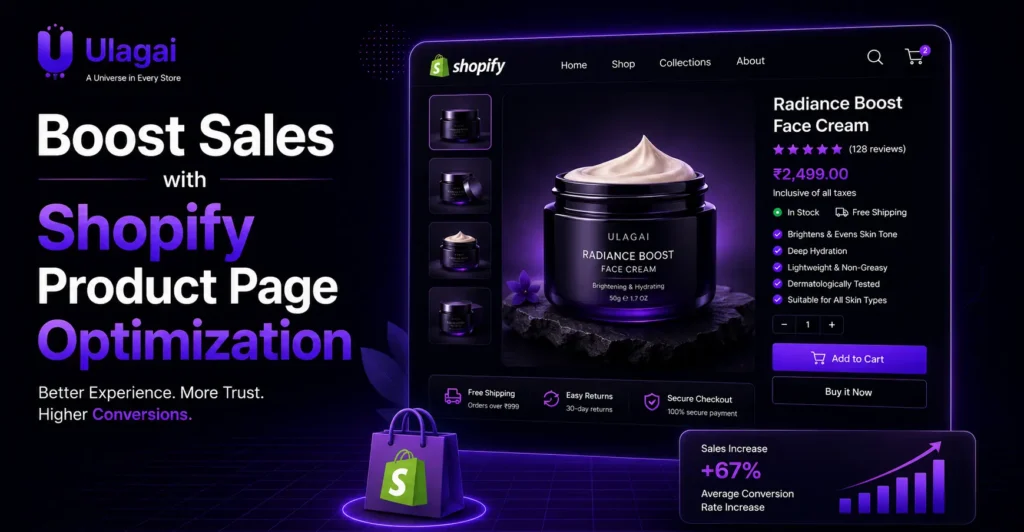
Boost Sales with Shopify Product Page Optimization Introduction A Shopify store can attract visitors and still lose sales if its product pages fail to answer basic customer questions. Confusing descriptions, weak images, hidden shipping information, slow pages, or unclear CTAs can create friction at the exact moment a shopper is deciding whether to buy. Shopify product page optimization helps solve these problems by improving the content, design, usability, SEO, and trust elements of each product page. For businesses working with Ulagai, the goal is not simply to make a Shopify store look attractive, but to create product experiences that make shopping easier and support long-term ecommerce growth. What Is Shopify Product Page Optimization? Shopify product page optimization is the process of improving a product page so visitors can understand the product, evaluate it, trust the store, and take the desired action. It combines product content, visual design, user experience, SEO, mobile usability, performance, and conversion elements. A strong product page answers important questions before the customer has to search for them. It should clearly communicate what the product is, who it is for, what it costs, what options are available, how it will be delivered, and what happens if the customer wants to return it. Optimization also means removing unnecessary friction. If a customer has to scroll through a confusing layout just to find the price, size options, delivery information, or Add to Cart button, the page is making the buying process harder than necessary. Why Is Shopify Product Page Optimization Important? A product page is often the point where product discovery turns into a buying decision. A visitor may arrive through Google, an advertisement, social media, an email campaign, or another page on the store, but the product page must provide enough information to move the customer forward. Good optimization improves clarity and reduces uncertainty. Clear product descriptions explain value, high-quality images demonstrate the product, reviews provide social proof, and visible delivery or return information can help customers feel more confident. Product pages also contribute to organic visibility. Well-structured titles, useful product descriptions, descriptive image alt text, internal links, and technically sound pages give search engines clearer information about the products being offered. What Are the Key Benefits of Optimizing Shopify Product Pages? An optimized product page brings together information, usability, and trust instead of treating design as decoration. The most useful improvements are those that make the customer’s decision easier while also supporting search visibility. Better customer experience: Visitors can find important product information quickly. Stronger purchase confidence: Reviews, images, specifications, shipping details, and policies reduce uncertainty. Improved product discovery: Relevant product content can support organic search visibility. Better mobile shopping: A responsive page makes browsing and purchasing easier on smaller screens. Reduced buying friction: Clear variants, pricing, CTAs, and checkout paths make the next action obvious. Stronger brand presentation: Consistent product pages make an ecommerce store appear more professional. What Should a High-Converting Shopify Product Page Include? A strong Shopify product page should present the most important information in a logical order. The customer should be able to understand the product and its value without having to search through multiple sections. The product title should be clear and descriptive rather than stuffed with unnecessary keywords. The product images should show the item from useful angles and, where appropriate, demonstrate its size, features, texture, or use. The product description should explain benefits as well as specifications. Instead of simply saying that a product is made from a particular material, explain why that material matters to the customer. Pricing, variants, availability, and the main call-to-action should be easy to identify. Information about shipping, returns, warranties, sizing, and delivery should also be accessible when those factors influence the purchase decision. Reviews and customer-generated content can provide additional context. For products where appearance or functionality matters, Shopify product videos can also demonstrate how the product looks or works in real situations. How Does Shopify Product Page SEO Help? Shopify product page SEO helps search engines understand what a product page offers while making the page more useful to people searching for that product. SEO should support the customer experience rather than turning the product description into a collection of keywords. Start with a descriptive product title that reflects how customers actually search. The product description should naturally cover important characteristics, use cases, materials, sizes, features, or other information relevant to the product. Page titles and meta descriptions should accurately describe the product and encourage qualified searchers to visit the page. Image alt text should describe meaningful product images rather than repeating keywords unnecessarily. Internal links can also help shoppers discover related products and help search engines understand relationships between pages. Product pages should additionally be mobile-friendly, technically accessible, and reasonably fast. How Can You Improve Shopify Product Page Design? Shopify product page design should guide customers through the buying decision without creating unnecessary distractions. The most important information should be visually prominent, while supporting details can appear further down the page. The product image or gallery usually deserves strong visibility because ecommerce customers cannot physically examine the product. The product title, price, variant options, and primary CTA should also be easy to locate. White space can make information easier to scan, while consistent typography creates a clearer visual hierarchy. On mobile devices, buttons and selection controls need enough space to interact with comfortably. A good design does not mean adding more animations, pop-ups, or decorative elements. Every design component should have a purpose connected to product understanding, trust, navigation, or conversion. How Can You Customize a Shopify Product Page? Shopify product page customization allows businesses to adapt the standard store experience to their products and customers. Basic customization can often be handled through the Shopify theme editor, while more advanced requirements may need theme development, apps, or custom coding. A business might need different product layouts for different categories, custom product information sections, additional specifications, special buying options, or product-specific content. In these situations, a standard template may not provide

Shopify SEO checklist to get products found on Google
Shopify

Shopify SEO Checklist: How to Get Your Products Found on Google

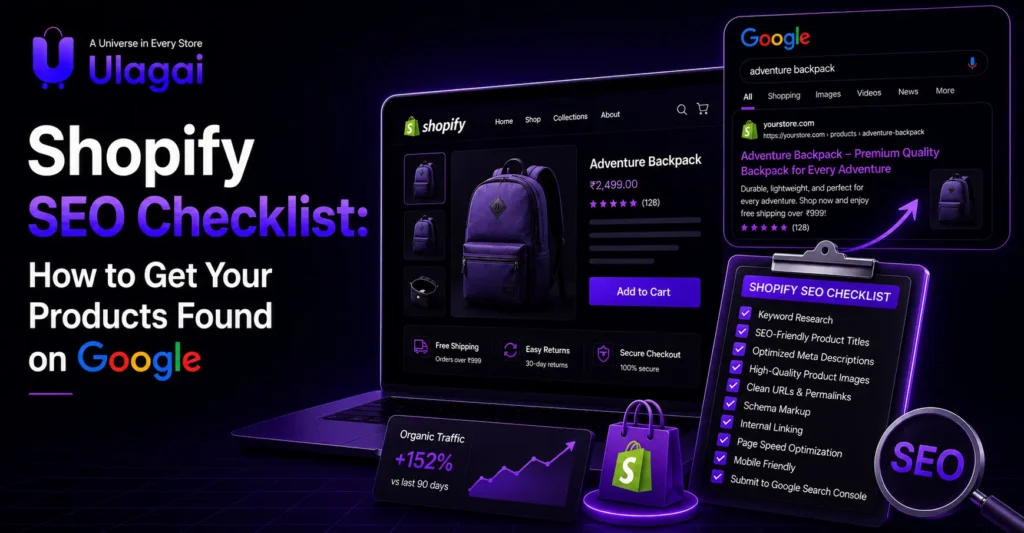
Shopify SEO Checklist: How to Get Your Products Found on Google Introduction Getting your Shopify products onto Google is not simply about uploading products and waiting for customers to find them. Your product pages need clear information, relevant keywords, strong technical foundations, and signals that help search engines understand what you sell. A practical Shopify SEO strategy can improve product visibility and bring more relevant organic visitors to your store. Ulagai helps businesses build and optimize ecommerce websites with SEO, performance, and conversion goals in mind. This checklist explains the most important areas to review if you want your Shopify products to become easier to discover on Google. How Does Shopify SEO Help Products Get Found on Google? Shopify SEO is the process of optimizing a Shopify store so search engines can crawl, understand, index, and potentially rank its pages for relevant searches. For ecommerce businesses, this includes product pages, collection pages, blog content, images, navigation, and technical elements. Google needs to understand what a product is, who it is relevant to, and which page provides the best answer to a customer’s search. Optimizing your store makes that information clearer while also improving the experience for shoppers. For example, a product page selling handmade silver earrings should clearly communicate the product type, material, design, audience, and relevant attributes rather than relying only on a product name such as “Elegant Earrings.” Why Is Shopify SEO Important for Ecommerce Stores? Organic search can give ecommerce brands a continuous source of product discovery without requiring an advertising budget for every visitor. When customers search for specific products, optimized pages have a better opportunity to appear for relevant queries. Good ecommerce SEO also improves the structure of your website. Clear product information, useful collection pages, descriptive URLs, optimized images, and logical internal links help both Google and customers navigate your store. SEO also works alongside paid marketing. If your Google Ads or Meta Ads campaigns bring visitors to product pages, improving those pages can make the overall shopping experience stronger. What Should You Check in a Shopify Product SEO Checklist? A product page should be optimized around the actual language customers use when searching. The goal is not to repeat keywords everywhere, but to make the page genuinely useful and clearly relevant to the search. 1. Research the Right Product Keywords Start with keyword research before writing product content. Look for phrases that describe the product, its attributes, use cases, and buying intent. For example, instead of targeting only “shoes,” a store selling running shoes could investigate phrases such as “men’s running shoes,” “lightweight running shoes,” or “running shoes for beginners.” 2. Optimize Product Titles Your product title should clearly identify what the product is. Include the most important descriptive term naturally while keeping the title readable for customers. Avoid titles that contain a long sequence of keywords. A useful title should help a shopper understand the product immediately. 3. Write Unique Product Descriptions Every important product should have original, useful content. Explain the product’s features, benefits, specifications, materials, sizes, compatibility, or use cases depending on what you sell. Copying descriptions from manufacturers or competitors can make it harder for your store to provide distinctive value in search results. 4. Improve Meta Titles and Descriptions A product’s meta title and description can influence how its search result appears to users. Write them to accurately summarize the product and encourage relevant clicks. Include the primary product phrase naturally and communicate a useful reason for the customer to visit the page. 5. Optimize Product Images Images should be visually strong without unnecessarily slowing down the page. Use descriptive file names and meaningful alt text where appropriate. For example, an image file named black-leather-office-bag.jpg provides more context than a generic file such as IMG_4587.jpg. 6. Build Internal Links Internal links help customers and search engines discover related pages. Link relevant products from collection pages, buying guides, blog posts, and other useful sections of your store. A strong internal linking structure can also help distribute authority throughout your website and make important products easier to discover. 7. Check Google Indexing Use Google Search Console to monitor whether important Shopify pages are being indexed. Check for indexing issues, crawl problems, redirects, and unexpected exclusions. Submitting and monitoring your sitemap can also help Google discover your website’s URLs, although sitemap submission does not guarantee indexing or rankings. What Shopify Technical SEO Factors Should You Check? Shopify technical SEO covers the behind-the-scenes elements that influence how search engines crawl and understand your website. A technically clean store gives search engines clearer paths to important pages. Pay attention to duplicate URLs, canonical tags, redirects, sitemap accessibility, robots.txt behavior, structured data, mobile usability, and page performance. Shopify automatically handles several technical elements, but store owners still need to review their themes, apps, custom code, navigation, and third-party integrations. Installing too many apps or adding unnecessary scripts can also affect website performance. Which Shopify SEO Tools Can Help? The right tools make it easier to identify technical problems and measure whether optimization work is producing useful results. You do not need dozens of tools; a small, reliable setup is often enough. Google Search Console is particularly useful for monitoring search performance, indexing, queries, and page-level issues. Google Analytics can help you understand organic traffic and what visitors do after arriving on your store. Depending on your needs, SEO platforms and Shopify SEO apps can assist with keyword research, technical audits, metadata management, image optimization, and structured data. However, an app cannot replace a proper SEO strategy. How Can You Improve Shopify SEO Step by Step? A structured approach prevents you from making random changes across hundreds or thousands of products. Audit the existing store: Identify indexing, metadata, content, performance, duplicate-content, and technical issues before making changes. Research search terms: Map relevant keywords to products, collections, categories, and informational content based on search intent. Optimize important pages: Prioritize products and collections with strong business value, search demand, and conversion potential. Improve technical SEO: Review

Shopify mobile optimization to attract more customers and increase mobile sales
Shopify

How Mobile-Friendly Shopify Stores Win More Customers

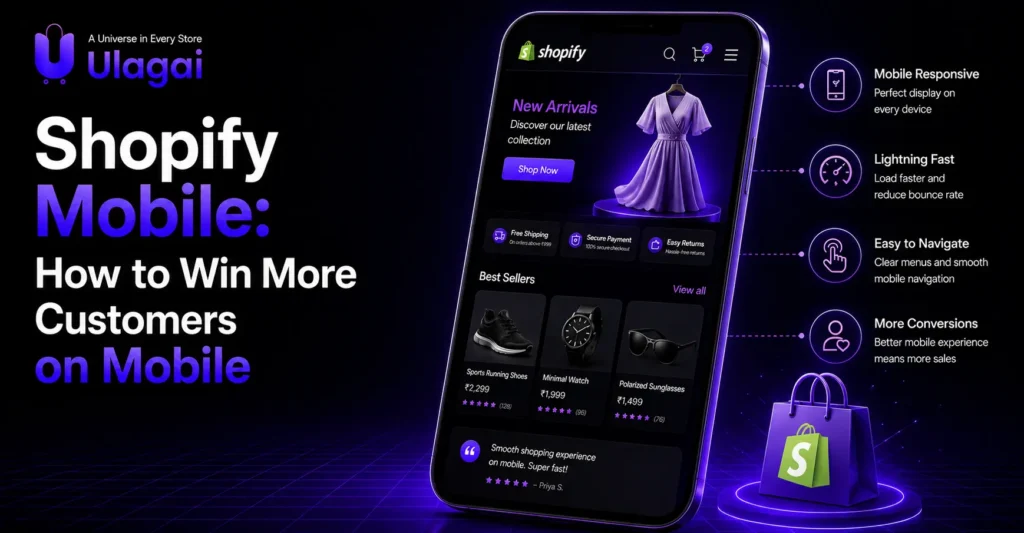
Shopify Mobile: How to Win More Customers on Mobile Introduction Your customers may discover your Shopify store through Google, Instagram, Facebook, or an advertisement, but many of them will open that store on a smartphone. If the page is slow, difficult to navigate, or requires too much scrolling and zooming, potential buyers can leave before seeing the product. A well-optimized Shopify mobile experience removes these barriers by making product discovery, evaluation, and checkout easier on smaller screens. Ulagai helps businesses build and optimize ecommerce experiences that are designed around real customer journeys. In this guide, we will look at mobile-friendly Shopify design, speed, navigation, SEO, checkout, and when an ecommerce mobile app may make sense. What Makes a Shopify Store Mobile-Friendly? A mobile-friendly Shopify store is an ecommerce website that automatically adapts its layout, content, navigation, images, and interactive elements to smaller screens. The goal is not simply to make a desktop website shrink on a phone; the entire shopping journey should feel natural on mobile. Responsive Shopify themes are an important starting point because they adjust page elements based on screen size. However, responsive design alone is not enough. Product images, menus, buttons, forms, pop-ups, reviews, filters, and checkout elements must also remain easy to use with touch. For example, a product page should allow shoppers to view images, select variants, understand pricing, read key information, and add the product to their cart without excessive scrolling or accidentally tapping the wrong element. Why Is Mobile Optimization Important for Shopify Stores? Shopify mobile optimization matters because a poor mobile experience can create friction at every stage of the buying journey. A visitor may find the right product but abandon the session if the page loads slowly, the navigation is confusing, or checkout feels difficult. Mobile usability also connects with search visibility. Google uses mobile-first indexing, meaning the mobile version of a website is particularly important for how Google crawls and indexes its content. Technical performance and Core Web Vitals can also provide useful signals about the quality of a page experience. For ecommerce businesses, the commercial impact goes beyond SEO. A better mobile experience can make it easier for customers to browse products, compare options, trust the store, and complete purchases. Which Shopify Mobile Design Features Help Customers Buy? Effective Shopify mobile design focuses on reducing the effort required to make a purchase. Every screen should answer the customer’s next question without overwhelming them with unnecessary elements. The most useful elements typically include: Clear mobile navigation with easy-to-understand categories. Prominent product images that load efficiently. Readable product information without tiny text. Large, touch-friendly buttons. Visible pricing, discounts, and product availability. Simple cart and checkout interactions. Trust signals such as reviews, ratings, returns, and secure payment information. The key is prioritization. On a desktop screen, a store can display several elements side by side. On mobile, the most important information should appear first so customers can make decisions without unnecessary scrolling. How Does Mobile SEO Help Shopify Stores Get Customers? Shopify mobile SEO improves the chances of mobile shoppers discovering relevant products through search engines. It combines technical performance with useful content, clear page structure, crawlable links, descriptive titles, optimized images, and strong product information. A mobile product page should contain the same essential information customers need to understand the product. Important content should not disappear from the mobile version simply because the screen is smaller. Product titles and descriptions should also match search intent. For example, an online clothing store can create product pages that clearly communicate the product type, material, size information, color, and relevant buying details rather than relying only on generic descriptions. Google Search Console can help store owners monitor search performance and identify mobile-related indexing or usability issues. Should You Build a Shopify Mobile App? A Shopify mobile app is different from having a mobile-friendly Shopify website. A responsive store runs through a mobile browser, while an app is installed directly on a customer’s smartphone. For many small and growing ecommerce businesses, optimizing the existing Shopify website should come before investing in a dedicated app. A well-designed mobile store can provide a strong shopping experience without requiring customers to download anything. An ecommerce mobile app can become more valuable when a business has a large repeat-customer base, frequent purchases, loyalty programs, personalized experiences, or other reasons to encourage customers to return regularly. Businesses considering a create mobile app Shopify approach should evaluate customer retention, purchase frequency, development costs, maintenance requirements, and the expected business value before investing. What Are the Best Practices for a Mobile-Friendly Shopify Store? The best approach is to test the complete customer journey rather than focusing only on the homepage. A shopper should be able to arrive from an advertisement or search result, find a product, understand its value, add it to the cart, and complete checkout without unnecessary obstacles. Keep navigation simple and make search easy to find. Product pages should prioritize images, price, variants, availability, reviews, delivery information, and the primary call-to-action. Mobile pop-ups should also be used carefully. A promotion that covers the entire screen immediately after someone lands on a page can make the experience frustrating, particularly when the visitor is trying to read product information. Checkout deserves special attention because it is where purchase intent is highest. Reduce unnecessary fields, make payment options clear, and ensure that buttons and forms are easy to operate with one hand. What Common Shopify Mobile Mistakes Should You Avoid? One common mistake is designing primarily for desktop and checking mobile only after the website is complete. This often creates crowded menus, oversized images, awkward product layouts, and difficult checkout experiences. Another problem is installing too many Shopify apps without reviewing their impact. Apps can provide useful functionality, but businesses should regularly evaluate whether each application is still necessary. Ignoring mobile product pages is another costly mistake. Customers rarely purchase based on the homepage alone. They often enter through a product page from Google, social media, or a paid advertisement, so

Shopify product page design that encourages customers to click buy and increase sales
Shopify

Shopify Product Page Design: What Makes Customers Click Buy?

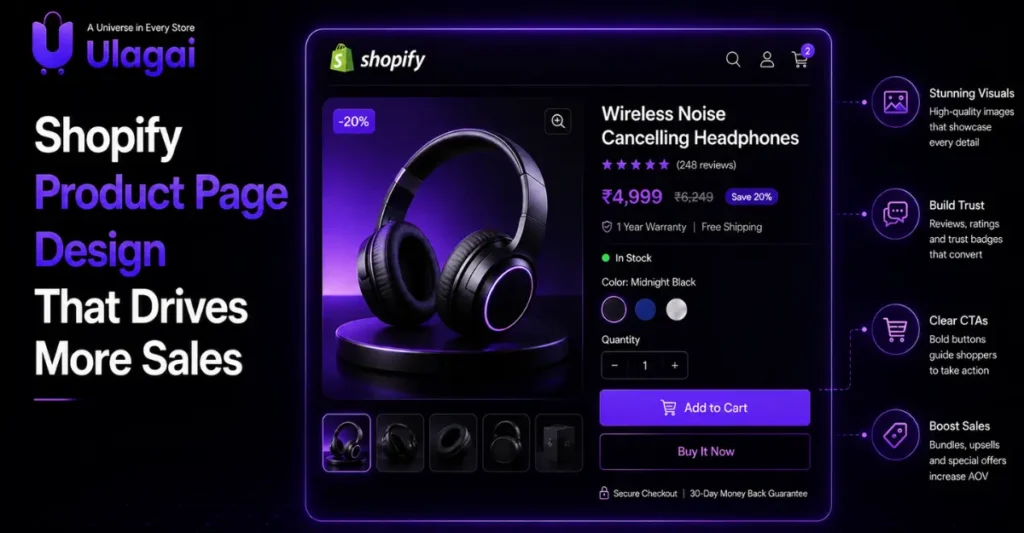
Shopify Product Page Design That Drives More Sales Introduction A customer can discover your product through Google, Instagram, an advertisement or a social media post, but the product page is often where the final buying decision happens. If the page looks confusing, loads slowly, hides important information or fails to build trust, customers may leave without purchasing. A well-structured Shopify product page helps visitors understand what you sell, why it is useful and why they should trust your business. Learning how to improve Shopify product page design can therefore make your store easier to use and more persuasive. Ulagai helps businesses build Shopify ecommerce experiences that combine design, performance, usability and conversion-focused functionality. What Is Shopify Product Page Design? Shopify product page design is the process of structuring and presenting a product so customers can quickly understand its value and confidently decide whether to buy it. It includes the visual layout, product images, title, description, price, variants, reviews, delivery information, call-to-action buttons and supporting trust elements. A strong product page does more than make a product look attractive. It answers the questions a customer may have before purchasing, such as what the product does, who it is for, what it costs, how it looks, whether other customers recommend it and what happens after placing an order. Why Does Product Page Design Matter for Ecommerce Sales? Your product page is one of the most important decision-making points in an ecommerce store because visitors are already showing interest in a specific product. The goal is to reduce uncertainty and make the purchase journey as simple as possible. A good ecommerce product page design creates a logical flow. The customer sees the product first, understands its benefits, checks important details, reviews social proof and then finds a clear action such as “Add to Cart” or “Buy Now.” This structure is particularly important for mobile shoppers. A page that looks excellent on desktop but requires excessive scrolling, has tiny buttons or displays poorly on smartphones can create unnecessary friction. What Should a High-Converting Shopify Product Page Include? A high converting Shopify product page should make the product value obvious within seconds while giving customers enough information to make an informed purchase. The most important elements are product visuals, a clear product title, pricing, concise benefits, product options, availability, reviews, delivery information and a prominent purchase action. The product title should immediately identify what the customer is looking at. Instead of using vague creative names alone, combine the product name with a useful description when appropriate. Product images should show the item clearly from relevant angles. Lifestyle images can help customers understand how the product looks in real use, while close-up images can communicate materials, texture and important details. The product description should focus on customer benefits rather than simply listing technical specifications. Explain what problem the product solves, who it is suitable for and what makes it different from alternatives. How Do Product Images Influence Buying Decisions? Product images are one of the strongest visual elements on an ecommerce product page because customers cannot physically touch or examine an online product. High-quality images help reduce uncertainty and give shoppers a clearer understanding of what they will receive. For Shopify stores, product image dimensions should be consistent across the catalogue, while image files should be optimized so they do not unnecessarily slow down the page. The right Shopify product image size depends on the theme, layout and image type, so businesses should prioritize clarity, responsive presentation and performance rather than using one fixed dimension for every store. Shopify Help Center provides current platform guidance that can be checked when implementing product media and store functionality How Should Product Descriptions Be Written? A product description should answer the customer’s most important questions before they need to contact the business. It should explain the product’s purpose, key benefits, important specifications, usage information and any details that influence the purchase decision. For example, a skincare product page should explain skin suitability, ingredients, usage instructions and product benefits. A fashion product page should provide information about fabric, fit, size, care instructions and available colours. Good product page design connects these details with the visual hierarchy. Important information should be easy to scan rather than hidden inside long blocks of technical text. Do Shopify Product Reviews Help Customers Buy? Shopify product reviews provide social proof by showing potential customers that other people have purchased and experienced the product. Genuine reviews can help answer concerns about quality, usability, fit, performance and overall satisfaction. A review section becomes more useful when it includes specific customer experiences rather than only star ratings. Photo and video reviews can also provide additional context because shoppers can see products in real-world situations. Shopify’s App Store currently offers many product review solutions, including apps designed for ratings, testimonials, photo reviews and user-generated content. However, businesses should choose a review solution based on genuine functionality, performance and compatibility rather than installing multiple apps that add unnecessary scripts to the store. Where Should the Buy Button Appear? The primary purchase action should be visually clear and easy to find without making the customer search for it. On the initial product view, customers should be able to identify the price, selected variant and purchase option quickly. For products with multiple variants, the customer should select options such as size, colour or quantity before adding the product to the cart. Clear selection states can prevent mistakes and reduce frustration. A sticky purchase bar can also be useful on mobile stores when a long product page requires substantial scrolling. The design should remain helpful rather than covering important content or making the page feel crowded. How Can Product Page SEO Improve Organic Visibility? Product page SEO helps search engines understand the product while making the page more useful for shoppers. The product title, description, image alt text, URL, internal links and structured data should accurately describe the product without keyword stuffing. The page should also match the searcher’s intent. Someone searching

Scroll to Top