
ulagai.com

Author name: techdrawlead@gmail.com

Shopify product page design that encourages customers to click buy and increase sales
Shopify

Shopify Product Page Design: What Makes Customers Click Buy?

Shopify Product Page Design That Drives More Sales Introduction A customer can discover your product through Google, Instagram, an advertisement or a social media post, but the product page is often where the final buying decision happens. If the page looks confusing, loads slowly, hides important information or fails to build trust, customers may leave without purchasing. A well-structured Shopify product page helps visitors understand what you sell, why it is useful and why they should trust your business. Learning how to improve Shopify product page design can therefore make your store easier to use and more persuasive. Ulagai helps businesses build Shopify ecommerce experiences that combine design, performance, usability and conversion-focused functionality. What Is Shopify Product Page Design? Shopify product page design is the process of structuring and presenting a product so customers can quickly understand its value and confidently decide whether to buy it. It includes the visual layout, product images, title, description, price, variants, reviews, delivery information, call-to-action buttons and supporting trust elements. A strong product page does more than make a product look attractive. It answers the questions a customer may have before purchasing, such as what the product does, who it is for, what it costs, how it looks, whether other customers recommend it and what happens after placing an order. Why Does Product Page Design Matter for Ecommerce Sales? Your product page is one of the most important decision-making points in an ecommerce store because visitors are already showing interest in a specific product. The goal is to reduce uncertainty and make the purchase journey as simple as possible. A good ecommerce product page design creates a logical flow. The customer sees the product first, understands its benefits, checks important details, reviews social proof and then finds a clear action such as “Add to Cart” or “Buy Now.” This structure is particularly important for mobile shoppers. A page that looks excellent on desktop but requires excessive scrolling, has tiny buttons or displays poorly on smartphones can create unnecessary friction. What Should a High-Converting Shopify Product Page Include? A high converting Shopify product page should make the product value obvious within seconds while giving customers enough information to make an informed purchase. The most important elements are product visuals, a clear product title, pricing, concise benefits, product options, availability, reviews, delivery information and a prominent purchase action. The product title should immediately identify what the customer is looking at. Instead of using vague creative names alone, combine the product name with a useful description when appropriate. Product images should show the item clearly from relevant angles. Lifestyle images can help customers understand how the product looks in real use, while close-up images can communicate materials, texture and important details. The product description should focus on customer benefits rather than simply listing technical specifications. Explain what problem the product solves, who it is suitable for and what makes it different from alternatives. How Do Product Images Influence Buying Decisions? Product images are one of the strongest visual elements on an ecommerce product page because customers cannot physically touch or examine an online product. High-quality images help reduce uncertainty and give shoppers a clearer understanding of what they will receive. For Shopify stores, product image dimensions should be consistent across the catalogue, while image files should be optimized so they do not unnecessarily slow down the page. The right Shopify product image size depends on the theme, layout and image type, so businesses should prioritize clarity, responsive presentation and performance rather than using one fixed dimension for every store. Shopify Help Center provides current platform guidance that can be checked when implementing product media and store functionality How Should Product Descriptions Be Written? A product description should answer the customer’s most important questions before they need to contact the business. It should explain the product’s purpose, key benefits, important specifications, usage information and any details that influence the purchase decision. For example, a skincare product page should explain skin suitability, ingredients, usage instructions and product benefits. A fashion product page should provide information about fabric, fit, size, care instructions and available colours. Good product page design connects these details with the visual hierarchy. Important information should be easy to scan rather than hidden inside long blocks of technical text. Do Shopify Product Reviews Help Customers Buy? Shopify product reviews provide social proof by showing potential customers that other people have purchased and experienced the product. Genuine reviews can help answer concerns about quality, usability, fit, performance and overall satisfaction. A review section becomes more useful when it includes specific customer experiences rather than only star ratings. Photo and video reviews can also provide additional context because shoppers can see products in real-world situations. Shopify’s App Store currently offers many product review solutions, including apps designed for ratings, testimonials, photo reviews and user-generated content. However, businesses should choose a review solution based on genuine functionality, performance and compatibility rather than installing multiple apps that add unnecessary scripts to the store. Where Should the Buy Button Appear? The primary purchase action should be visually clear and easy to find without making the customer search for it. On the initial product view, customers should be able to identify the price, selected variant and purchase option quickly. For products with multiple variants, the customer should select options such as size, colour or quantity before adding the product to the cart. Clear selection states can prevent mistakes and reduce frustration. A sticky purchase bar can also be useful on mobile stores when a long product page requires substantial scrolling. The design should remain helpful rather than covering important content or making the page feel crowded. How Can Product Page SEO Improve Organic Visibility? Product page SEO helps search engines understand the product while making the page more useful for shoppers. The product title, description, image alt text, URL, internal links and structured data should accurately describe the product without keyword stuffing. The page should also match the searcher’s intent. Someone searching
Shopify checkout optimization techniques to reduce cart abandonment and increase conversions
Shopify

Shopify Checkout Optimization: Simple Ways to Reduce Cart Abandonment

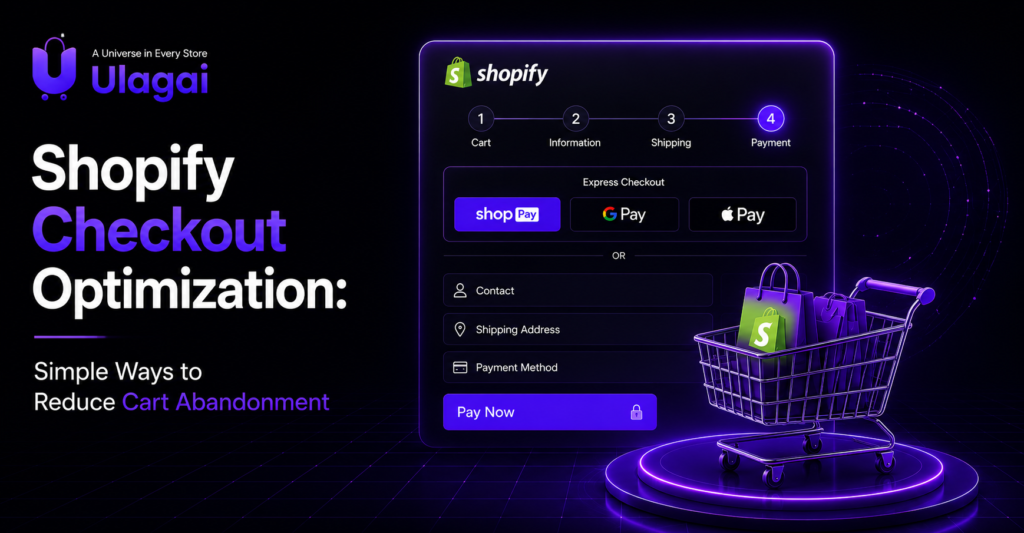
Shopify Checkout Optimization: Simple Ways to Reduce Cart Abandonment Introduction A Shopify store can attract visitors and still lose sales when customers add products to their carts but leave before completing payment. Checkout friction, unexpected costs, limited payment options, slow pages, or a lack of trust can all interrupt the buying journey. Knowing how to reduce abandoned carts Shopify merchants can focus on the parts of the customer journey that have the greatest effect on completed purchases. Ulagai helps ecommerce businesses improve Shopify websites, checkout experiences, performance, and conversion paths so that more qualified visitors can move from product discovery to purchase. What Is Shopify Cart Abandonment? Shopify cart abandonment happens when a customer adds one or more products to their cart but does not complete the purchase. The customer may leave because of unexpected shipping charges, complicated checkout steps, payment problems, comparison shopping, or simply because they are not ready to buy. Cart abandonment is different from a lack of traffic. A store may receive strong website traffic while still generating fewer sales because the problem occurs later in the conversion funnel. This is why analyzing the complete buying journey is more useful than looking at traffic numbers alone. Why Does Shopify Checkout Optimization Matter? Shopify checkout optimization matters because the checkout is the final stage between purchase intent and completed revenue. Even when a customer has already selected a product, unnecessary friction at checkout can cause them to reconsider the purchase. A good Shopify checkout experience should answer the customer’s most important questions quickly. Customers should understand the total cost, available payment methods, delivery expectations, return conditions, and what happens after payment before they commit to the order. Mobile optimization is especially important because customers often discover products through mobile search, social media, advertisements, and messaging platforms. A checkout that works well on desktop but feels difficult on a smartphone can create unnecessary barriers to conversion. How Can You Reduce Abandoned Carts on Shopify? The best way to reduce abandoned carts is to identify where customers experience friction and then simplify that part of the buying journey. Store owners should evaluate product pages, cart pages, checkout steps, payment methods, shipping information, mobile usability, and trust signals together rather than treating checkout as an isolated page. 2. Your Product Pages Don’t Build Trust Make the Shopify Checkout Process Simple A simple checkout process reduces the amount of effort required from customers. Avoid asking for information that is not necessary for fulfilling the order, and make important fields easy to understand. Customers should also be able to review their order before payment without losing their cart information. Clear product names, quantities, prices, discounts, shipping charges, and final totals help customers make confident decisions. Show Shipping Costs Before the Final Step Unexpected shipping charges are a common reason customers reconsider purchases. If shipping fees are only revealed at the final stage, customers may feel that the actual price is different from what they expected. Instead, communicate shipping conditions as early as possible. If your business offers free shipping above a specific order value, showing that information on the product or cart page can also help customers understand the offer before reaching checkout. Offer Convenient Payment Options Payment flexibility can make the difference between an abandoned checkout and a completed purchase. Shopify stores should provide payment methods that are relevant to their target customers and market. For an Indian ecommerce store, this can include commonly used digital payment methods, cards, net banking, wallets, or other supported options depending on the store’s payment setup. The important point is to avoid forcing customers into an unfamiliar payment experience. Build Customer Trust Before Payment Trust signals should appear throughout the buying journey, not only on the checkout page. Customers need confidence that the business is legitimate, the product information is accurate, payment is secure, and support is available if something goes wrong. Clear return and refund information, customer reviews, contact details, delivery information, secure payment indicators, and transparent policies can strengthen customer confidence. For higher-value products, detailed product information and strong social proof become even more important. Optimize the Checkout for Mobile Users A mobile-friendly checkout should be easy to read, tap, scroll, and complete on a small screen. Buttons should be clearly visible, form fields should be easy to use, and customers should not have to repeatedly zoom or scroll horizontally. Store owners should test the complete journey on multiple mobile devices rather than checking only the homepage. A customer should be able to open a product, add it to the cart, enter their information, select payment, and complete the order without encountering usability problems. How Does Abandoned Cart Recovery Work on Shopify? Abandoned cart recovery gives customers another opportunity to complete a purchase after they leave the store. Depending on the store’s setup, merchants can use Shopify’s available recovery features, email marketing tools, or suitable third-party applications. A recovery message should be useful rather than aggressive. Remind the customer what they were considering, make returning to the cart easy, and provide relevant information that addresses possible purchase concerns. An abandoned cart email template should also match the brand’s tone. Instead of sending repeated generic discount messages, ecommerce brands can test different approaches based on customer behavior and product type. How Can Shopify Analytics Help Reduce Cart Abandonment? Shopify abandoned cart analytics can help store owners understand where customers are dropping out of the buying journey. The goal is not simply to count abandoned carts but to identify patterns that indicate a conversion problem. For example, if customers frequently add products to their carts but leave after seeing shipping charges, the store may need to improve shipping communication. If mobile users abandon at a higher rate than desktop users, the checkout experience and mobile performance should be investigated. Google Analytics and Shopify reporting can also be used together to understand traffic sources, user behavior, product performance, and conversion patterns. This makes optimization more evidence-based instead of relying on assumptions. What Are Common Shopify

Shopify Conversion Rate Optimization
Shopify

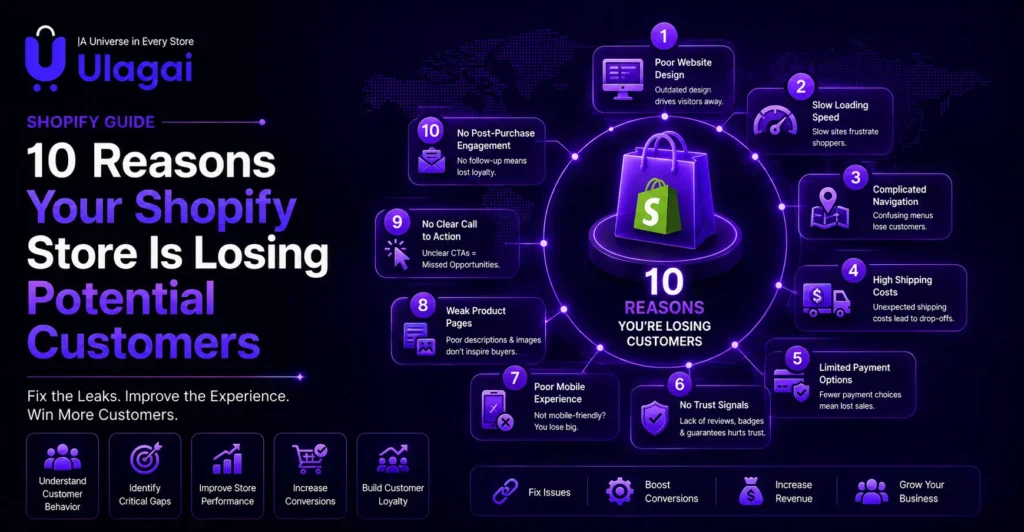
10 Reasons Your Shopify Store Is Losing Potential Customers

10 Reasons Your Shopify Store Is Losing Potential Customers Introduction Many Shopify business owners focus heavily on bringing traffic to their website through SEO, Google Ads, and social media marketing. While increasing traffic is important, it does not automatically translate into higher sales. If your Shopify store attracts hundreds or even thousands of visitors each month but your orders remain low, the real problem is often your conversion strategy—not your marketing. This is where Shopify Conversion Rate Optimization becomes essential. Instead of spending more money on advertising, optimizing your existing store can help you convert more visitors into paying customers. At Ulagai, we’ve worked with ecommerce businesses that increased sales simply by improving customer experience, store performance, and trust elements. In this guide, we’ll explore the ten biggest reasons why Shopify stores lose potential customers and explain practical ways to fix each issue. What Is Shopify Conversion Rate Optimization? Shopify Conversion Rate Optimization (CRO) is the process of improving your Shopify store so that a higher percentage of visitors complete a desired action, such as purchasing a product, filling out a contact form, or subscribing to your email list. Instead of focusing only on generating more traffic, CRO improves how effectively your existing traffic converts into customers. Even a small improvement in conversion rate can significantly increase revenue without increasing advertising costs. For example, if your Shopify store receives 10,000 monthly visitors and converts at 1%, you generate approximately 100 sales. Increasing the conversion rate to 2% doubles your sales while maintaining the same marketing budget. Why Does Shopify Conversion Rate Optimization Matter? Every visitor arriving at your online store represents an investment. Whether customers discover your website through organic search, Google Ads, Meta Ads, or social media, attracting each visitor requires time, effort, or marketing spend. When visitors leave without completing a purchase, your customer acquisition cost increases while your return on investment decreases. This is why improving Shopify conversion rates is essential for maximizing the value of your existing traffic. A well-optimized Shopify store provides: Better Customer Experience: A smooth and user-friendly shopping journey helps visitors browse products and make purchases easily. Faster Page Loading: Improved website speed keeps customers engaged and reduces visitor drop-offs. Easier Navigation: Clear menus and organized product categories help customers find products quickly. Higher Customer Confidence: Reviews, trust signals, and transparent information encourage customers to complete purchases. More Completed Purchases: Optimized product pages and checkout processes help increase conversion rates. Lower Cart Abandonment: Removing checkout barriers helps more customers complete their orders. Higher Return on Advertising Spend: Better conversions help businesses generate more revenue from existing marketing campaigns. Businesses that continuously improve their ecommerce conversion rate can achieve stronger growth and outperform competitors, even with smaller advertising budgets. 1. Your Shopify Store Loads Too Slowly Website speed directly affects purchasing decisions and overall customer experience. Modern shoppers expect onlinestores to load quickly, and when product pages take too long to appear, many visitors leave before exploring yourproducts. Slow-loading Shopify stores can also negatively impact Google rankings, reducing both SEO performance and usersatisfaction. A faster website helps improve engagement, visibility, and conversion opportunities. Common causes of slow Shopify store performance include: Large Image Files: Uncompressed images increase page load time and affect the browsing experience. Too Many Shopify Apps: Excessive apps can add unnecessary code and slow down website performance. Heavy Third-Party Scripts: External tracking tools, widgets, and scripts can impact loading speed. Poor Theme Optimization: Heavy or inefficient themes can reduce website performance. Unoptimized Videos: Large video files can increase page weight and slow down loading times. Improving Shopify store speed creates a smoother shopping experience, keeps customers engaged, improves SEOperformance, and increases customer retention. 2. Your Product Pages Don’t Build Trust Visitors cannot physically examine products when shopping online. Because of this, every product page must provide enough information to answer customer questions and reduce uncertainty before making a purchase decision. Many Shopify stores lose potential sales because their product pages contain only basic descriptions without enough details to build customer confidence. A high-converting product page should include: High-Quality Images: Clear and professional product images help customers understand the product better. Multiple Viewing Angles: Different product perspectives give shoppers a complete visual understanding. Product Videos: Videos demonstrate product usage, features, and real-world appearance. Clear Specifications: Detailed product information helps customers make informed buying decisions. Customer Reviews: Reviews provide social proof and increase trust among potential buyers. Return Policy: A clear return process reduces purchase risk and hesitation. Delivery Information: Transparent shipping details improve customer confidence before checkout. Trust Badges: Security and guarantee badges help create a safer shopping experience. The more confidence customers have about your products, delivery, and purchase process, the more likely they are to complete a purchase and become loyal customers. 3. Your Store Doesn’t Look Trustworthy   Trust is one of the biggest factors influencing ecommerce conversions. Even if your products are excellent, customers may hesitate if your store appears outdated or incomplete. Missing contact information, unclear policies, broken pages, and inconsistent branding often discourage buyers from proceeding to checkout. Professional Shopify stores should clearly display secure payment options, customer support details, shipping policies, privacy policies, and authentic customer reviews to reassure visitors that they are buying from a reliable business. 4. Your Shopify Store Is Not Mobile Friendly More than half of ecommerce purchases now happen on mobile devices. If your Shopify store works well on desktop but performs poorly on smartphones, you may be losing a significant number of potential customers. Mobile shoppers expect fast loading speeds, simple navigation, and a smooth checkout experience. Any difficulty during browsing or purchasing can quickly reduce conversions and increase cart abandonment. Common mobile optimization issues include: Small Buttons: Buttons that are difficult to tap create frustration and make navigation harder on mobile devices. Poor Image Resizing: Images that do not adjust properly can affect page layout and loading speed. Unreadable Text: Small fonts and poor formatting reduce readability and user engagement. Complicated Checkout Forms: Too many fields and

Shopify Conversion Optimization
Shopify

How to Turn Shopify Visitors into Paying Customers

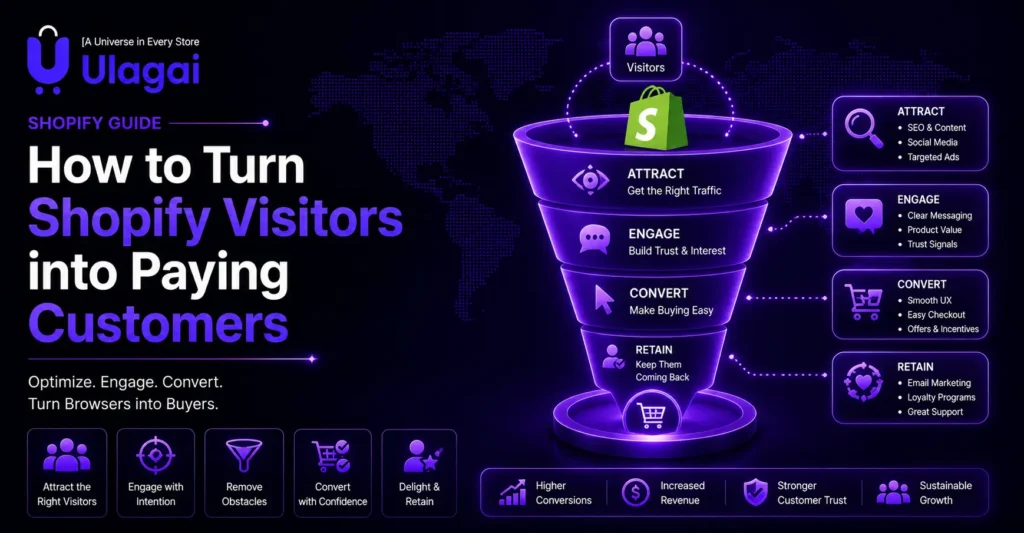
How to Turn Shopify Visitors into Paying Customers Introduction Many Shopify store owners celebrate when website traffic increases, only to discover that sales remain unchanged. While attracting visitors is important, traffic alone does not generate revenue. If customers leave without making a purchase, your marketing investment delivers little return. This is where Shopify Conversion Optimization becomes essential. Rather than focusing only on bringing more visitors to your store, conversion optimization helps you turn existing traffic into real customers. In this guide, you’ll learn practical strategies that improve conversions, build trust, and increase Shopify sales. What Is Shopify Conversion Optimization? Shopify Conversion Optimization is the process of improving every part of your Shopify store so that more visitors complete a purchase. Instead of spending additional money on advertising, businesses optimize product pages, checkout experiences, navigation, page speed, and customer trust signals to encourage shoppers to buy. Even a small improvement in your conversion rate can significantly increase monthly revenue without increasing marketing costs. Why Do Shopify Stores Get Visitors but Not Sales? Many Shopify businesses assume that low sales happen because they need more website traffic. However, many stores already receive enough visitors but fail to convert them into customers due to poor shopping experiences and conversion barriers. Several common issues can reduce Shopify conversion rates, including: Slow Website Loading: Slow pages create frustration and increase the chances of visitors leaving before exploring products. Poor Product Descriptions: Incomplete or unclear product information makes it difficult for customers to understand product benefits and value. Low-Quality Product Images: Poor visuals reduce customer confidence and make products less appealing. Complicated Checkout Process: A lengthy or confusing checkout journey can increase cart abandonment. Hidden Shipping Costs: Unexpected charges during checkout can create hesitation and stop customers from completing purchases. Lack of Customer Reviews: Without reviews and testimonials, new visitors may hesitate to trust the brand. Weak Trust Signals: Missing security badges, guarantees, policies, and credibility elements can reduce buyer confidence. Confusing Navigation: Poor website structure makes it harder for customers to find products quickly. Visitors often decide within a few seconds whether they trust an online store. If they experience uncertainty, confusion, or a lack of confidence, they are more likely to leave and continue shopping with another brand. Why Is Shopify Conversion Optimization Important? Increasing website traffic usually requires additional advertising budgets. Improving your conversion rate allows you to generate more revenue from the same number of visitors. For example: If 5,000 monthly visitors generate 50 sales, your conversion rate is 1%. Improving that conversion rate to just 2% doubles your sales without increasing advertising spend. This makes Shopify CRO one of the highest-return investments for ecommerce businesses. Key Benefits of Shopify Conversion Optimization Optimizing your Shopify store provides long-term business benefits beyond simply increasing sales. A well-optimized store improves customer satisfaction, builds trust, and creates a stronger foundation for sustainable ecommerce growth. Key benefits of Shopify store optimization include: Higher Shopify Sales: Improving user experience, product pages, and checkout flow helps convert more visitors into paying customers. Better Customer Experience: A fast, easy-to-navigate, and user-friendly store creates a smoother shopping journey. Lower Customer Acquisition Costs: Improving conversions allows businesses to generate more revenue from existing traffic and marketing efforts. Improved Customer Trust: Strong trust signals, reviews, and transparent information help customers feel confident purchasing from your brand. Reduced Cart Abandonment: Optimized checkout processes and clear policies encourage more customers to complete their orders. Higher Average Order Value: Better product recommendations, upselling, and improved product presentation can increase order value. Better Return on Advertising Spend: A higher-converting Shopify store helps maximize the results from paid marketing campaigns. Stronger Brand Credibility: A professional and optimized online store creates a reliable brand image in the minds of customers. Consistent Shopify store optimization helps businesses improve conversions, strengthen customer relationships, and achieve sustainable ecommerce growth over time. How Can You Turn Shopify Visitors into Paying Customers? Successful Shopify stores focus on improving every stage of the customer journey instead of only driving more traffic. From product discovery to checkout completion, every interaction plays an important role in increasing conversions. Create High-Converting Product Pages Product pages often determine whether customers decide to purchase or leave your store. A well-optimized product page should provide complete information and build customer confidence. Every product page should include: High-Quality Images: Clear product visuals help customers understand the product better. Multiple Product Angles: Different views give customers a complete understanding of the product. Clear Descriptions: Detailed descriptions explain product benefits, features, and value. Product Specifications: Important details help customers make informed purchase decisions. Customer Reviews: Reviews provide social proof and increase buying confidence. Trust Badges: Security and guarantee badges help reduce customer hesitation. Frequently Asked Questions: FAQs answer common doubts and improve purchase confidence. Instead of only listing product features, explain how the product solves a customer’s problem and provides value. Improve Shopify Website Speed Website speed directly impacts user experience and conversion rates. Slow-loading websites can increase bounce rates and cause potential customers to leave before completing a purchase. Improve Shopify store speed by: Compressing Images: Reduce image file sizes without affecting quality. Removing Unnecessary Apps: Eliminate apps that slow down website performance. Using Optimized Themes: Choose lightweight themes designed for speed. Enabling Browser Caching: Improve loading speed for returning visitors. Optimizing JavaScript: Reduce unnecessary scripts to improve performance. A faster Shopify website creates a smoother shopping experience and helps improve conversions. Build Customer Trust Trust is one of the biggest factors influencing online purchase decisions. Customers are more likely to buy when they feel confident about the brand and shopping experience. Important trust signals include: Verified Customer Reviews: Show real customer experiences to build credibility. Secure Payment Icons: Provide confidence that payments are protected. SSL Certificates: Ensure customers that their data is secure. Easy Return Policies: Reduce purchase risk with clear return information. Contact Information: Make it easy for customers to reach your business. Business Address: Improve transparency and brand authenticity. Social Proof: Showcase customer feedback, ratings, and brand recognition. These trust

Professional Shopify ecommerce store homepage with trust signals and secure checkout
Shopify

How to Create a Shopify Store That Builds Customer Trust

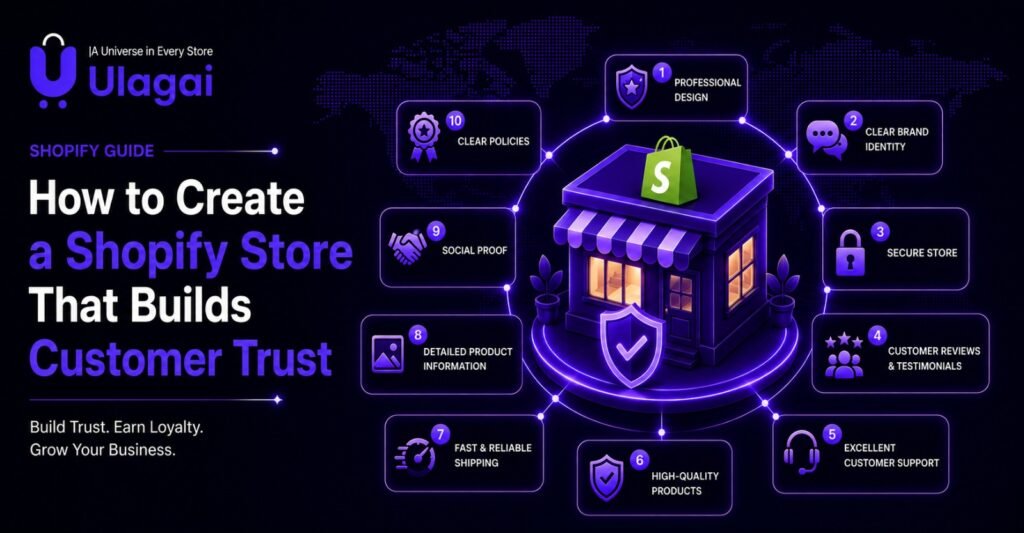
How to Create a Shopify Store That Builds Customer Trust Introduction Launching a Shopify store is easier than ever, but earning customer trust is much harder. Many businesses invest in advertising and SEO only to discover that visitors leave without making a purchase. The difference between a store that attracts traffic and one that generates consistent sales often comes down to trust. A well-designed Shopify ecommerce store reassures customers at every step of their buying journey. From product pages and payment security to reviews and shipping information, every detail influences purchasing decisions. In this guide, Ulagai explains how businesses can create a Shopify store that inspires confidence and converts visitors into loyal customers. What Is a Shopify Ecommerce Store? A Shopify ecommerce store is an online business website built on Shopify that allows businesses to sell products through a secure and scalable platform. It provides tools for product management, payments, inventory tracking, order management, and customer communication. However, building an online store is only the first step. A professional Shopify website should also create confidence by providing a reliable shopping experience. Customers need to believe that your business is genuine before they are willing to complete a purchase. Why Does Customer Trust Matter in Ecommerce? Customer trust directly impacts sales, repeat purchases, and brand reputation. Research consistently shows that online shoppers evaluate credibility before considering price. When visitors trust your business, they are more likely to: Purchase confidently Recommend your brand Leave positive reviews Return for future orders Spend more per transaction Without trust, even the best marketing campaigns struggle to produce consistent revenue. How Can You Build Customer Trust on a Shopify Store? Trust is created through many small experiences rather than one feature. Every page should reassure visitors that your business is professional, transparent, and reliable. Invest in Professional Shopify Store Design Your homepage forms the first impression within seconds. A clean layout, consistent branding, high-quality visuals, and easy navigation help visitors feel confident. Professional Shopify website design also improves readability, accessibility, and user experience across desktop and mobile devices. Use High-Quality Product Images Customers cannot physically inspect products online. Multiple product images, zoom functionality, lifestyle photography, and videos reduce uncertainty. Detailed visuals help customers understand product quality and minimize return requests. Write Honest Product Descriptions Avoid exaggerated marketing language. Instead, explain: Materials Dimensions Features Benefits Care instructions Delivery expectations Clear information helps shoppers make informed purchasing decisions. Display Customer Reviews Authentic customer reviews provide valuable social proof. Verified ratings reassure new buyers that others have successfully purchased from your store. Adding customer photos and testimonials further strengthens credibility. Offer Secure Payment Methods Security is one of the biggest concerns for online shoppers. Display trusted payment options such as: Shop Pay Credit Cards UPI Net Banking PayPal (where applicable) Visible SSL security and payment badges help customers feel safer during checkout. Keep Shipping Policies Transparent Hidden shipping charges are one of the biggest reasons customers abandon carts. Clearly explain: Delivery timelines Shipping costs International shipping Tracking availability Transparency reduces uncertainty. Make Returns Simple A clear return and refund policy demonstrates confidence in your products. Customers are more likely to purchase when they know the process is straightforward if something goes wrong. Improve Website Speed Slow websites create frustration and reduce trust. Optimizing images, reducing unnecessary apps, improving Core Web Vitals, and selecting lightweight Shopify themes all contribute to a faster shopping experience. What Features Should Every Trustworthy Shopify Store Include? A professional Shopify ecommerce website should include: Secure HTTPS connection Professional logo and branding Mobile-responsive design Fast loading pages Customer reviews Contact information About Us page Shipping policy Return policy Privacy policy FAQ page Secure checkout Live chat or customer support Product recommendations These features reassure visitors that they are purchasing from a legitimate business. Common Mistakes That Reduce Customer Trust Many businesses unknowingly damage trust through poor website practices. Common mistakes include: Low-quality product photos Missing contact information Slow-loading pages Confusing navigation Complicated checkout process Hidden shipping costs No customer reviews Poor mobile experience Broken links Outdated website design Addressing these issues can significantly improve user confidence and conversion rates. Real-World Example A jewellery retailer launched a Shopify store with excellent products but struggled to generate sales despite attracting website traffic. After redesigning the homepage, improving product photography, displaying customer reviews, simplifying navigation, and optimizing checkout, the business experienced higher customer engagement, reduced cart abandonment, and stronger conversion rates. This example demonstrates that trust often has a greater impact than increasing advertising spend. Expert Tips for Building Trust Best practices for building customer trust include: Use genuine customer testimonials. Keep branding consistent across every page. Respond quickly to customer enquiries. Update inventory accurately. Provide multiple contact options. Maintain a fast mobile experience. Regularly review website analytics to identify customer drop-off points. Key Takeaways Key takeaways: A Shopify ecommerce store should focus on customer confidence as much as product sales. Professional design creates strong first impressions. Product reviews increase buyer confidence. Secure payment methods improve conversions. Transparent policies reduce purchase hesitation. Fast websites improve user experience. Mobile optimization supports today’s shoppers. Trust leads to higher repeat business. Conclusion A successful Shopify store is built on trust, not just attractive design. Customers expect secure payments, transparent policies, authentic reviews, fast loading pages, and a smooth shopping experience before making a purchase. Businesses that prioritize customer confidence are more likely to improve conversions, increase repeat purchases, and strengthen long-term brand loyalty. Whether you need a new Shopify ecommerce website, a complete store redesign, performance optimization, or SEO services, Ulagai helps businesses create professional ecommerce experiences that support sustainable online growth. Frequently Asked Questions 1. How long does it take to build a Shopify ecommerce store? Most professional stores can be completed within 2–6 weeks depending on complexity. 2. Is Shopify suitable for small businesses? Yes. Shopify is designed for startups, SMEs, and enterprise businesses. 3.Can Shopify handle international sales? Yes. Shopify supports multiple currencies, languages, and international shipping integrations. 4.What is the most important trust signal? Customer reviews combined

Shopify Store Sales
Shopify

Why Your Shopify Store Gets Traffic but No Sales

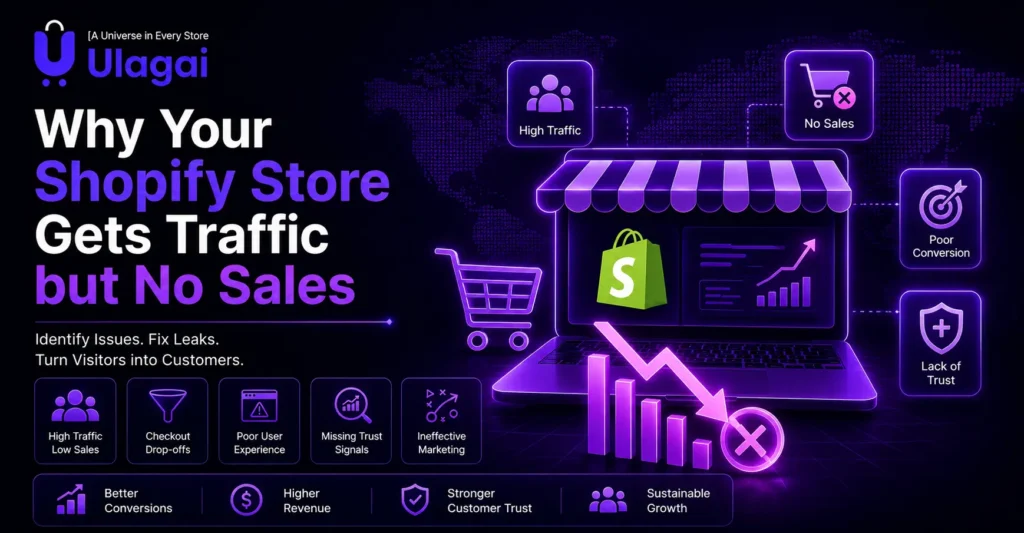
Why Your Shopify Store Gets Traffic but No Sales Introduction Many business owners assume that more website visitors automatically mean more revenue. In reality, thousands of visitors can leave a Shopify store without buying anything if the shopping experience does not build confidence or make purchasing easy. If your Shopify store receives traffic but your Shopify store sales remain low, the problem is usually your conversion process not your visitor count. At Ulagai, we help ecommerce businesses identify these conversion gaps and build Shopify stores that turn visitors into paying customers. This guide explains the most common reasons behind low sales and how to fix them. What Does “Traffic but No Sales” Mean? Traffic but no sales means people are visiting your Shopify store but leaving without completing a purchase. Your marketing campaigns may be successful in attracting visitors, but your website fails to convince them to become customers. This is one of the most common ecommerce challenges. A store may receive organic traffic from Google, visitors from Meta Ads, or referrals from social media, yet still struggle because something in the buying journey creates hesitation. Instead of focusing only on increasing traffic, businesses should improve the customer experience from the moment someone lands on the website until checkout. Why Isn’t Website Traffic Enough? Website traffic only shows the number of visitors coming to your store. However, sales happen when those visitors trust your business, understand your products, and experience a smooth and convenient buying journey. Before making a purchase decision, customers evaluate several important factors that influence their confidence, including: Product Quality: Customers want to know whether the product meets their expectations and provides good value. Pricing: Clear and competitive pricing helps customers feel confident about their purchase decision. Brand Credibility: A trustworthy brand presence, professional website, and transparent information improve customer confidence. Customer Reviews: Reviews and testimonials help new visitors understand product experiences from existing customers. Delivery Information: Clear shipping details and delivery timelines reduce customer doubts before purchasing. Return Policy: A simple and transparent return process gives customers more confidence to complete their order. Checkout Experience: A fast, secure, and easy checkout process helps prevent cart abandonment. If even one of these factors creates uncertainty, many visitors may leave your store and compare another brand. Optimizing every stage of the customer journey helps improve trust, increase conversions, and generate more sales. Why Does Your Shopify Store Get Traffic but No Sales? Several small issues often combine to reduce conversions. Identifying and fixing these problems usually delivers better results than increasing advertising budgets. Poor Product Pages Product pages influence purchasing decisions more than almost any other part of your website. Many stores provide only one image, a short description, and a price. Customers want detailed specifications, multiple images, lifestyle photos, videos, size information, FAQs, delivery timelines, and answers to common concerns before making a purchase. A complete product page reduces uncertainty and increases buying confidence. Weak Trust Signals Trust is one of the biggest factors affecting ecommerce conversions. Customers often hesitate if they cannot verify that a business is genuine. Missing customer reviews, unclear contact details, no return policy, and limited payment options can all reduce confidence. Adding verified reviews, secure payment badges, business information, shipping policies, and customer testimonials helps visitors feel safer when purchasing. Slow Website Speed Even a delay of a few seconds can increase bounce rates. Large images, unnecessary apps, poor coding, and unoptimized themes often slow Shopify stores. Visitors expect pages to load almost instantly, especially on mobile devices. Improving Core Web Vitals, compressing images, reducing unused scripts, and choosing a lightweight Shopify theme create a faster shopping experience. Complicated Checkout Process Many businesses lose customers during checkout rather than on product pages. Long forms, forced account creation, unexpected shipping charges, and confusing payment options encourage visitors to abandon their carts. A simple checkout with guest purchasing, multiple payment methods, transparent shipping costs, and minimal steps significantly improves conversion rates. Targeting the Wrong Audience Not all traffic is valuable traffic. A campaign may generate thousands of visitors who have little intention of purchasing. Broad advertising campaigns, irrelevant keywords, or poorly targeted audiences often produce high traffic but low conversions. Businesses should focus on attracting people actively searching for their products rather than simply increasing visitor numbers. Poor Mobile Experience Most Shopify visitors now browse using smartphones. If buttons are difficult to tap, text is too small, menus are confusing, or images do not display correctly, mobile users quickly leave the website. A responsive, mobile-first Shopify design creates a better shopping experience and improves conversions across all devices. How Can You Improve Shopify Store Sales? Improving Shopify store sales starts with understanding why visitors hesitate to buy. Instead of spending more on advertising, focus on making your website easier to trust, navigate, and purchase from. Small improvements across the customer journey often produce better results than simply increasing website traffic. A conversion-focused Shopify store removes friction at every stage—from product discovery to checkout. When customers find the information they need quickly and feel confident about your brand, they are far more likely to complete a purchase. Proven Ways to Increase Shopify Store Sales Improve Product Pages Your product page should answer every question a customer might have before purchasing. Include high-quality images from multiple angles, detailed product descriptions, size or specification guides, delivery information, FAQs, and customer reviews. Rich product content reduces uncertainty and helps customers make informed decisions.   Strengthen Customer Trust Trust plays a major role in ecommerce success. Display verified customer reviews, secure payment icons, SSL certificates, return and refund policies, contact information, and business details prominently throughout your Shopify store. These trust signals reassure visitors that they are buying from a legitimate business.   Optimize Website Speed A fast-loading website improves both user experience and search rankings. Compress images, remove unnecessary Shopify apps, optimize code, and monitor Core Web Vitals regularly. Faster websites reduce bounce rates and keep potential customers engaged.   Simplify the Checkout Process Every additional step during

Shopify ERP integration
Shopify

How Shopify ERP Integration Improves Ecommerce Operations

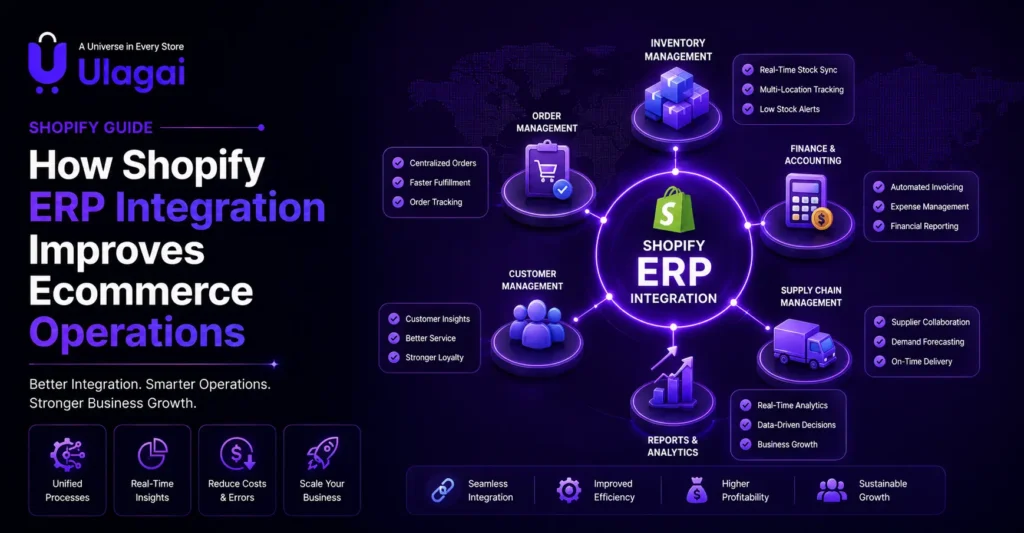
How Shopify ERP Integration Improves Ecommerce Operations Introduction Managing an ecommerce business becomes more challenging as orders, products, customers, and sales channels increase. Many businesses start with Shopify because it provides an easy way to sell online, but operational problems often appear when teams manage inventory, order processing, accounting, and customer information separately. Shopify ERP integration helps businesses connect their online store to an Enterprise Resource Planning system to streamline operations. Instead of manually updating multiple systems, businesses can synchronize important data and automate repetitive processes. At Ulagai, we help businesses build scalable digital solutions through Shopify Development, ERP Solutions, API Integrations, and ecommerce automation. This guide explains how Shopify ERP integration improves daily operations and helps ecommerce businesses prepare for long-term growth. What Is Shopify ERP Integration? Shopify ERP integration is the process of connecting a Shopify store with an ERP system to synchronize business data and automate operational processes. An ERP system manages different areas of a business, including inventory, finance, purchasing, warehouse operations, and customer information. When connected with Shopify, the ERP becomes a central system that helps businesses manage online sales more efficiently. For example, when a customer places an order on Shopify, the ERP system can automatically update inventory levels, generate order information, and support fulfilment processes without manual entry. This connection creates a more reliable workflow between ecommerce sales and backend operations. Why Is Shopify ERP Integration Important for Ecommerce Businesses? Shopify ERP integration is important because ecommerce operations involve multiple connected activities. A single customer order can affect inventory, warehouse management, payment records, shipping processes, and customer communication. Without integration, teams may spend hours updating information manually across different systems. This increases the possibility of errors, delayed fulfilment, and inaccurate business reports. An integrated ERP system helps businesses maintain accurate information and improve operational efficiency. How Does Shopify ERP Integration Improve Inventory Management? Shopify ERP integration improves inventory management by synchronizing product availability between the online store and backend systems. Inventory problems such as overselling, incorrect stock levels, and delayed updates can negatively affect customer satisfaction. Real-time inventory management helps businesses know exactly what products are available. For growing ecommerce brands, this means: Accurate stock information Better purchase planning Reduced inventory mistakes Improved warehouse coordination For example, when a customer purchases a product through Shopify, the ERP system can automatically reduce the available stock quantity and update inventory records. How Does ERP Integration Automate Order Processing? ERP integration automates order processing by transferring Shopify orders directly into the business management system. Without integration, teams may manually copy order details from Shopify into other systems. This process takes time and increases the chance of mistakes. With automation, businesses can manage: Order confirmation Invoice generation Shipping information Inventory updates Customer records This creates a faster and more reliable fulfilment process. How Does Shopify ERP Integration Help Manage Customer Data? Shopify ERP integration improves customer data management by keeping customer information organized across business systems. Customer details, purchase history, order records, and communication information can be synchronized between Shopify and ERP platforms. This helps businesses understand customer behaviour and create better experiences. For example, an ecommerce brand can analyze buying patterns, identify repeat customers, and improve marketing strategies using accurate customer information. What Are the Key Benefits of Shopify ERP Integration? A Shopify ERP system provides more than basic automation. It creates a foundation for efficient ecommerce operations and future business growth. Improved Business Efficiency ERP integration reduces repetitive manual tasks and allows teams to focus on higher-value activities. Better Data Accuracy Connected systems reduce duplicate entries and keep business information consistent. Faster Order Fulfilment Automated workflows help businesses process orders quickly and improve delivery experiences. Easier Scaling As product ranges and order volumes grow, integrated systems help businesses handle increased complexity. Important Features of Shopify ERP Integration A successful Shopify ERP integration connects different business functions and creates a smooth flow of information between ecommerce and internal operations. The right integration depends on business size, product complexity, sales channels, and operational requirements. For growing ecommerce businesses, the focus should not only be on connecting systems but also on creating a workflow that improves decision-making and customer experience. Important features include: Inventory Synchronization: Keeps product stock levels updated between Shopify and ERP systems. Order Management Automation: Transfers online orders automatically for processing and fulfilment. Customer Data Synchronization: Maintains accurate customer profiles, purchase history, and sales records. Accounting Integration: Helps connect sales data with financial processes. Warehouse Management Integration: Improves picking, packing, and shipping operations. Multi-Channel Management: Helps businesses manage sales from different platforms through one system. These features help ecommerce brands reduce operational challenges and maintain better control over daily activities. How Does Shopify API Integration Support ERP Connectivity? Shopify API integration allows Shopify stores to communicate with external business systems such as ERP platforms, CRM systems, and custom applications. APIs act as a bridge that transfers information between different software platforms. Through Shopify APIs, businesses can connect product data, customer details, order information, and inventory updates. For example, a manufacturing company selling through Shopify can connect its ERP system to automatically update product availability based on production and warehouse data. A properly planned Shopify API integration helps businesses create flexible and scalable ecommerce operations. What Are the Best Practices for Shopify ERP Integration? Shopify ERP integration works best when businesses focus on long-term efficiency rather than only solving immediate problems. A well-designed integration should support business growth, improve customer experience, and reduce operational complexity. Choose Scalable Solutions Businesses should select ERP solutions that can support increasing products, customers, and order volumes. A system that works for a small store may not support future expansion. Maintain Accurate Data Mapping Data mapping ensures that information such as product details, customer records, and order information transfers correctly between Shopify and ERP systems. Incorrect mapping can create inventory errors and reporting problems. Prioritize Security Ecommerce businesses handle sensitive information, including customer details and payment-related data. Secure API connections, proper access controls, and regular monitoring help protect business information.

Shopify jewellery store trust
Shopify

How Jewellery Brands Can Build Customer Trust on Shopify

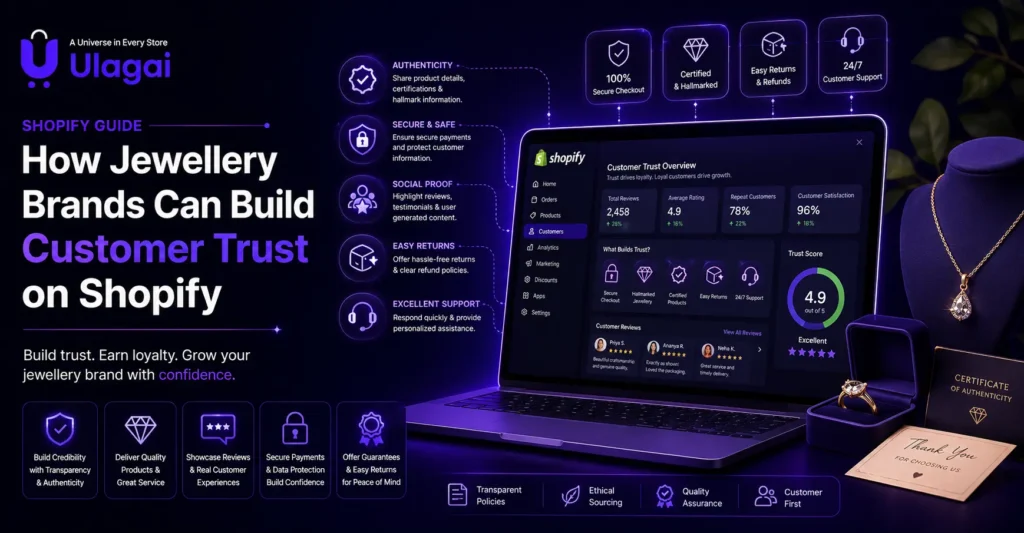
How Jewellery Brands Can Build Customer Trust on Shopify Introduction Buying jewellery online requires a higher level of customer confidence compared to many other ecommerce products. Customers want to know whether the jewellery is authentic, whether the images match the actual product, and whether the brand will provide reliable support after purchase. A strong Shopify jewellery store trust strategy helps jewellery brands overcome these concerns and create a buying experience that feels secure and professional. Without trust, even attractive products may fail to convert visitors into customers. At Ulagai, we help ecommerce brands build high-performing Shopify websites with better user experience, conversion optimization, SEO, and business-focused ecommerce solutions. This guide explains how jewellery brands can improve trust, credibility, and customer confidence on Shopify. Why Is Customer Trust Important for Shopify Jewellery Stores? Customer trust is the foundation of successful online jewellery sales because customers often purchase products without physically touching or seeing them before delivery. Jewellery is an emotional and high-value purchase. Customers consider product quality, authenticity, brand reputation, payment security, and return options before completing an order. A trustworthy Shopify jewellery website reduces customer hesitation and helps visitors move confidently from product discovery to purchase. What Are the Biggest Trust Challenges for Online Jewellery Brands? Online jewellery businesses face unique challenges because customers cannot physically inspect products before buying. The first challenge is product authenticity. Customers want clear information about materials, certifications, purity, and craftsmanship before investing in jewellery. Another challenge is visual confidence. Jewellery depends heavily on appearance, and poor images or unclear product details can create doubts about product quality. Shipping, returns, and after-sales support also influence buying decisions. Customers need reassurance that the brand will support them after payment. How Can Jewellery Brands Build Trust on Shopify? 1. Create High-Quality Jewellery Product Pages A product page is often the first place where customers decide whether they trust a jewellery brand. A professional Shopify product page should answer important customer questions before they ask. Instead of only showing a product image and price, brands should provide complete information about the jewellery. Important elements include: Detailed product descriptions Jewellery material information Size and weight details Certification details Care instructions Delivery information Return and exchange policies Clear product information helps customers make informed decisions and improves the overall online jewellery buying experience. 2. Use Professional Jewellery Product Photography Jewellery product photography plays a major role in building customer confidence because customers depend on visuals when shopping online. High-quality images should show product details clearly, including design patterns, finishing quality, and product scale. A Shopify jewellery website should consider using: Multiple product angles Close-up images Lifestyle images Product videos Real customer photos Professional visuals reduce uncertainty and help customers understand what they will receive. 3. Display Authenticity and Product Information Clearly Jewellery customers often look for proof that products are genuine and accurately described. Brands can build trust by displaying important product details openly instead of hiding information. Useful trust elements include: Authenticity certificates Material details Hallmark information Manufacturing details Warranty information Transparency creates confidence because customers understand exactly what they are purchasing. 4. Add Customer Reviews and Testimonials Customer reviews are one of the strongest ecommerce trust signals because buyers trust real experiences from other customers. A Shopify jewellery store with genuine reviews helps new visitors understand product quality, delivery experience, and customer service. Reviews should include specific details rather than only short ratings. For example, customers sharing product quality, packaging experience, and delivery satisfaction provide stronger confidence. Brands can also include: Customer photos Video testimonials Verified purchase badges Product ratings 5. Improve Shopify Store Security and Payment Confidence Secure shopping experiences are essential for jewellery ecommerce because customers may hesitate before making high-value payments online. A professional Shopify store should communicate security through reliable payment options, clear policies, and a smooth checkout process. Customers feel more confident when websites provide: Secure payment gateways Transparent pricing Clear shipping information Easy checkout experience Privacy protection Security is not only a technical feature; it is also a customer confidence factor. 6. Build a Strong Jewellery Brand Identity Customers do not only buy jewellery products; they buy from brands they trust. A strong online presence helps customers understand the story, values, and expertise behind the jewellery brand. A Shopify jewellery brand can strengthen credibility through: About Us page Brand story Craftsmanship information Social media presence Customer community A professional brand identity creates emotional connections and improves customer loyalty. Which Shopify Trust Signals Improve Jewellery Store Conversions? Trust signals are elements on an ecommerce website that reduce customer doubts and encourage purchase decisions. For jewellery brands, these signals are especially important because customers are investing in products that often have emotional and financial value. A Shopify jewellery store should communicate reliability at every stage of the customer journey, from the first website visit to post-purchase support. Important trust signals include: Verified customer reviews Secure payment options Authenticity certificates Clear return and exchange policies Professional product images Customer support availability Transparent shipping details When these elements are visible, customers feel more comfortable completing their purchase. How Can Shopify Product Pages Increase Customer Confidence? A Shopify product page is not only a sales page; it is a trust-building page. Jewellery customers need enough information to replace the physical shopping experience they would normally have in a store. A well-optimized product page answers questions about quality, design, pricing, delivery, and authenticity before customers hesitate. Important product page improvements include: Detailed Product Information Jewellery descriptions should explain materials, dimensions, weight, craftsmanship, and usage details. Generic descriptions make products feel less reliable. For example, instead of writing “Beautiful silver necklace,” a better description explains the silver purity, design inspiration, finishing process, and care instructions. Realistic Product Images Customers should be able to view jewellery from multiple perspectives. Images should accurately represent the product without creating unrealistic expectations. Customer Reviews Near Products Displaying reviews close to product details helps customers make faster decisions because they can immediately see other buyers’ experiences. How Does Jewellery Brand Transparency Build Online

Shopify CRM integration
Shopify

Shopify CRM Integration: A Guide for Growing Businesses

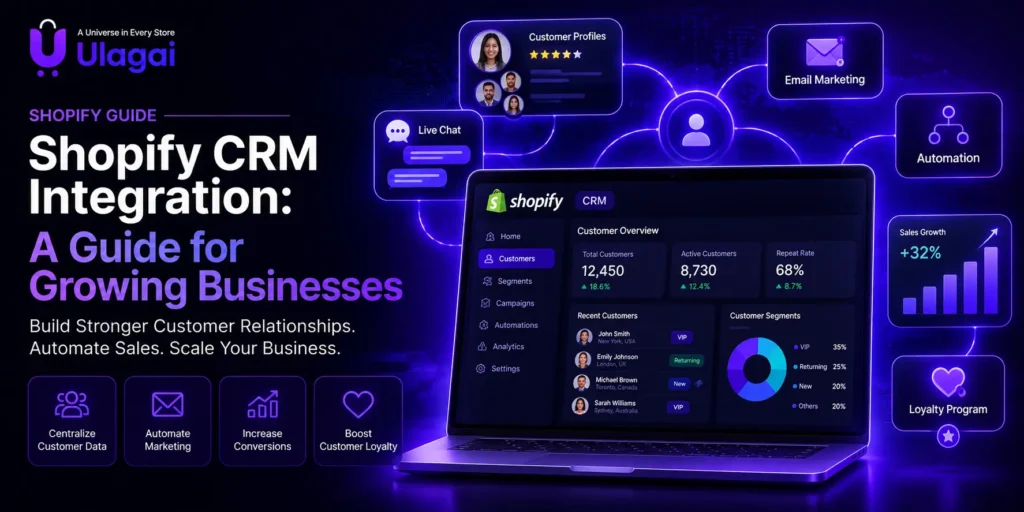
Shopify CRM Integration: A Guide for Growing Businesses Introduction Growing ecommerce businesses often collect thousands of customer interactions, orders, enquiries, and purchase details. However, when customer information is stored separately across different tools, it becomes difficult to understand customer behavior and provide personalized experiences. Shopify CRM integration helps businesses connect their online store with a CRM platform so customer data, sales activities, and communication workflows can work together. This allows businesses to manage relationships more effectively instead of relying on manual tracking. At Ulagai, we help businesses build scalable ecommerce solutions by combining Shopify Development, CRM solutions, API integrations, and business automation strategies. This guide explains how Shopify CRM integration works, why it matters, and how growing businesses can use it to improve customer relationships and sales performance. How Does Shopify CRM Integration Work? Shopify CRM integration is the process of connecting a Shopify ecommerce store with CRM software to automatically transfer and manage customer-related information. A CRM system stores valuable customer details such as contact information, purchase history, product interests, communication records, and sales interactions. When connected with Shopify, this information becomes available in one centralized location. For example, when a customer completes a purchase on Shopify, the CRM can automatically update their profile, record their buying history, assign customer segments, and trigger follow-up communication. This reduces manual work and helps businesses create more personalized customer experiences. What Is Shopify CRM Integration and Why Does It Matter? Shopify CRM integration means connecting Shopify with a Customer Relationship Management platform to improve how businesses manage customer relationships. Shopify is excellent for handling ecommerce transactions, product management, and online sales. However, CRM platforms provide deeper customer insights, sales tracking, automation, and communication management. When these systems work together, businesses gain a complete view of each customer journey from the first interaction to repeat purchases. For growing businesses, this connection is valuable because acquiring new customers is only one part of ecommerce success. Building long-term relationships and encouraging repeat purchases are equally important. Why Do Growing Businesses Need Shopify CRM Integration? Improve Customer Management with CRM Integration</> Growing businesses often face challenges when managing increasing amounts of customer data. As order volumes increase, teams may struggle to track customer preferences, manage follow-ups, and create personalized marketing campaigns effectively. A connected CRM system helps solve these challenges by automatically organizing and managing customer information. With CRM integration: Sales teams can understand customer history and improve follow-ups. Marketing teams can create more targeted campaigns. Customer support teams can provide faster and more personalized assistance. CRM integration also improves business decision-making by helping teams analyze customer behavior, preferences, and buying patterns instead of relying only on basic order reports. Some important business advantages include: Better customer understanding through centralized data Improved follow-up and lead management More personalized marketing campaigns Automated customer communication Higher efficiency for sales teams A well-integrated CRM system helps businesses build stronger customer relationships, improve productivity, and create better growth opportunities. What Features Should a Shopify CRM System Include? A good Shopify CRM system should do more than store customer information. It should help businesses understand customer behavior and automate important processes. The most useful CRM features are connected with sales, marketing, and customer service workflows. Customer Data Synchronization Customer data synchronization ensures that Shopify and CRM platforms share updated information. Customer profiles, purchase history, order details, and communication records can stay consistent across both systems. This helps teams avoid duplicate records and gives them a complete understanding of customer interactions. Customer Segmentation Customer segmentation allows businesses to group customers based on buying behavior, interests, order value, location, or engagement level. For example, a fashion ecommerce store can create separate groups for first-time buyers, repeat customers, and high-value customers. Each group can receive more relevant communication. Sales Automation Sales automation helps businesses manage leads, follow-ups, and customer communication without performing every task manually. A CRM can remind sales teams about follow-ups, track customer enquiries, and automate repetitive activities. Marketing Automation Marketing automation allows businesses to create targeted campaigns based on customer actions. For example, customers who viewed products but did not purchase can receive reminder emails, while repeat customers can receive loyalty offers. How Can Shopify CRM Integration Improve Ecommerce Growth? Shopify CRM integration helps businesses improve ecommerce growth by providing deeper insights into customer behavior beyond individual transactions. When businesses understand what customers purchase, how frequently they buy, and how they interact with the brand, they can create more effective marketing strategies and deliver personalized customer experiences. A CRM-connected Shopify store can support: Personalized product recommendations Better customer retention strategies Automated customer follow-ups Improved customer support Data-driven marketing decisions For example: An online healthcare product store can use CRM data to identify returning customers and send relevant product reminders based on their previous purchases. Similarly, a retail brand can create targeted campaigns by analyzing customer purchase history, preferences, and buying patterns. By integrating Shopify with a CRM system, businesses can build stronger customer relationships, increase repeat sales, and create a more personalized ecommerce experience. How Do You Integrate Shopify with a CRM System? Shopify CRM integration requires a clear understanding of business goals, customer workflows, and the type of information that needs to move between platforms. A successful integration is not only about connecting two systems; it is about creating a smoother process for sales, marketing, and customer management. Businesses should first identify which customer activities need automation and which teams will use CRM data. This helps select the right integration approach and prevents unnecessary complexity. Step 1: Identify Your CRM Requirements Before connecting Shopify with a CRM, define what your business wants to achieve. Some businesses need better lead management, while others focus on customer retention, sales automation, or personalized marketing campaigns. Understanding these requirements helps determine which CRM features are most important for your ecommerce workflow. Step 2: Select the Right CRM Platform The best CRM for Shopify depends on your business size, industry, sales process, and future growth plans. Popular CRM platforms used with Shopify include: CRM

Shopify B2B ERP integration
Shopify

How to Connect Shopify B2B with an ERP System

How to Connect Shopify B2B with an ERP System Introduction Managing a growing B2B ecommerce business becomes increasingly difficult when your online store and internal business systems operate independently. Orders may need to be entered manually, inventory can become inaccurate, and accounting teams often spend valuable time correcting data instead of focusing on business growth. This is why Shopify B2B ERP integration has become an essential investment for manufacturers, wholesalers, distributors, and enterprise businesses. By connecting Shopify with an ERP system, companies can automate day-to-day operations, improve data accuracy, and create a smoother experience for both customers and employees. At Ulagai, we help businesses build scalable Shopify solutions that integrate seamlessly with ERP platforms, enabling better operational efficiency and long-term digital transformation. In this guide, you’ll learn how Shopify B2B ERP integration works, why it matters, and the best practices for implementing it successfully. What Is Shopify B2B ERP Integration? Shopify B2B ERP integration is the process of connecting a Shopify B2B store with an Enterprise Resource Planning (ERP) system so that business data flows automatically between both platforms. Instead of managing inventory, customer records, pricing, purchase orders, invoices, and shipping information separately, the integration allows these systems to communicate in real time or at scheduled intervals. This reduces duplicate work and ensures that every department works with the same up-to-date information. For example, when a customer places a wholesale order through Shopify, the ERP system can automatically receive the order, update inventory, generate an invoice, and notify the warehouse for fulfillment. This eliminates manual data entry and helps businesses process orders faster and more accurately. Why Is Shopify B2B ERP Integration Important? As businesses expand, managing operations across disconnected systems becomes increasingly complex. Sales teams, warehouse staff, finance departments, and customer service representatives all rely on accurate information. Without integration, inconsistencies between systems can lead to delays, errors, and dissatisfied customers. A connected Shopify and ERP environment creates a single source of truth for business data. Inventory updates instantly, pricing remains consistent, and customer information stays synchronized across departments. This improves decision-making and allows businesses to scale without significantly increasing administrative work. For B2B companies handling hundreds or thousands of orders each month, automation also helps reduce operational costs while improving order accuracy and customer satisfaction. How Does Shopify Connect with an ERP System? Shopify can integrate with ERP software using APIs, middleware platforms, or custom-built connectors. The best approach depends on the complexity of your business processes and the ERP platform you use. In a typical integration, Shopify sends order information to the ERP system. The ERP then processes inventory updates, accounting entries, shipping details, and customer records before sending the latest information back to Shopify. This two-way communication ensures both systems remain synchronized. Many businesses also choose to automate product updates, wholesale pricing, purchase orders, tax calculations, and customer account information. By reducing manual intervention, employees can focus on strategic work rather than repetitive administrative tasks. Which Business Data Can Be Synchronized? A successful Shopify ERP integration extends beyond order management. It enables different departments to work together using shared, accurate data across the organization. Common data synchronized between Shopify and ERP systems includes: Business Data Purpose Product Catalog Keep product information consistent Inventory Levels Prevent overselling and stock shortages Customer Accounts Maintain accurate B2B customer records Wholesale Pricing Display customer-specific pricing Purchase Orders Automate procurement workflows Sales Orders Eliminate manual order entry Shipping Information Improve order fulfillment Invoice Data Simplify accounting processes Payment Status Track customer payments Tax Information Support financial compliance What Are the Benefits of Shopify ERP Integration? One of the biggest advantages of ERP integration is operational efficiency. Instead of relying on multiple teams to update separate systems, information flows automatically between departments. This minimizes human error and allows employees to spend more time on activities that add value to the business. Businesses also gain better visibility into inventory, sales performance, purchasing, and customer behavior. Decision-makers can access accurate reports without manually combining data from multiple platforms. As order volumes increase, automation helps maintain consistent service levels without proportionally increasing operational costs. For manufacturers and wholesalers, integration also supports customer-specific pricing, bulk ordering, inventory forecasting, and faster order fulfillment all of which contribute to stronger relationships with B2B buyers. How to Connect Shopify with an ERP System A successful Shopify ERP integration requires careful planning before starting any technical implementation. Mapping your business processes first helps avoid expensive changes later and ensures both systems exchange the right information accurately. Step 1: Understand Your Business Processes Start by identifying which data needs to move between Shopify and your ERP system. This usually includes: Products Inventory Orders Customers Pricing Payments Shipping Invoices Clearly defining these workflows helps prevent unnecessary integrations and ensures your Shopify store and ERP system work together efficiently. Step 2: Choose the Right Integration Method Businesses generally connect Shopify and ERP systems using one of three integration methods: Native ERP connectors Middleware platforms Custom API integration The right option depends on your ERP platform, customization requirements, data complexity, and long-term business goals. Step 3: Map Your Data Product codes, customer records, inventory locations, tax settings, and pricing structures should match correctly across both systems. A well-planned data mapping process reduces synchronization issues and improves data accuracy after launch. Step 4: Test Before Going Live Before making the integration live, complete detailed testing to ensure all workflows function properly. Testing should include: Order creation Inventory updates Customer accounts Payment processing Shipping information Invoice generation Small test orders often reveal technical issues before they affect real customers or daily business operations. Step 5: Monitor and Improve Shopify ERP integration is not a one-time project. Regular monitoring helps maintain smooth data flow between both systems. Continuous monitoring helps identify: Failed synchronizations API errors Inventory mismatches Workflow improvements Ongoing optimization ensures your Shopify and ERP systems continue supporting business growth, automation, and better customer experiences. Common Challenges During Shopify ERP Integration Many integration problems are not caused by technology but by inconsistent business processes or

Scroll to Top